Agent Types
When you create an agent, you choose one of three types. The type you pick affects the tabs available on the agent and what happens automatically when it captures a lead.
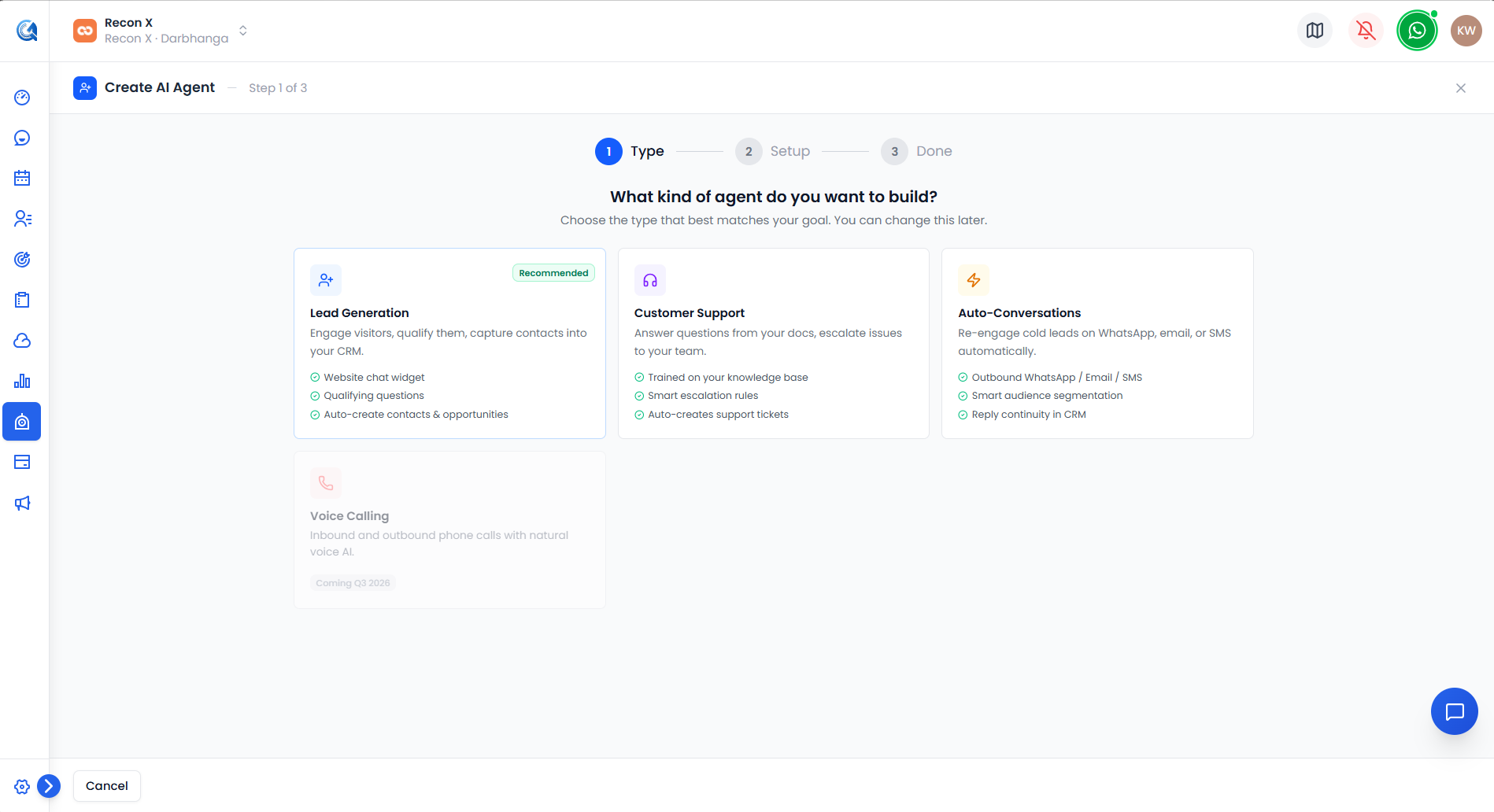 The type picker shown at the start of the creation wizard — Lead Generation, Customer Support, and Auto-Conversations, plus the disabled Voice Calling tile.
Lead Generation
The default, recommended type. A website chat widget that asks qualifying questions and captures contact details. When CRM Actions is configured, captured leads can automatically create an Opportunity.
Customer Support
Trained on your knowledge base to answer questions and handle escalations. Instead of an Opportunity, CRM Actions offers Create Support Ticket for this type.
Auto-Conversations
Built for outbound re-engagement over WhatsApp, Email, or SMS rather than an inbound website widget. See Auto-Conversations for what's available today.
What Differs by Type
| Lead Gen | Support | Auto-conv | |
|---|---|---|---|
| CRM Actions capture flow | Create Opportunity | Create Support Ticket | Create Opportunity |
| Extra tabs | — | — | Segments, Campaigns (see note below) |
Everything else — Persona, Knowledge, Lead Capture, Flow Builder, Integrations, Deploy, Analytics, and Sandbox — works the same way across all three usable types.
Auto-Conversation agents' Segments and Campaigns tabs exist in the product but aren't currently shown in the tab bar — see Auto-Conversations for details.