Integrations
The Integrations tab connects your agent to external services — currently, WhatsApp follow-up messaging.
Navigating to Integrations
Open an agent, then click the Integrations tab.
WhatsApp Follow-up
Automatically message a lead on WhatsApp right after they're captured, and optionally auto-reply to their inbound WhatsApp messages.
- The section shows your WhatsApp connection status inline — if nothing is connected, a Connect WhatsApp link takes you to Settings → Channels.
- Pick an approved WhatsApp template (with
{{variable}}mapping to contact fields or static text, and a live WhatsApp-style bubble preview — including carousel templates), or fall back to a free-text default message.
See WhatsApp → Connecting WhatsApp if you haven't linked a WhatsApp Business Account yet.
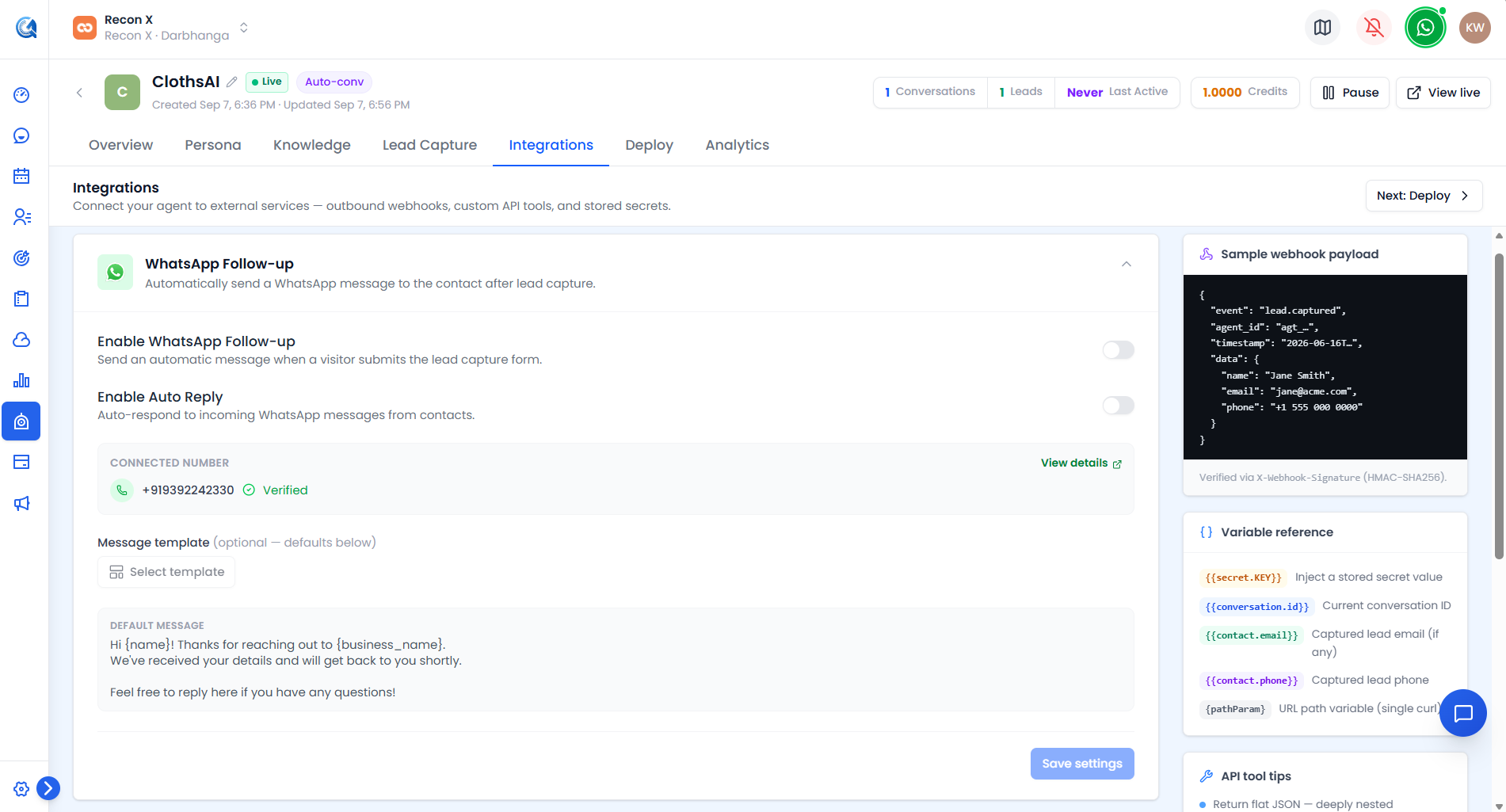 Connection status, the approved-template picker, and the live bubble preview.
Video Walkthrough
Watch the complete walkthrough below.