Knowledge Base
The Knowledge tab is where your agent learns what to say — from your website, uploaded documents, or manually written Q&A pairs.
Navigating to Knowledge
Open an agent, then click the Knowledge tab.
The Sources Table
Every knowledge source — document, scraped webpage, or Q&A set — is listed with its type, status, chunk count, and hits over the last 7 days.
| Status | Meaning |
|---|---|
| Queued | Waiting to be processed |
| Processing | Being indexed |
| Ready | Indexed and available to the agent |
| Failed | Indexing failed — use Resync to retry |
The table auto-refreshes while any source is still Queued or Processing, so you don't need to reload manually.
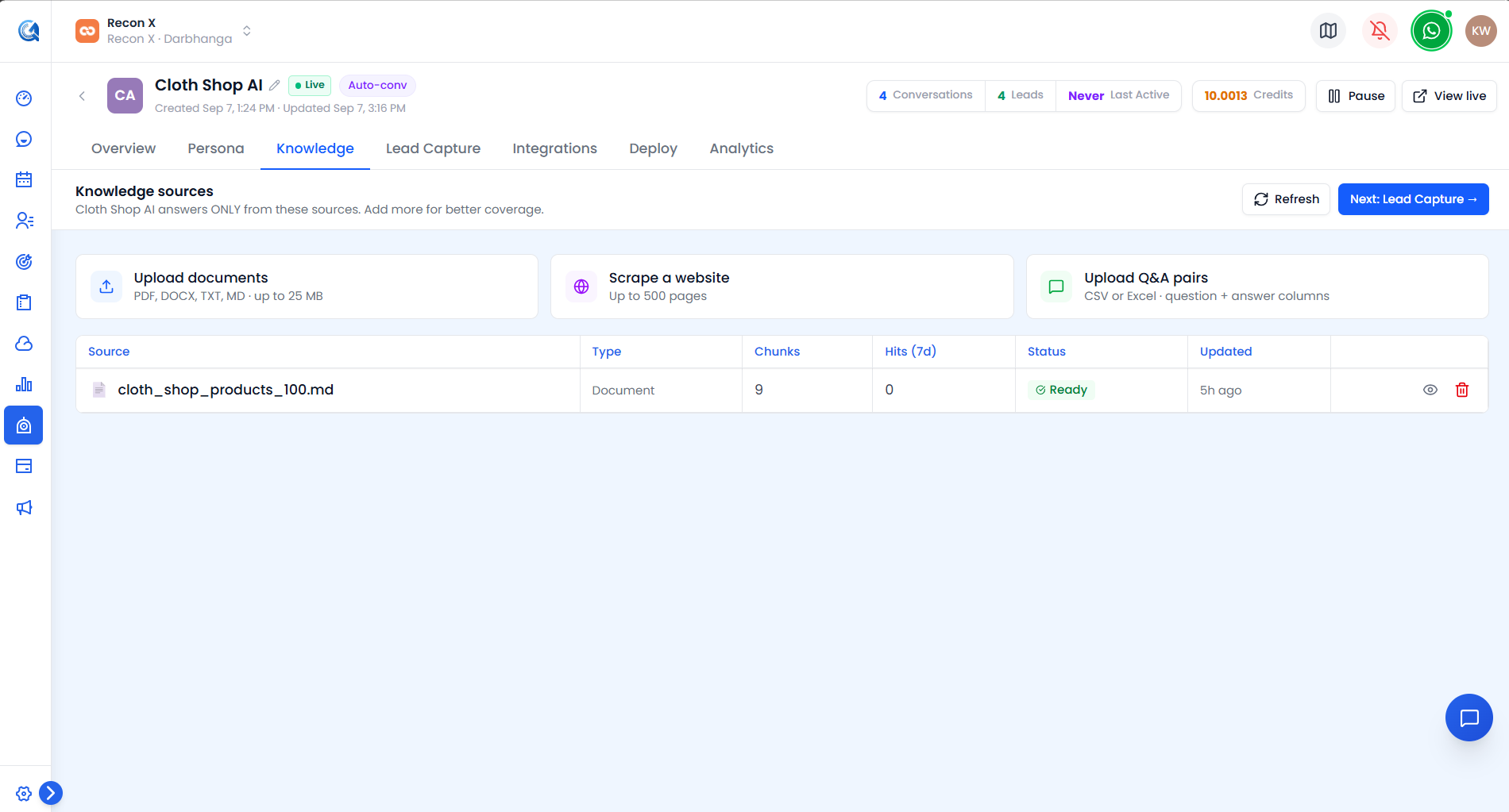 The sources table — type, status, chunk count, and hits over the last 7 days for each source.
Adding Sources
Three ways to add knowledge:
- Upload documents — PDF, DOCX, TXT, or MD files, up to 25 MB each. Multiple files at once.
- Scrape a website — enter a URL and a max-pages limit; scraping respects
robots.txt. - Upload Q&A pairs — a CSV or Excel file with
questionandanswercolumns.
 The three ways to add a knowledge source — upload documents, scrape a website, or upload Q&A pairs.
Managing Sources
Per-row actions: Resync (retry indexing on a failed source), Preview, and Delete.