Sign Up
Welcome to QuantixOne CRM! Creating your account takes less than 2 minutes — and you get 14 days of full access, free. No credit card. No commitment. Just sign up and start exploring.
Step 1 — Open the Sign Up Screen
From the QuantixOne landing page, click the Sign Up tab on the Welcome screen.
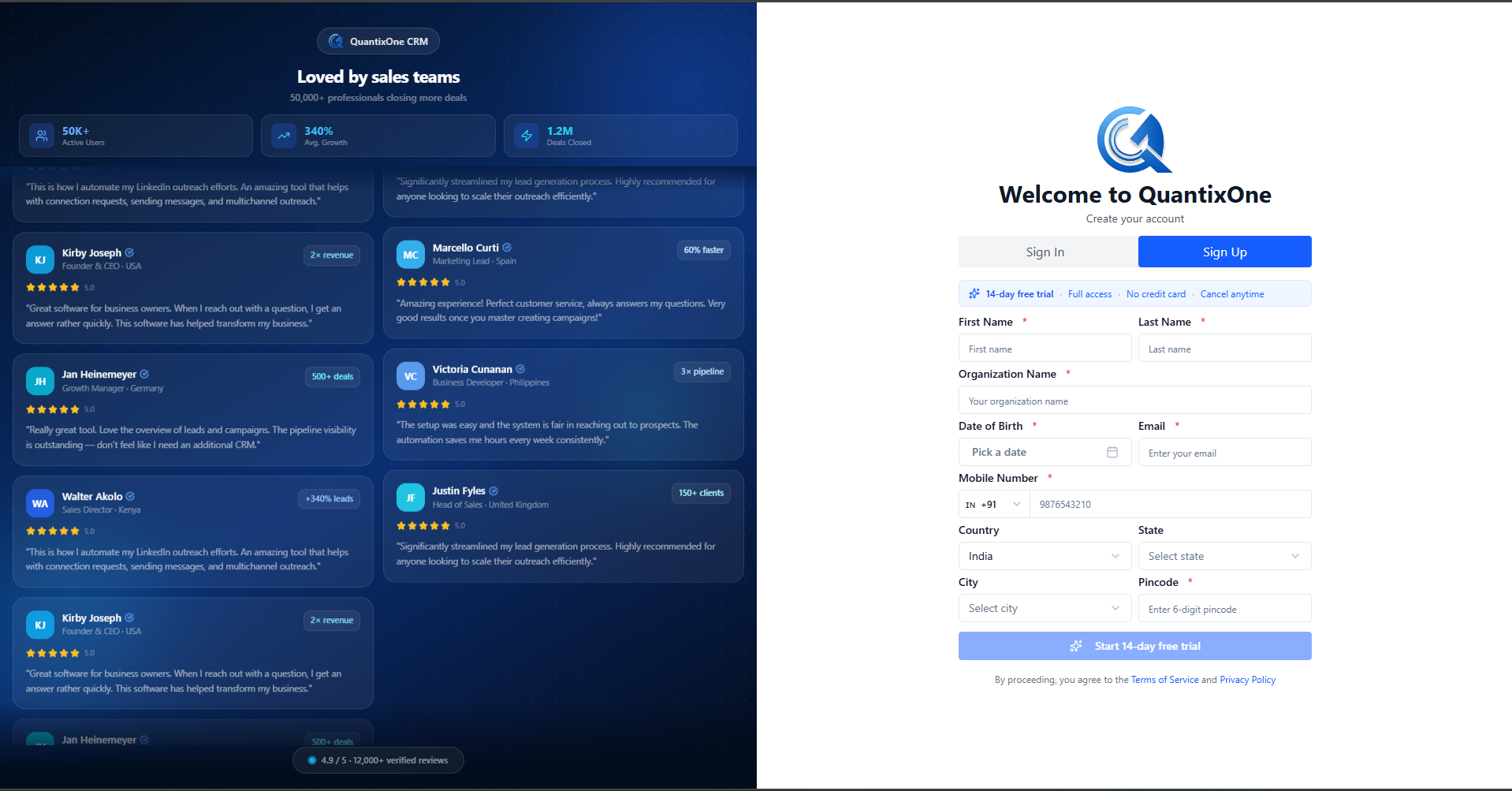 The Welcome screen shows two tabs — Sign In and Sign Up. New users should click Sign Up to get started.
Step 2 — Fill in Your Details
The Sign Up form is split into three sections: Personal Info, Contact Info, and Location. All fields marked with a red asterisk ( * ) are required.
Personal Info
| Field | What to Enter |
|---|---|
| First Name | Your first name |
| Last Name | Your last name |
| Organization Name | Your company or business name |
| Date of Birth | e.g. May 29th, 1998 |
Contact Info
| Field | What to Enter |
|---|---|
| Your official email address | |
| Mobile Number | Your phone number — select the country code ( e.g. +91 ) from the dropdown first |
Location
| Field | What to Enter |
|---|---|
| Country | Select from dropdown |
| State | Select from dropdown |
| City | Select from dropdown |
| Pincode | Your area postal / PIN code |
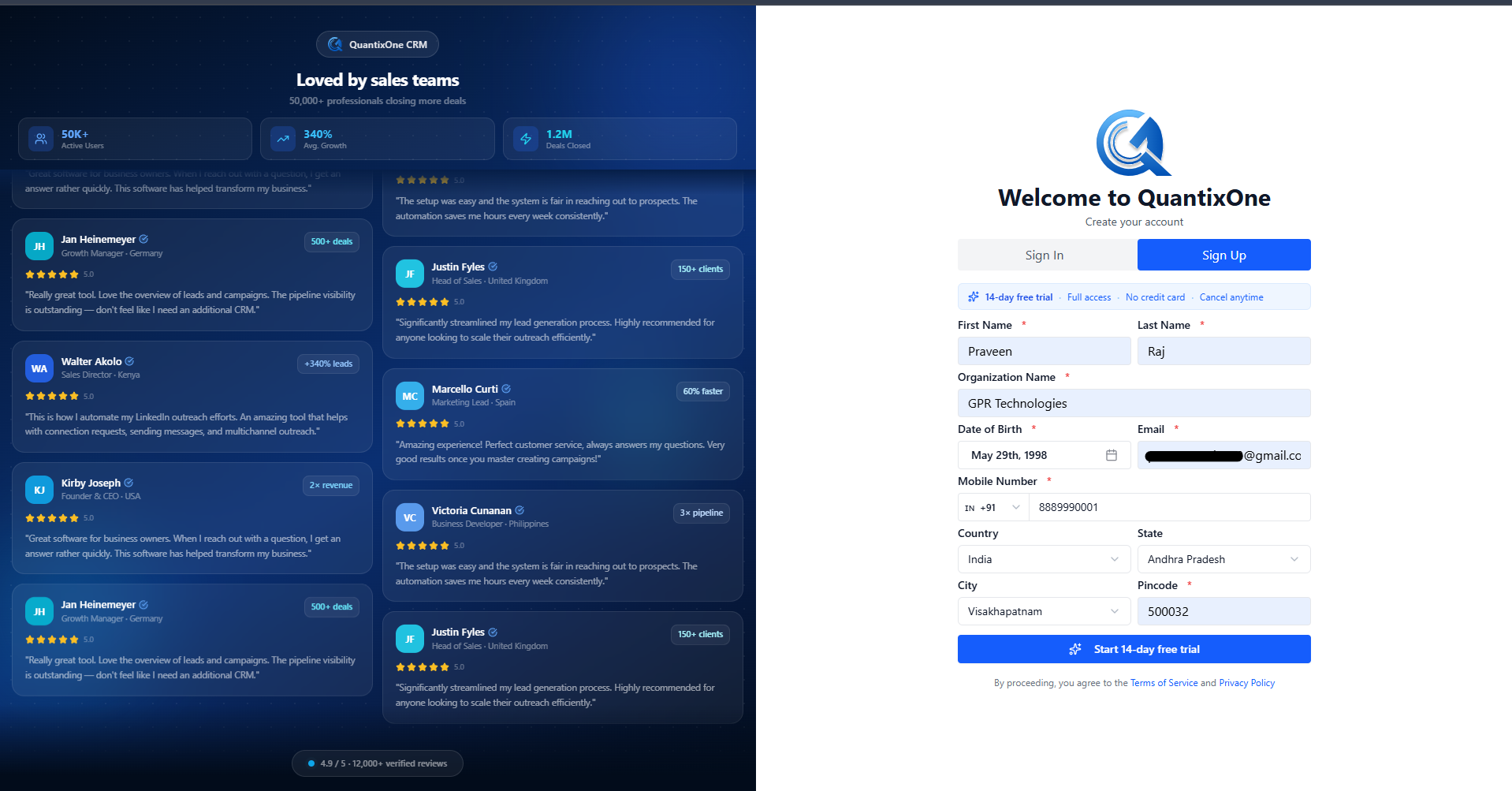 Fill in all sections carefully — your organization name and email will be used across the platform and in communications.
Step 3 — Submit and Start Your Trial
Once all fields are filled, click Start 14-day free trial.
Note: By proceeding, you agree to QuantixOne's Terms of Service and Privacy Policy.
You'll be taken directly into your QuantixOne CRM dashboard — no waiting, no verification delays.
What Happens After Sign Up?
As soon as you're in, QuantixOne will guide you through the Onboarding Process — a quick setup flow to configure your workspace.
Note: Some features like Email, WhatsApp, and Telecalling require onboarding approval before they become active. Completing onboarding unlocks the full platform.
Here's what to expect right after sign up:
- You land on the CRM Dashboard
- An onboarding prompt guides you through company setup
- Once approved, all features are unlocked and your team can get to work
Video Walkthrough
See the full Sign Up flow in action — from landing page to dashboard in under 2 minutes.