Lead Scoring
Lead Scoring lets you define how contacts earn a numeric score based on fit and engagement, then automatically groups them into qualification buckets — from Cold all the way to Sales-Qualified. Nothing is scored until you set up a model: this is an admin-defined system, not a hidden automatic algorithm.
Click Scoring in the left sidebar under Contacts to open it. The page has four tabs: Overview, Analytics, Rules Repository, and Templates.
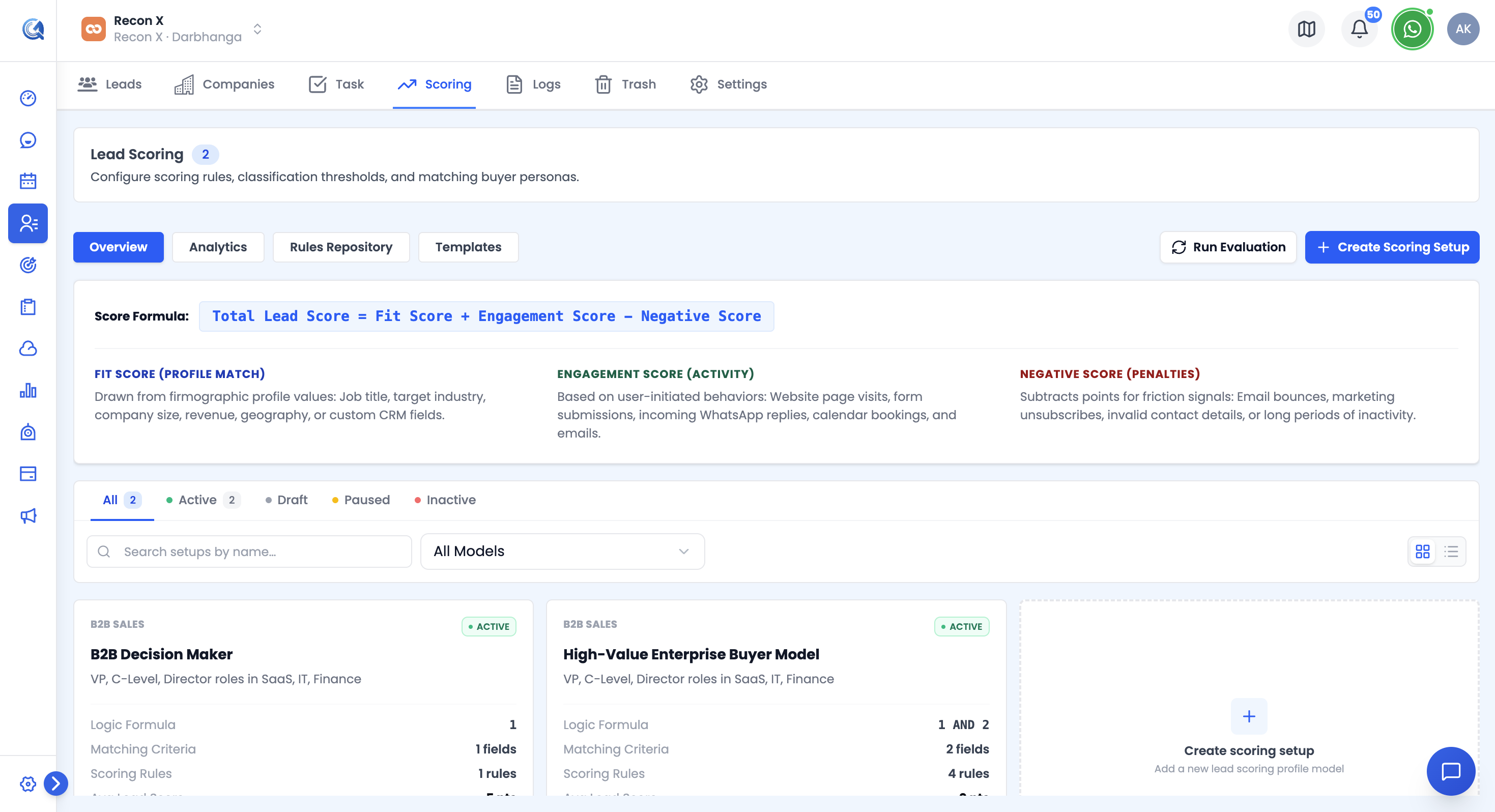 The Overview tab lists every scoring setup as a card, with its status, rule count, and average score.
Overview: Scoring Setups
A Scoring Setup bundles a persona (who you're scoring, and how they're identified), a set of point-earning rules, and score thresholds that bucket the result.
Each setup card shows its name, business-model type (B2B Sales, SaaS Trial, D2C Cart, B2C Retail, or Custom), status (Active, Draft, Paused, Inactive), description, rule count, matching-criteria count, average score, and last-active time.
From a setup's card you can:
- View details, Edit, Duplicate, or Delete (with confirmation)
- Run Evaluation — manually trigger re-scoring of contacts against this setup
Use the search box, business-model Type filter, and status tabs to find a setup, or toggle between grid and list view. Click + New Setup to build a new one.
Creating a Scoring Setup
The setup wizard has five steps:
1. Business Model
Pick a starting template — B2B Sales, SaaS Trial, D2C / Cart Abandoner, B2C Retail / Services, or Custom Model. This pre-fills sensible defaults for the next steps.
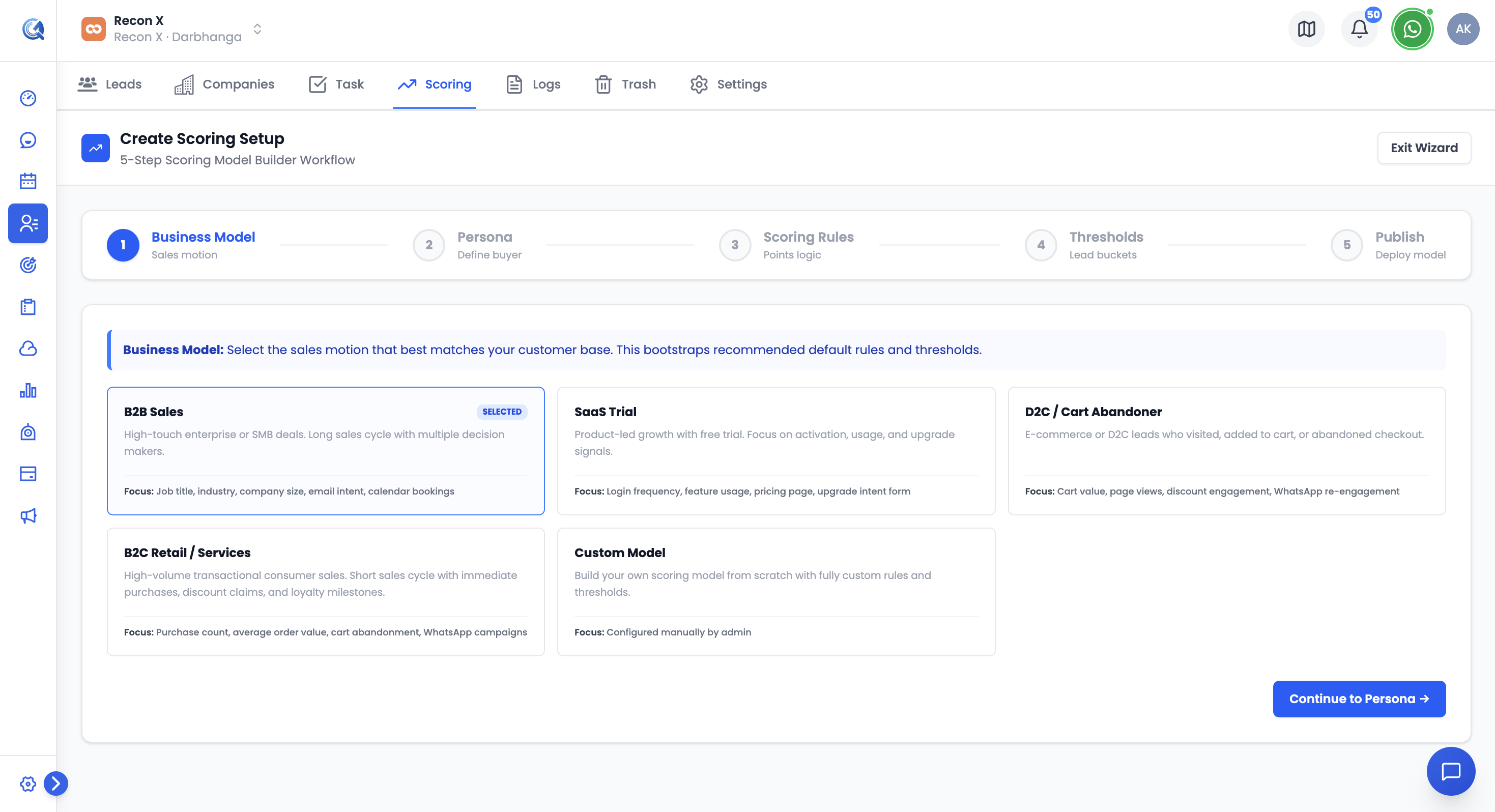 The setup wizard walks through Business Model, Persona, Scoring Rules, Thresholds, and Review & Publish.
2. Persona
Define who this setup targets:
- Persona Name — required
- Status — Active, Draft, Paused, or Inactive
- Description
- Matching Criteria — a builder of rows: Entity (Contact or Company) → Field → Operator → Value, joined with AND/OR, with an editable logic formula (e.g. "1 AND 2")
3. Scoring Rules
Search and filter the Rules Repository (by Type, Source, or sort order), then check off which rules apply to this persona. You can also add a brand-new rule or accept an AI Suggestion without leaving this step.
4. Thresholds
Set the score ranges that map to each qualification bucket — Cold, Nurture, Warm, Hot, SQL — each with a numeric from–to range and a description (e.g. SQL might read "sales-qualified, ready for immediate outreach").
5. Review & Publish
Review the persona criteria and thresholds, then click Publish. QuantixOne confirms the model is active and recalculating scores in the background.
Rules Repository
Every scoring rule lives in a shared repository, reusable across setups. Each rule has:
- Name
- Source — Contacts, Forms Builder, JS Tracker, Mail, or WhatsApp
- Trigger — a condition builder (field/operator/value rows joined with AND/OR)
- Type — Fit, Engagement, or Negative
- Points — the score awarded (or deducted, for Negative rules)
- Frequency and Status
From this tab you can search and filter rules, bulk Activate, Deactivate, or Delete them, click Add Rule to create one manually, or open AI Suggestions for pre-built rules (like "Demo Video Viewed" or "Invalid Domain Name") you can add with one click.
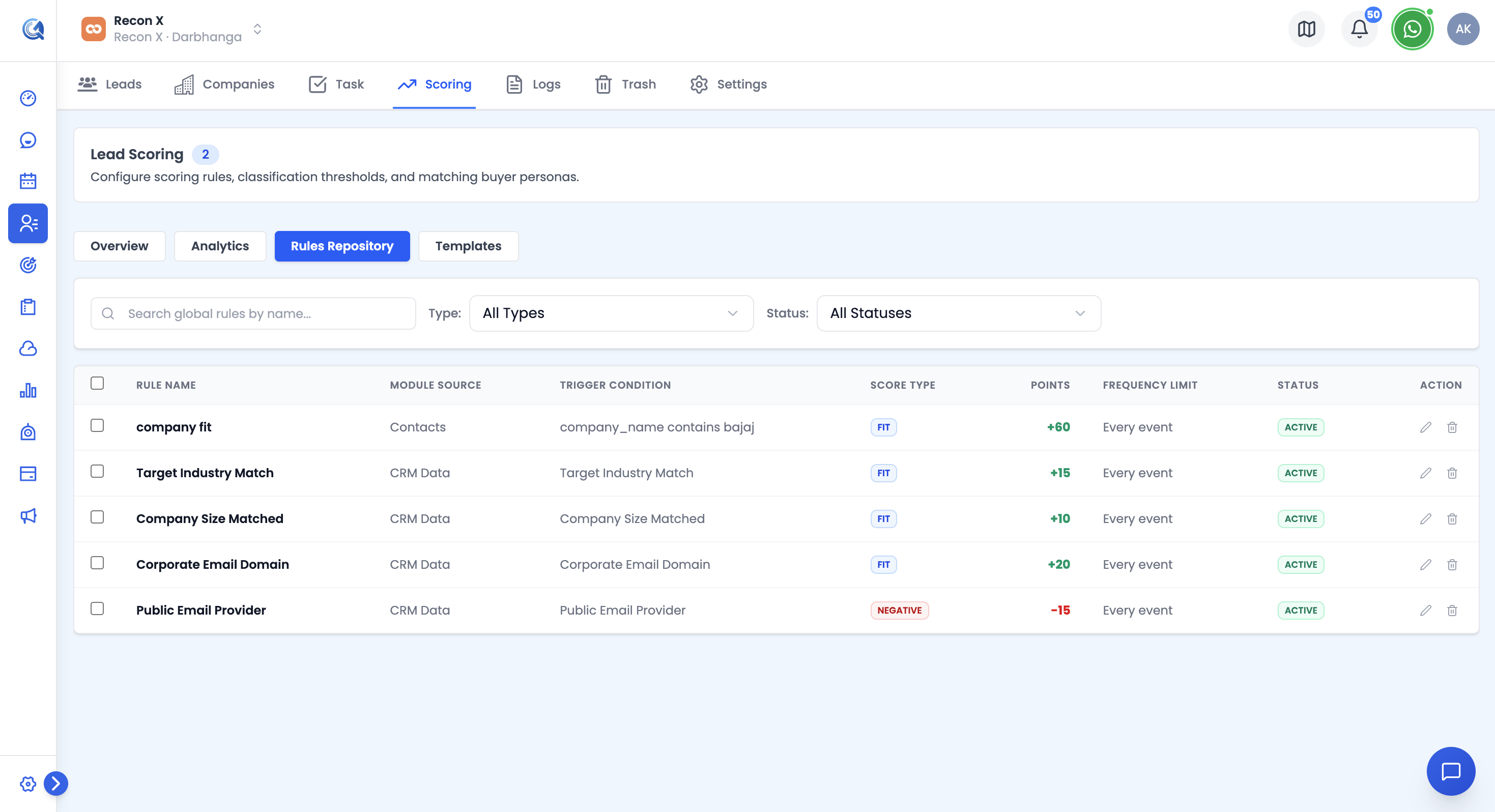 Every scoring rule lives in a shared repository, reusable across setups.
Templates
The Templates tab offers ready-made scoring configurations by category — B2B Enterprise, SaaS Trial, D2C Ecommerce, B2C Retail — each bundling a persona description, a set of rules with point values, and threshold ranges. Click Preview to see the full configuration, or Apply Configuration to instantiate it as a new active setup.
Analytics
The Analytics tab shows:
- Summary tiles: Total Leads, SQL Count, Hot Count, Conversion Rate, Credits Used/Remaining
- A date-range and persona filter
- A Top Leads leaderboard (Lead, Company, Score), filterable by bucket
- Conversion trends and confusion-matrix data
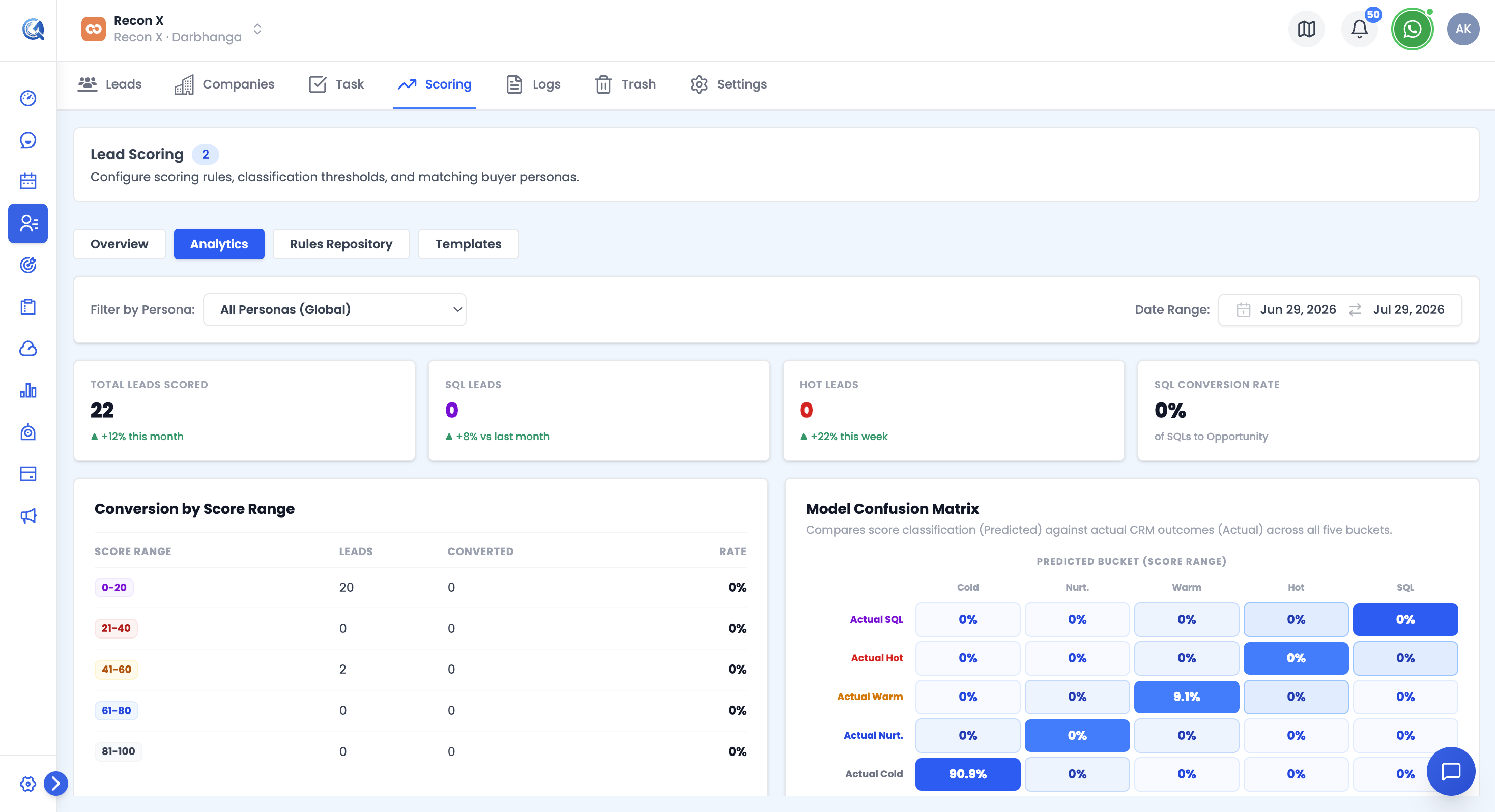 The Analytics tab tracks lead volume, qualification, and conversion across your scoring setups.
What Scoring Is Based On
A contact's total score combines:
- Fit — how well the contact matches the persona's criteria (job title, company size, source, custom fields, etc.)
- Engagement — rule triggers, positive or negative (e.g. "Pricing Page Visited +20", "Invalid Domain Name -25")
The total is then bucketed into Cold, Nurture, Warm, Hot, or SQL based on the setup's thresholds.
Re-Evaluating Contacts
Scores don't update on their own moment-to-moment — click Run Evaluation on a setup to recalculate scores for contacts matching that persona.
Video Walkthrough
Watch the step-by-step video below to see how to build a scoring setup and evaluate leads.