Help & Support Overview
Help & Support is where you contact the Quantixone team directly and track every support ticket you've raised — separate from the floating chat widget, which is a quicker way to do the same things without leaving your current page.
What You Can Do with Help & Support
| Capability | Description |
|---|---|
| View contact channels | See the support email address, average response time, and business hours. |
| Track active tickets | A quick count of your Open, Pending, and On Hold tickets. |
| Browse recent tickets | Your six most recent tickets, with a shortcut into the full list. |
| Manage all tickets | Search, filter by status or priority, and open any ticket's full conversation. |
| Raise a new ticket | Submit a subject, category, priority, description, and attachments. |
| Reply to a ticket | Continue the conversation on any ticket that isn't Resolved or Closed. |
Navigating to Help & Support
Go to Help & Support from the left sidebar. This opens the overview page.
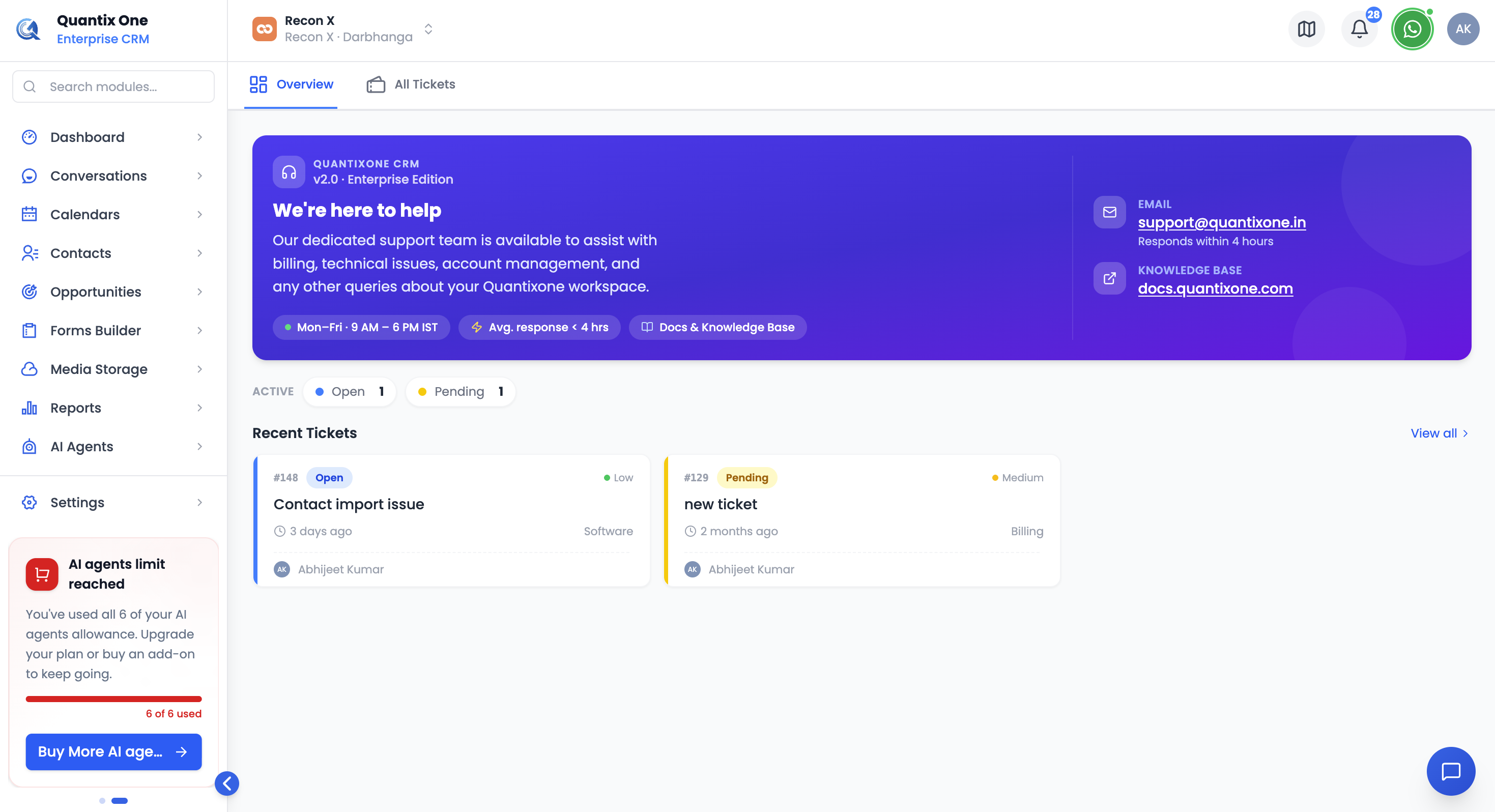 The support hero card — contact channels on the right, active ticket counts and recent tickets below.
Support Info
The hero card shows the support email (support@quantixone.in), a link to the Knowledge Base, and your expected average response time.
Active Tickets
Below the hero card, a row of pills totals your currently Open, Pending, and On Hold tickets — this row only appears when you have at least one ticket in one of those states.
Recent Tickets
Your six most recently created tickets, shown as cards with their number, status, priority, subject, and who created them. Click a card to open its full details in a preview panel, or click View all to go to All Tickets.
Video Walkthrough
Watch the complete walkthrough below.