Sending Bulk Emails
Bulk email lets you send a single email to a large number of contacts at once — ideal for announcements, newsletters, and promotional campaigns. Starting one from the Contacts list is a shortcut into the same Campaigns feature reached from Conversations — for more than one recipient, it creates a Campaign behind the scenes.
When to Use Bulk Email
Use bulk email when you need to reach many contacts simultaneously with the same message. For one-on-one emails in a conversation thread, use the standard email composer instead.
Once a bulk email is submitted, delivery begins immediately for all recipients. There is no undo. Use Schedule if you want a window to review before sending goes out.
Starting a Bulk Email
From the Contacts List
- Go to Contacts in the left sidebar.
- Select the contacts you want to email using the checkboxes.
- Click Bulk Actions in the toolbar.
- Select Send Email.
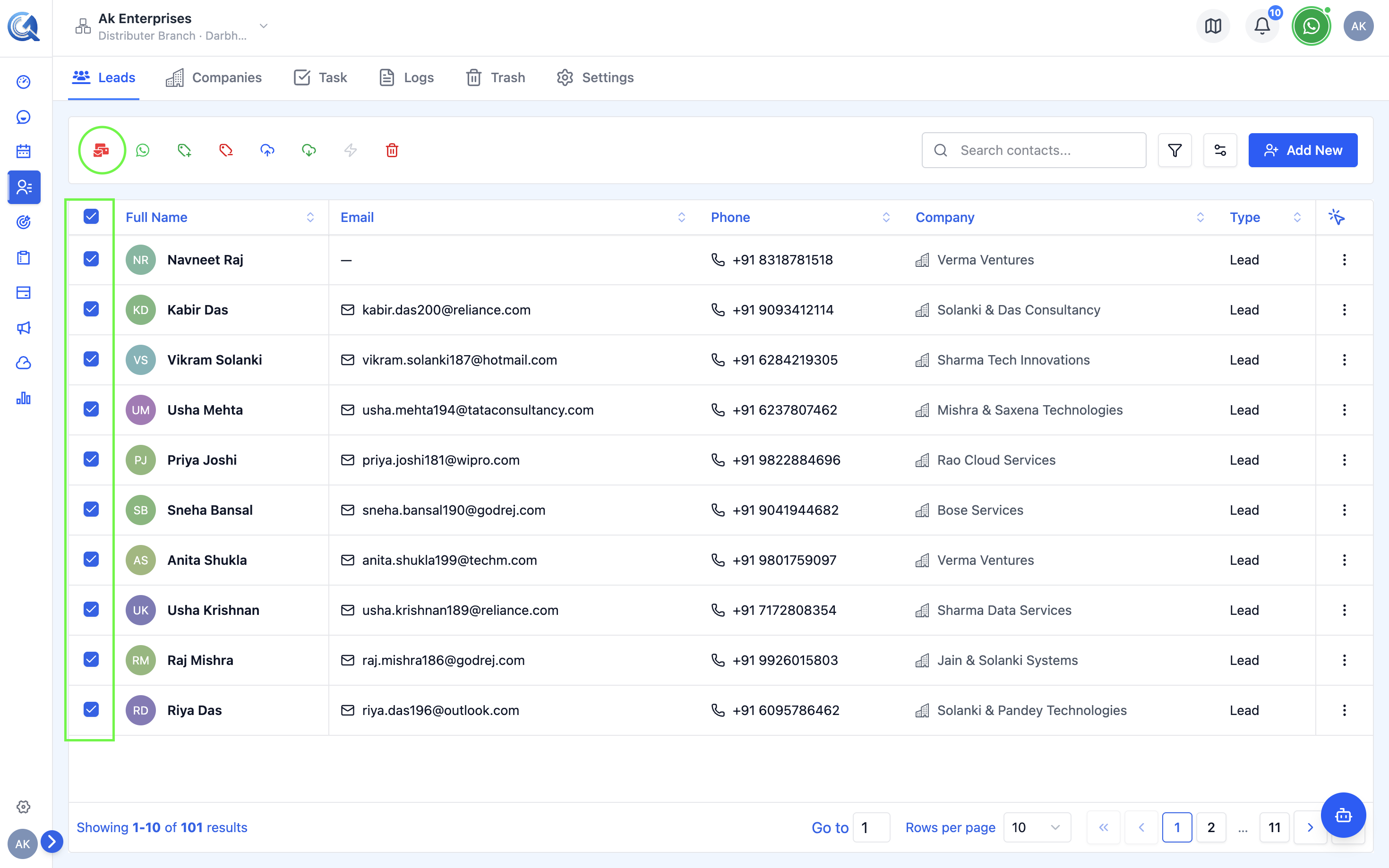 Select contacts and use Bulk Actions to start a bulk email.
The Bulk Email Form
The bulk email form has the following fields:
| Field | Description |
|---|---|
| Campaign Name | Required when sending to more than one contact — identifies this send in the Campaigns list |
| Subject | Email subject line (required) |
| From | Your verified sender identity |
| Template | Optional — select a saved email template |
| Body | Rich text editor for the email body |
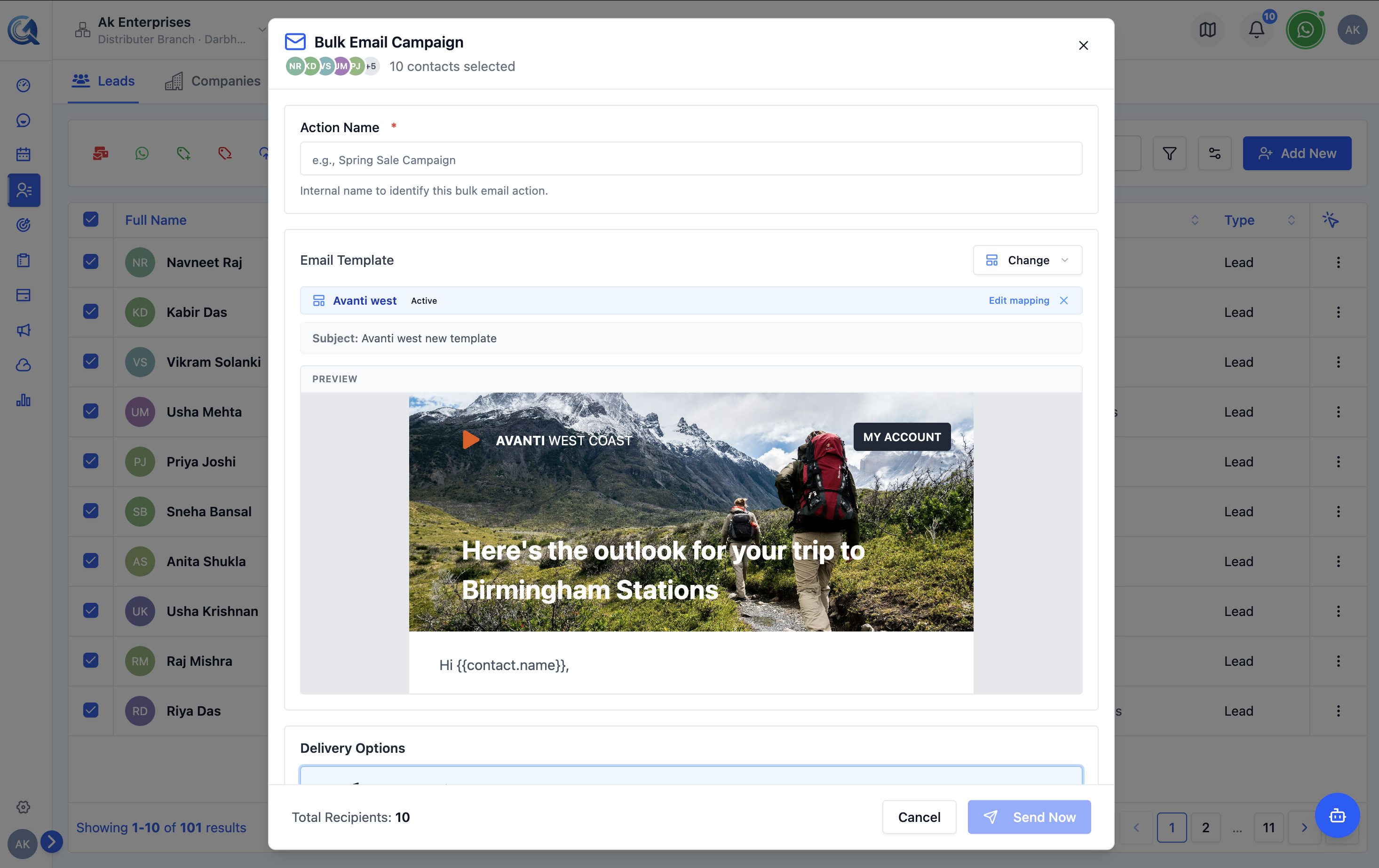 Fill in the subject, choose a sender, and compose the body.
Using a Template for Bulk Email
- Click Select Template in the form.
- Browse or search for the template.
- Select it — the body is pre-filled with the template content.
- Adjust any content or variables as needed.
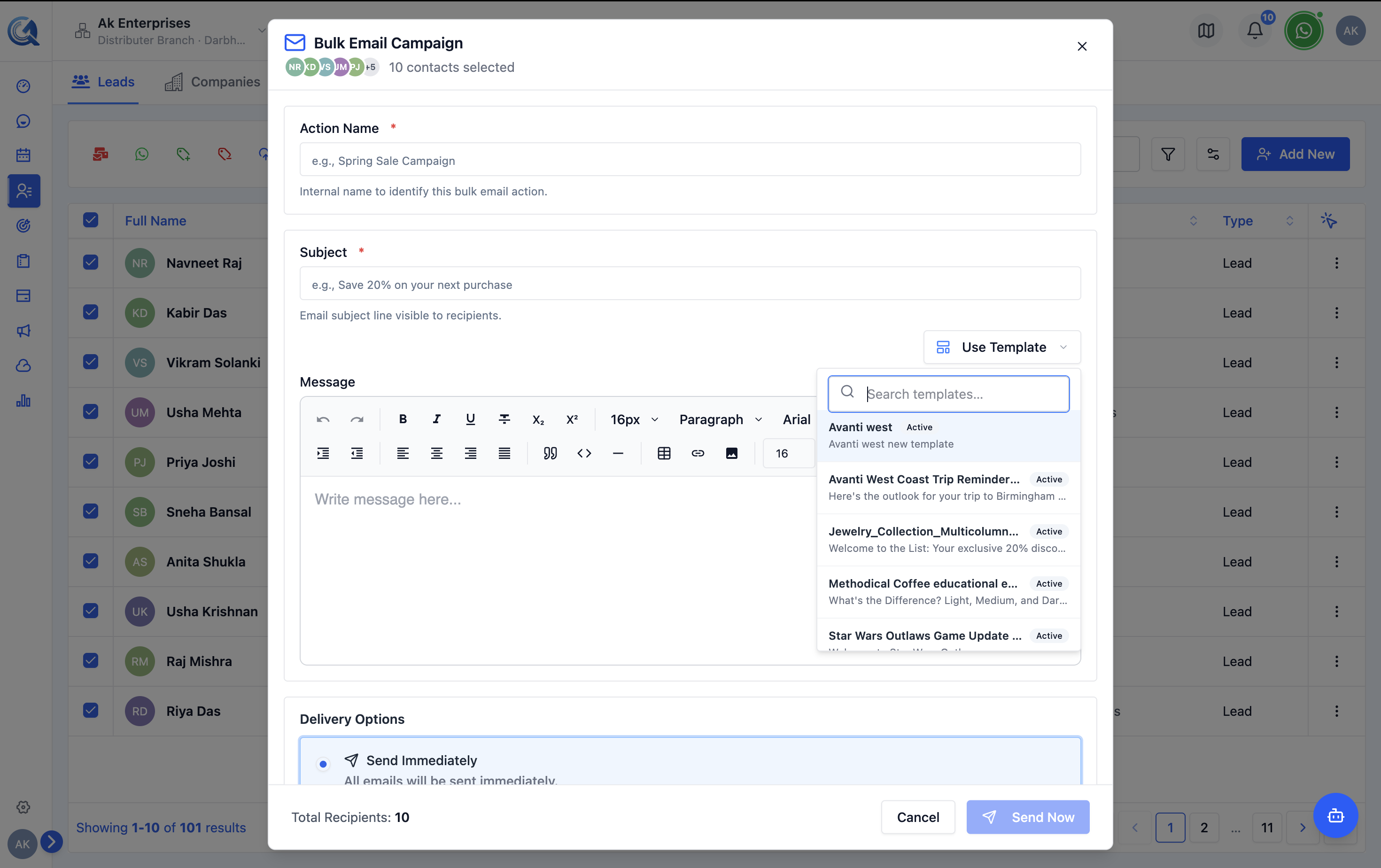 Apply a saved template to pre-populate the email body.
Reviewing the Recipient Count
Before sending, the form shows how many contacts will receive the email. If the number looks lower than expected, check your selection — some contacts may have been excluded, e.g. those on email DND.
Sending
Click Send to immediately deliver the email to all selected contacts, or click Schedule to set a future delivery time (see Scheduling Runs).
QuantixOne queues the emails for delivery and shows a confirmation once the batch is submitted.