Winning and Losing Deals
Every deal in QuantixOne CRM has a Status: Open, Won, Lost, or Abandoned. Marking the correct outcome helps your team track performance, learn from losses, and forecast revenue accurately.
What Are the Possible Deal Statuses?
| Status | Meaning |
|---|---|
| Open | The deal is actively being worked on. |
| Won | The deal was successfully closed. |
| Lost | The deal did not close. |
| Abandoned | The deal is no longer being actively pursued. |
How Do I Change a Deal's Status?
Open the deal's ⋮ menu and select Edit (see How Do I Edit a Deal?), then change the Status field to Open, Won, Lost, or Abandoned and click Save.
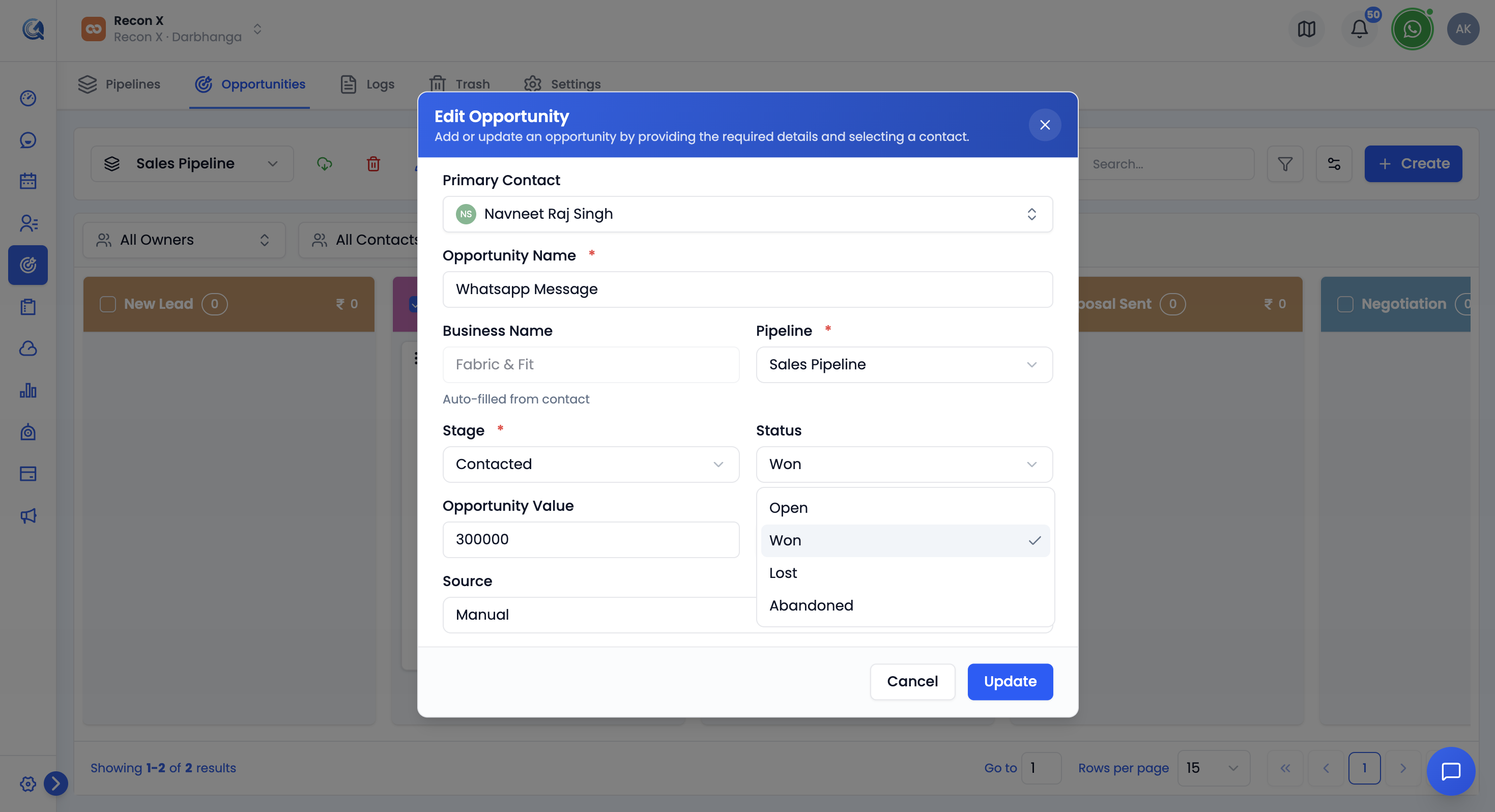 Change a deal's status from the Edit form.
QuantixOne records the timestamp of the change automatically, so you can see when a deal was last moved between statuses.
How Do I Change the Status of Multiple Deals at Once?
Select the deals you want to update using the checkboxes in the Opportunities table, then click the Bulk Edit icon in the toolbar. Add the Status field to the Bulk Edit panel, choose Open, Won, or Lost, and click Update.
Note: Bulk Edit's Status field offers Open, Won, or Lost only — not Abandoned. A deal becomes Abandoned automatically when its pipeline is deleted, or by editing it individually (above). The same Bulk Edit panel can also update Pipeline, Stage, Opportunity Value, and Owner in one pass — see Bulk Operations for the full picture.
How Do I View Won, Lost, or Abandoned Deals?
Use the Status filter on the Pipeline Board or Opportunities table — see How Do I Filter the Board? for the full list of filter options.
Abandoned deals aren't part of any active pipeline, so they don't show up in the regular Status filter. Instead, open the Pipeline picker and select View Abandoned at the bottom — this swaps the board to a dedicated single-column view of every abandoned deal. See How Do I Switch Between Pipelines? for details.