Deleted Items
When you delete an opportunity, pipeline, or custom field in QuantixOne CRM, it is not permanently removed right away. Instead, it moves to Trash, where it can be restored or permanently deleted.
How Do I View Deleted Items?
Click Trash in the top navigation of the Opportunities section.
The page shows a table with the item's Name, its Type, who deleted it, and when. Use the Date Range filter to narrow the list.
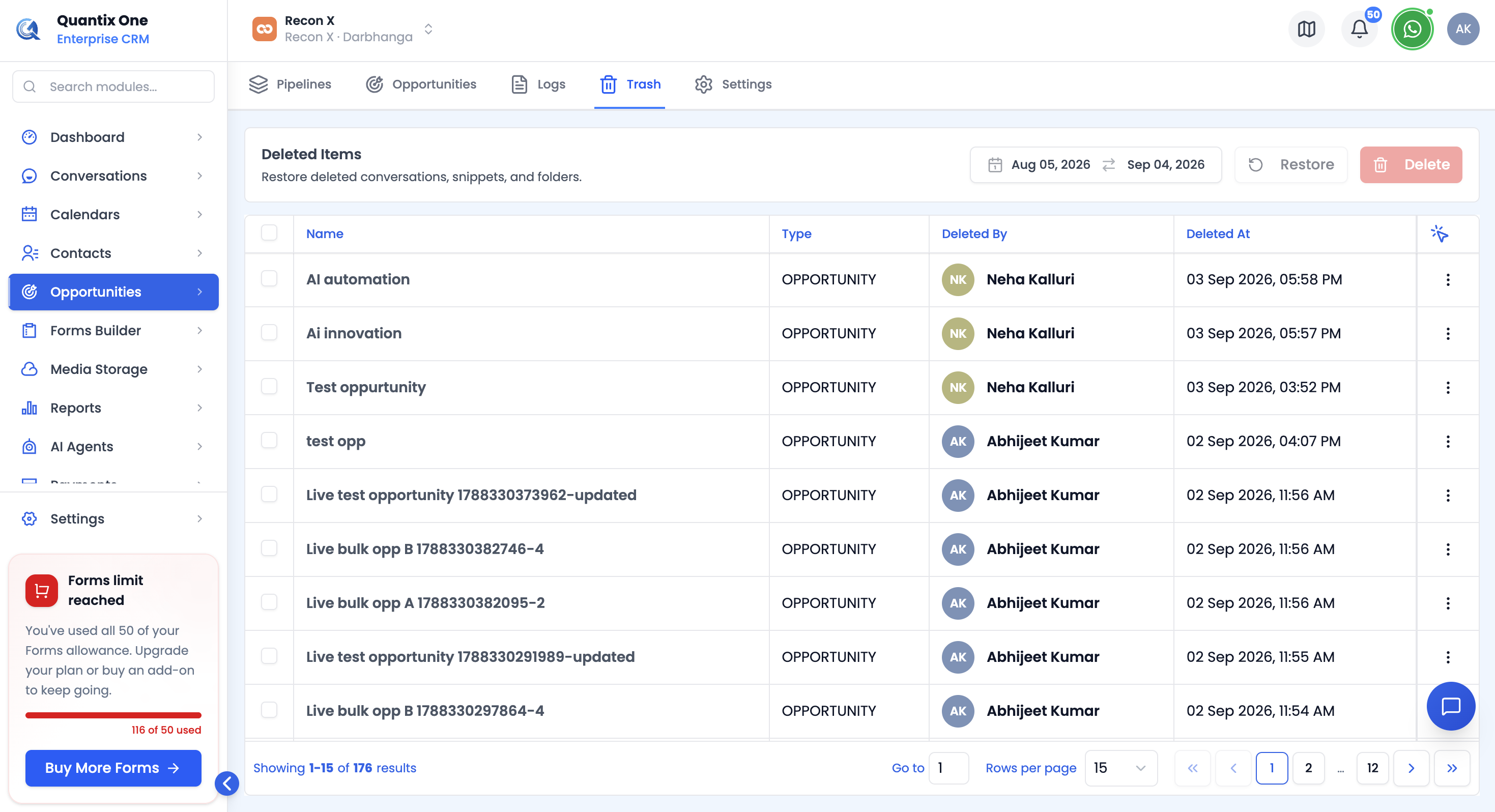 The Trash page lists every removed opportunity, pipeline, and custom field.
Note: Viewing and managing Trash requires the
opportunities.managepermission scope.
How Do I Restore an Item?
Select one or more rows using the checkboxes, or use a single row's Restore Item action, then click Restore in the toolbar.
A confirmation dialog explains that the original content, relationships, and history return immediately, and that you can always delete the item again later if needed.
How Do I Permanently Delete an Item?
Select the item(s) and click Delete in the toolbar, or use a single row's Delete Permanently action.
A confirmation dialog warns that this removes the original content, metadata, linked references, and activity history, and cannot be undone.