Calendar Report
The Calendar report shows your calendar portfolio at a glance — how many calendars you have, how they're configured, and how appointment load is distributed across your team.
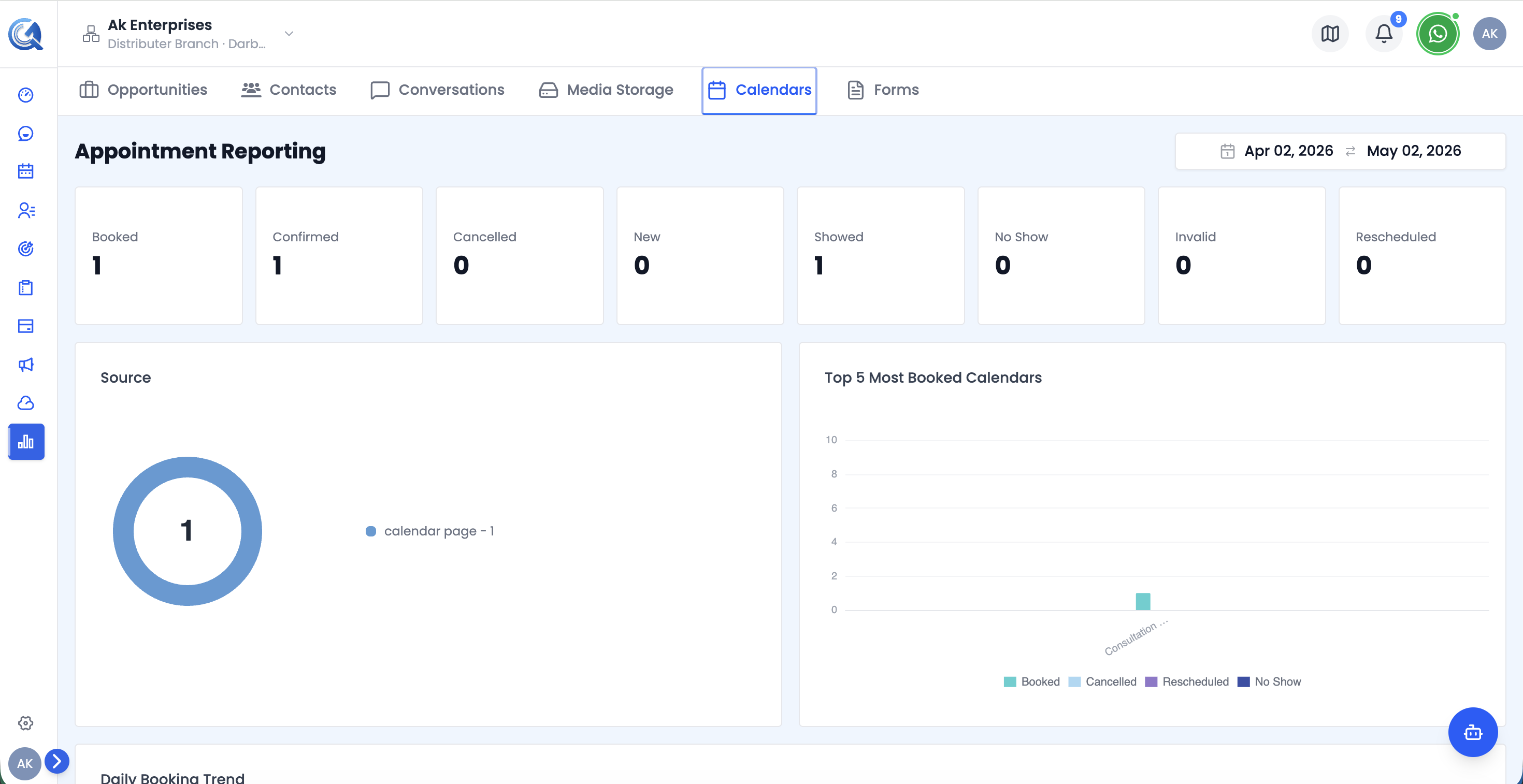 Top of the Calendar report — KPI cards and the Bookings by Source chart.
Filters
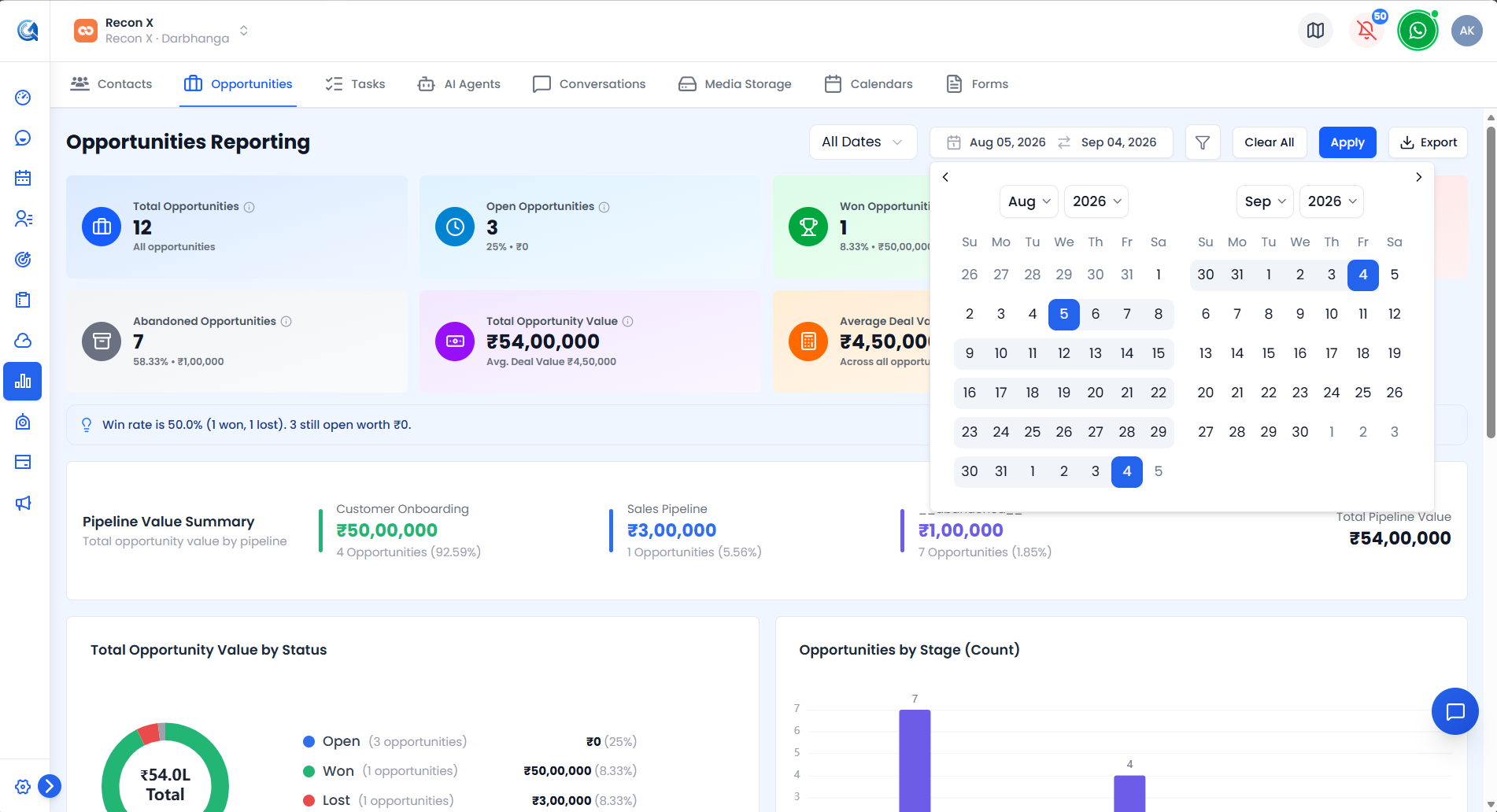 The Calendar report's filters — Name Category, Type, and Group.
- Date Range Picker — defaults to the last 30 days.
- Name Category select — defaults to "All name categories".
- Type select — All types / Personal / Class Booking / Round Robin.
- Group select — defaults to "All groups".
Use Apply to run your filters or Reset to clear them. An Export CSV button downloads the currently filtered view.
Calendar KPI Cards
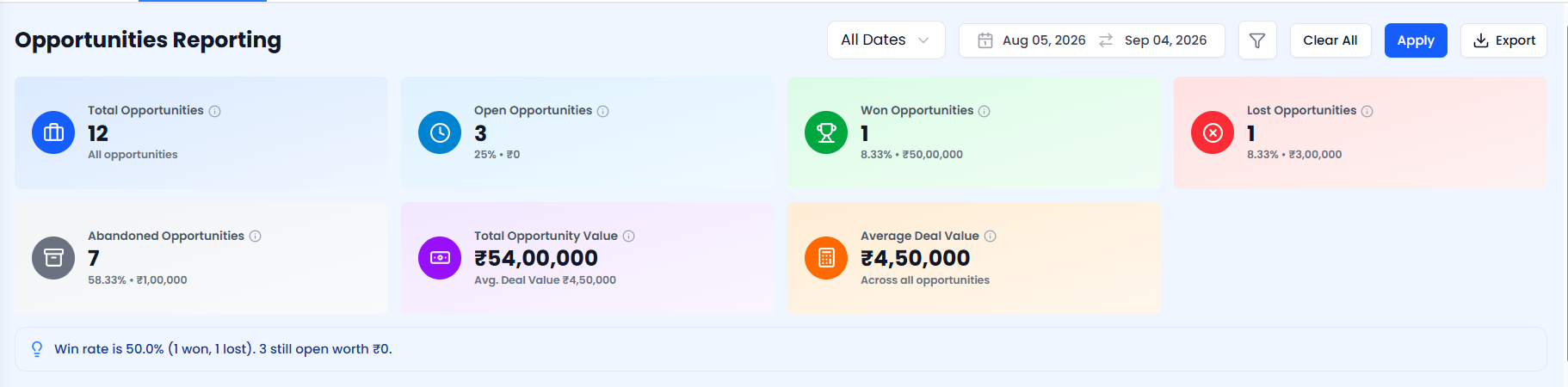 The Calendar KPI cards.
| Card | What it shows |
|---|---|
| Total Calendars | All calendars matching the current filters |
| Active | Active calendars, plus active rate (%) |
| Personal | Personal-type calendars, plus % of total |
| Class Booking | Class Booking-type calendars, plus % of total |
| Round Robin | Round Robin-type calendars, plus % of total |
| Standard Duration | The most common appointment length, in minutes, or "—" if there isn't enough data |
Bookings by Source Chart
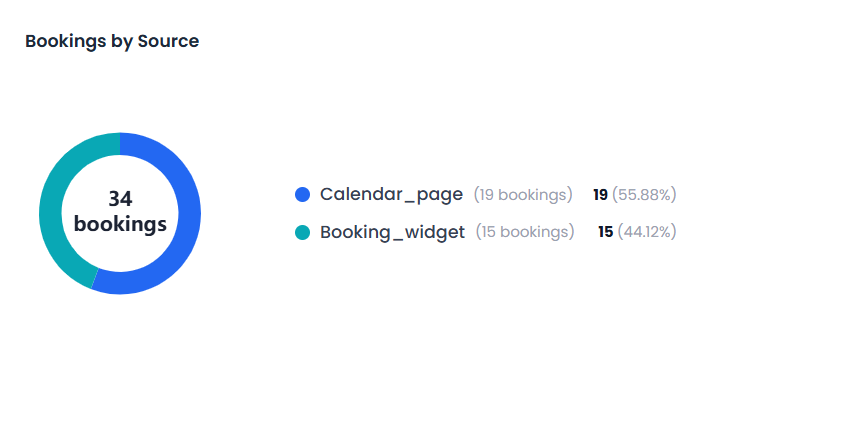 The Bookings by Source chart.
A breakdown of bookings by their source.
Use this to see where most of your bookings originate.
Daily Volume Chart
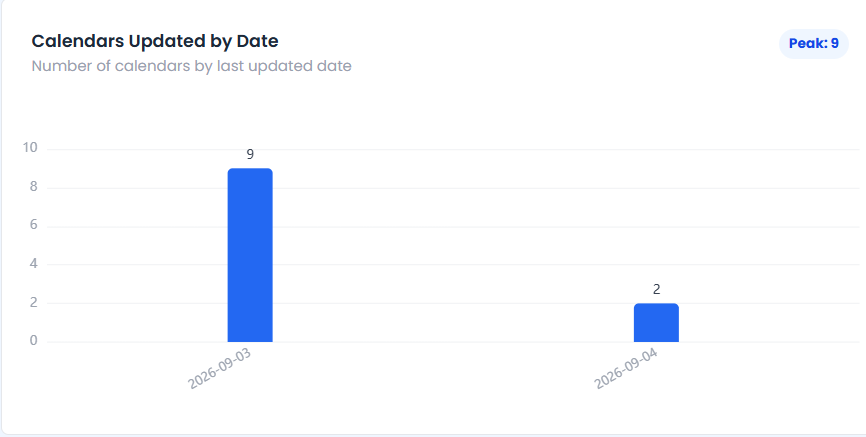 The Daily Volume chart.
A line chart trending the number of calendars updated per day.
Use this to spot spikes or lulls in calendar activity.
Top Calendars Chart
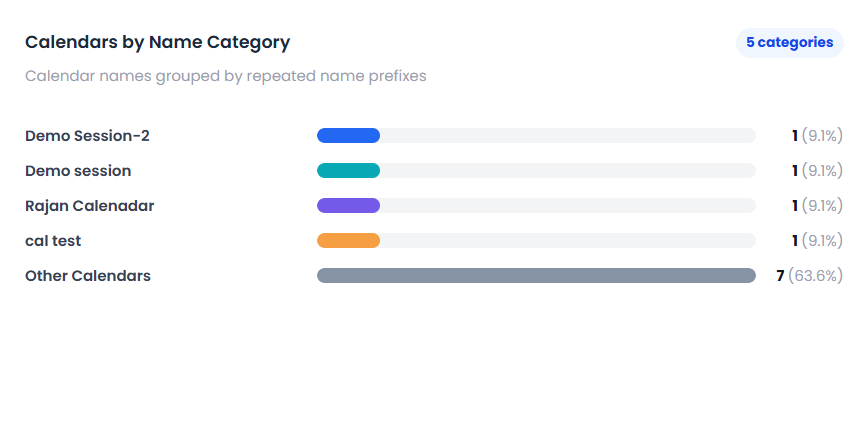 The Top Calendars chart.
A ranking of calendars by name category.
Use this to see which calendars see the most activity.
Popular Days Chart
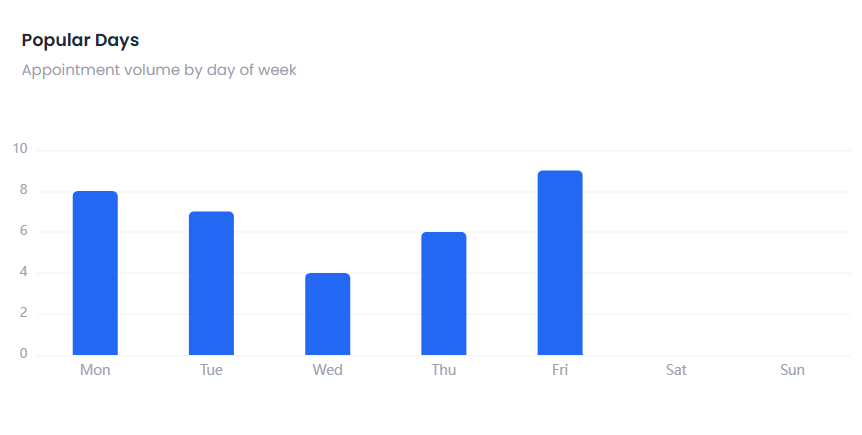 The Popular Days chart.
A breakdown of which days of the week see the most bookings.
Use this to plan staffing or availability around your busiest days.
Management Insights Panel
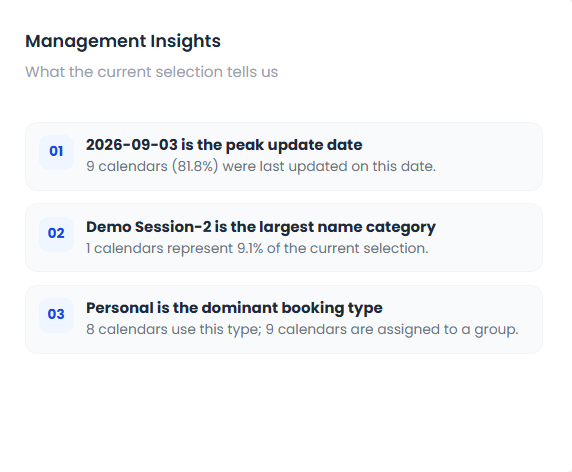 The Management Insights panel.
A narrative summary of notable trends across your calendar portfolio.
Use this for a quick, plain-language read on what's changing.
Team Workload Chart
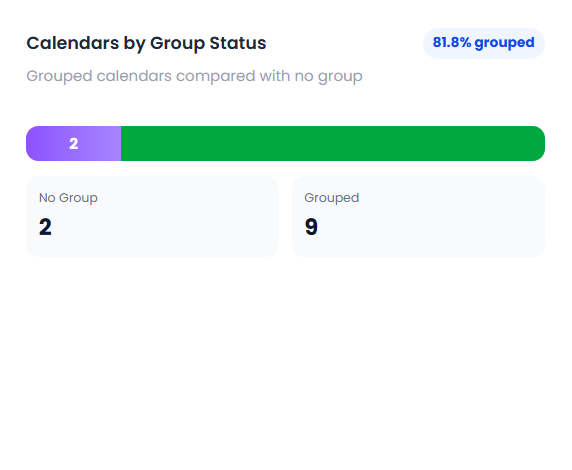 The Team Workload chart.
A breakdown of calendars by group status — No Group versus Grouped.
Use this to see how evenly calendar ownership is distributed across teams.
Data Quality Panel
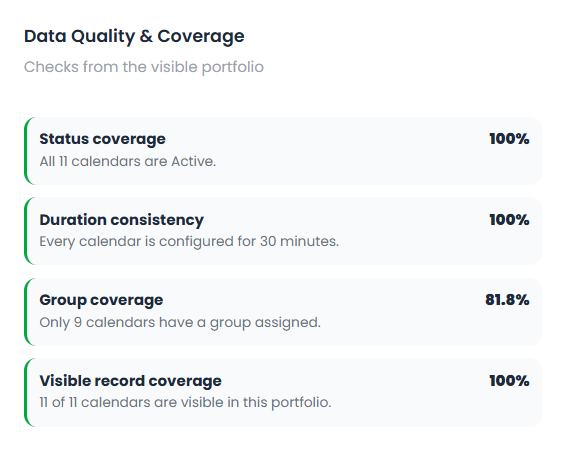 The Data Quality panel.
A set of coverage metrics: status coverage, duration consistency, group coverage, and record coverage.
Use this to spot calendars missing key configuration.
Top Calendar Records Table
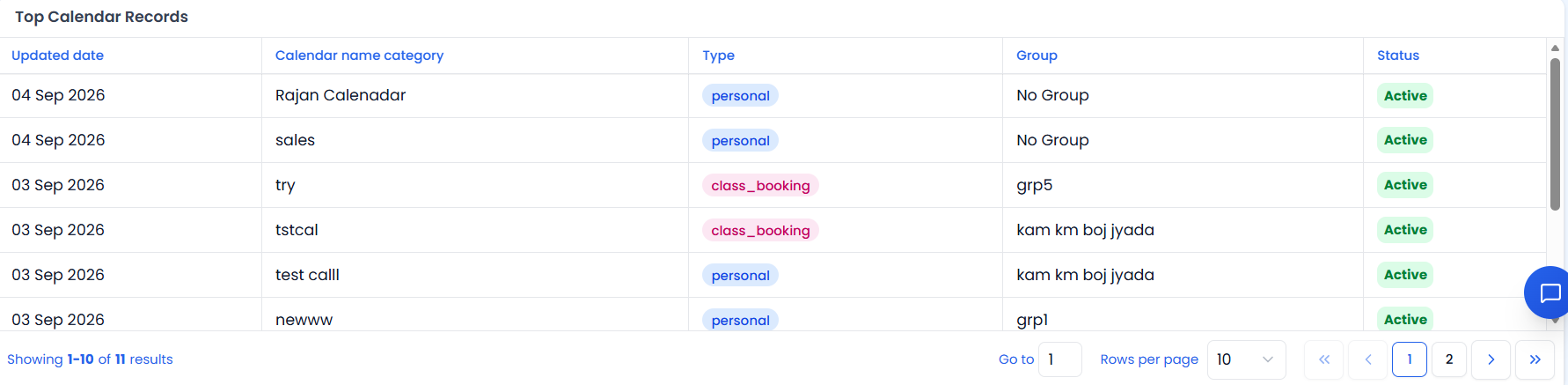 The Top Calendar Records table, paginated 10 rows per page.
| Column | Description |
|---|---|
| Updated Date | Last updated date |
| Calendar Name Category | Category the calendar belongs to |
| Type | Personal / Class Booking / Round Robin |
| Group | Assigned group, or "No Group" |
| Status | Active / Inactive |
Server-paginated, 10 rows per page.
Video Walkthrough
Watch the complete walkthrough below.