Contacts Report
The Contacts report shows how your contact base is growing, where contacts are coming from, and how healthy your contact data is — from lead quality to daily activity trends.
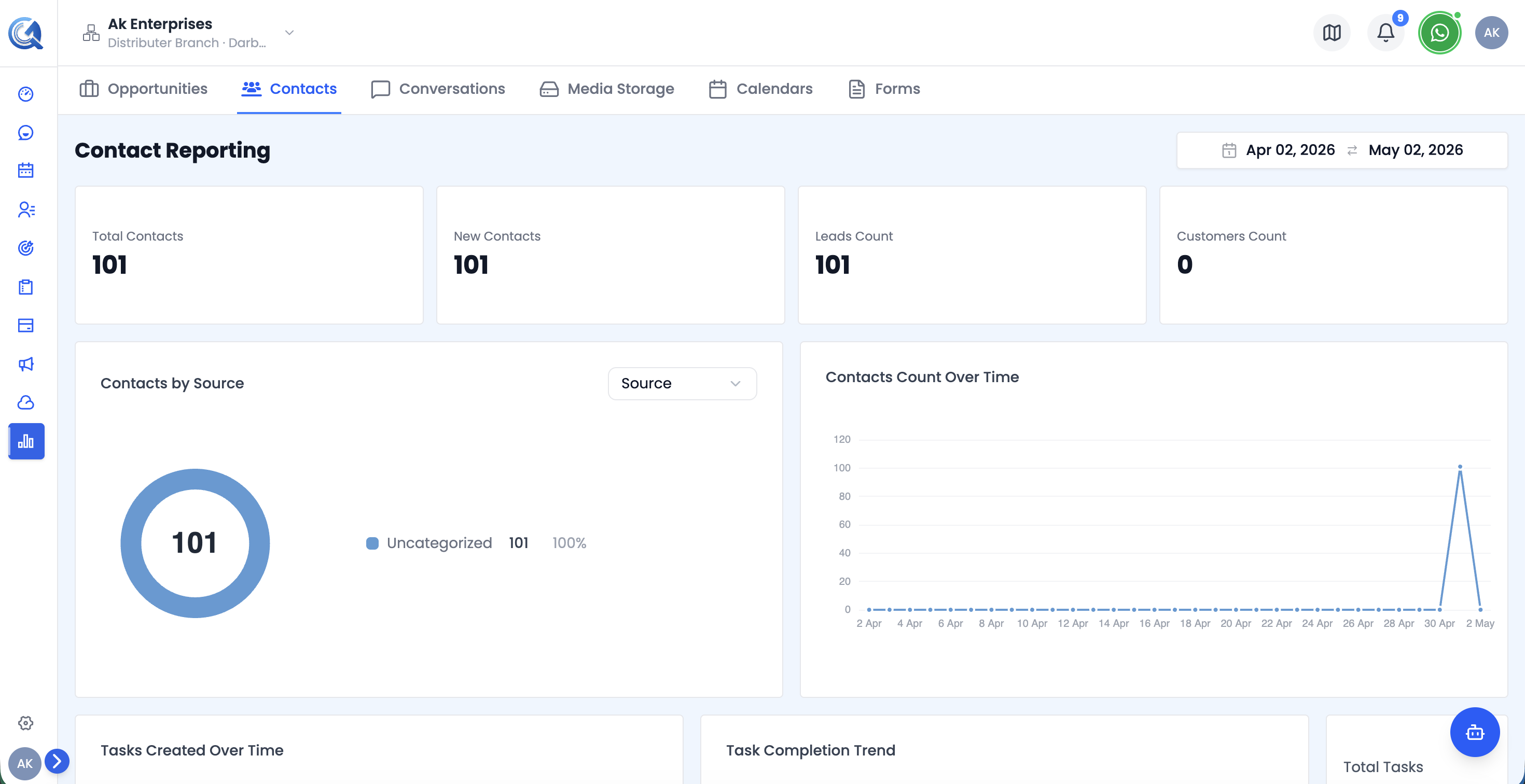 Top of the Contacts report — filters, KPI cards, and the Contacts Created vs Updated chart.
Filters
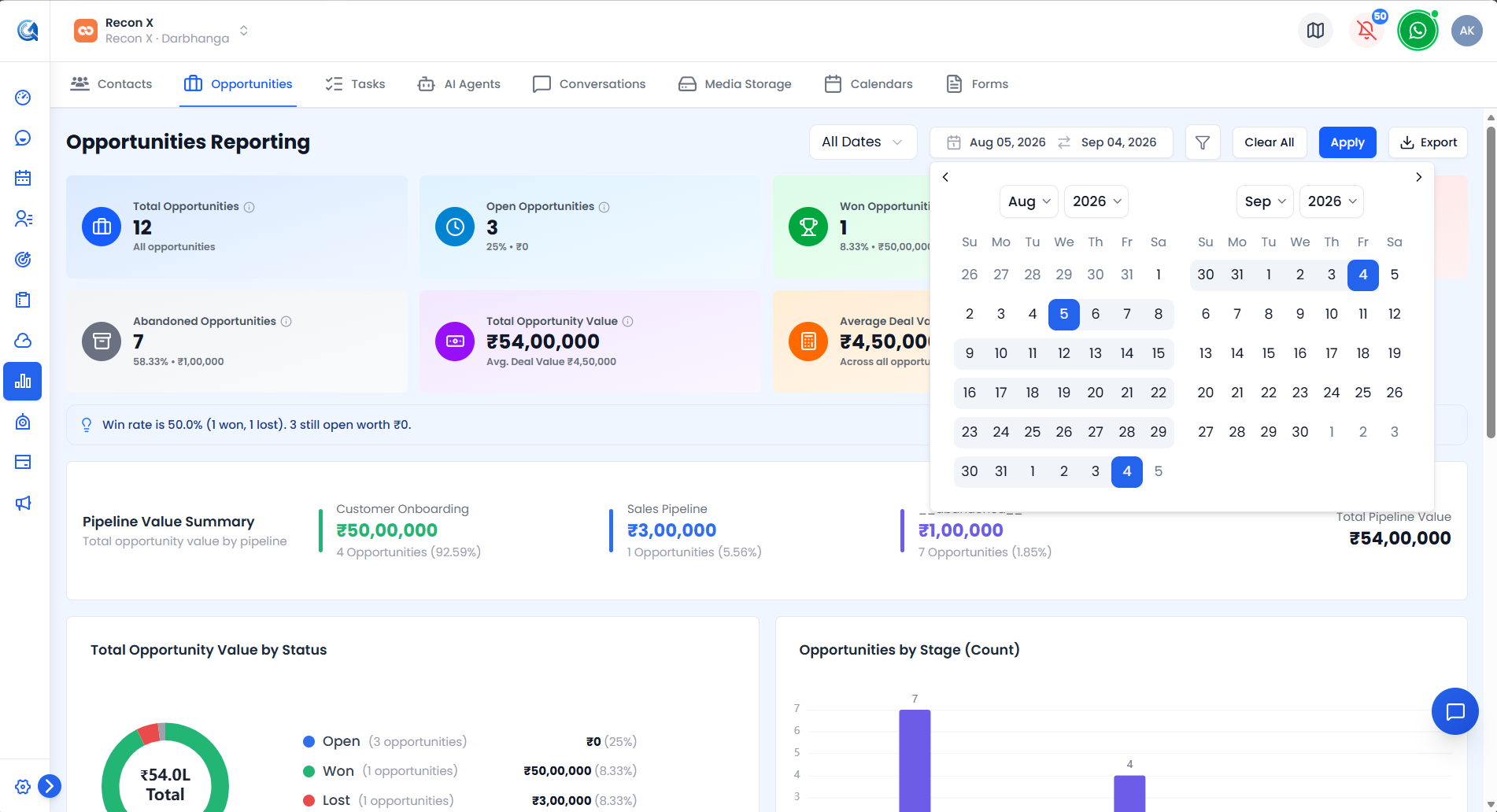 The Contacts filter popover with Date Field, Type, Source, Owner, and Tags.
- Date Range Picker — defaults to the last 30 days.
- Date Field toggle — apply the date range to either Created or Last Updated (default: Created).
- Type, Source, Owner, Tags — searchable single-select filters, opened from the filter icon (which shows a badge with the number of active filters).
Use Apply to run your filters or Clear Filters to reset. An Export CSV button downloads the currently filtered view.
Contacts KPI Cards
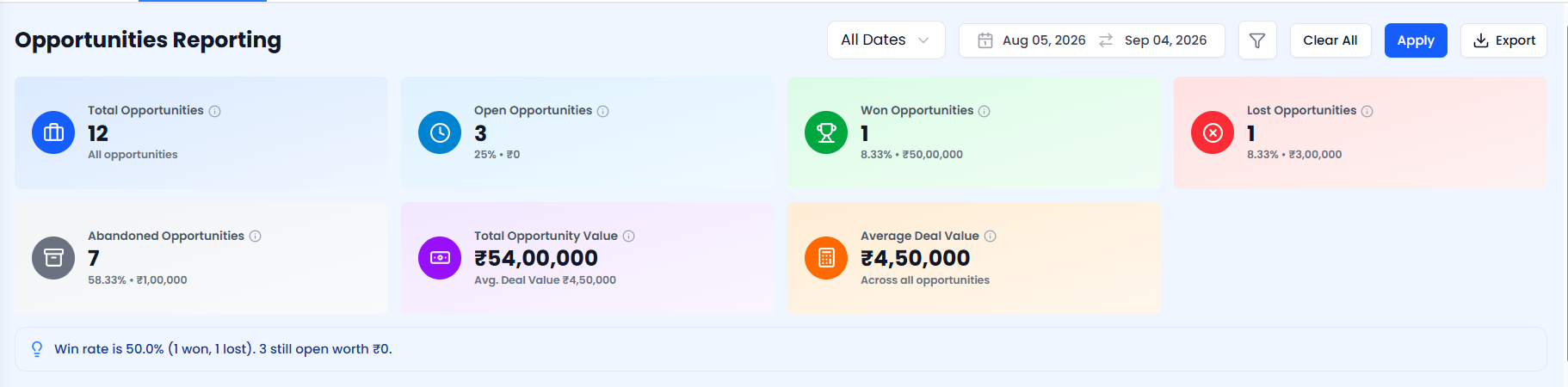 The four Contacts KPI cards — Total Contacts, Leads, Customers, and Avg. Lead Score.
| Card | What it shows |
|---|---|
| Total Contacts | All contacts matching the current filters |
| Leads | Contacts tagged as leads (count and % of total) |
| Customers | Contacts tagged as customers (count and % of total) |
| Avg. Lead Score | Average lead score across matching contacts |
Each card has an info icon with a short description tooltip.
Contacts Created vs Updated Chart
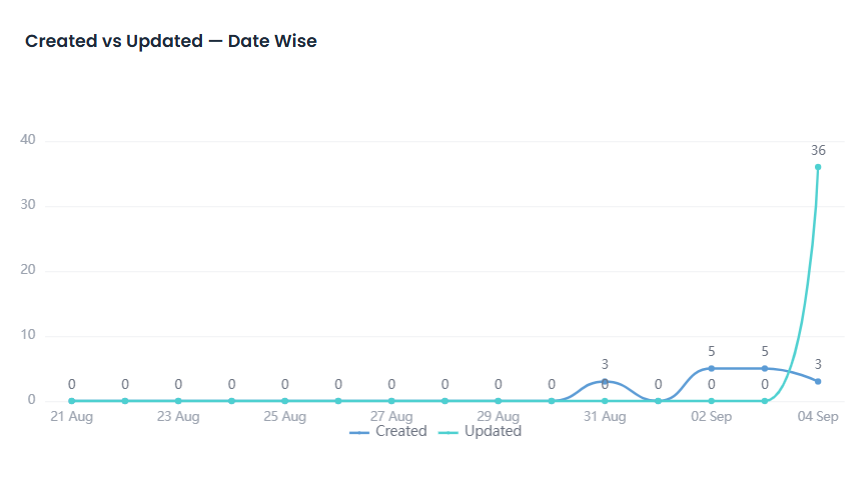
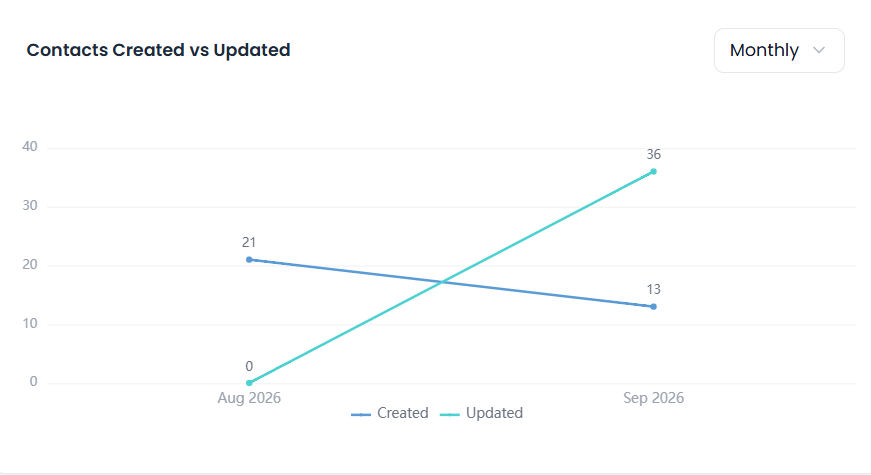 The Contacts Created vs Updated chart, with the granularity selector.
A line chart comparing contacts created against contacts updated over time. Use the granularity selector (Daily / Weekly / Monthly, default Monthly) to change the time bucket.
Use this to see whether contact growth or contact maintenance activity dominates a period.
Contact Type Chart
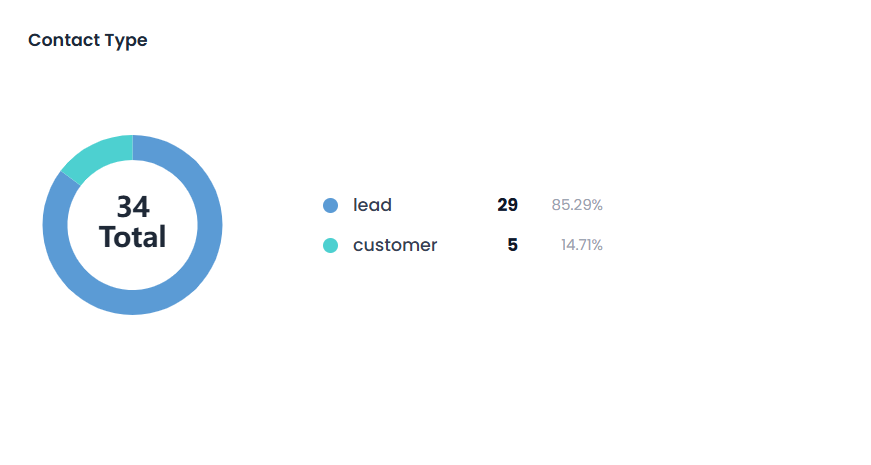 The Contact Type breakdown chart.
A donut chart showing the breakdown of contacts by type.
Use this to see the mix of contact types in your database.
Contact Status by Type Chart
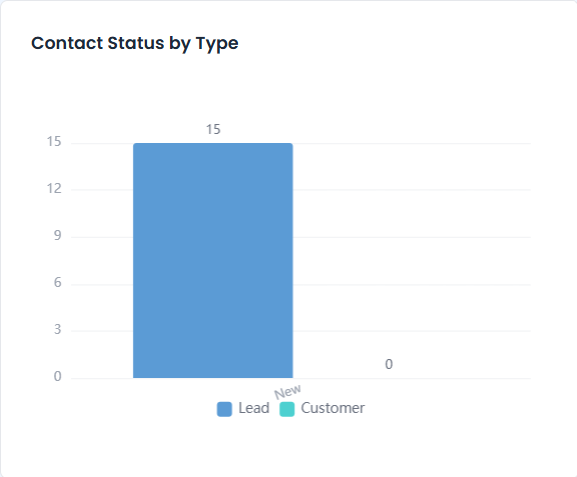 The Contact Status by Type chart.
A chart comparing lifecycle status distribution across each contact type.
Use this to see how far along contacts of each type are in your pipeline.
Contacts by Source Chart
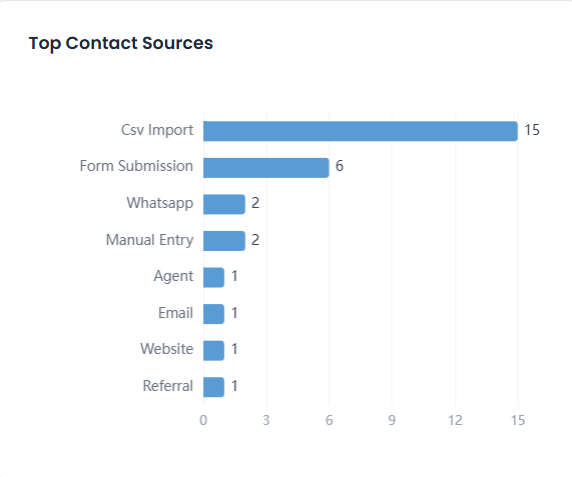 The Contacts by Source chart.
A donut chart showing the top acquisition sources for your contacts.
Use this to identify which sources are bringing in the most contacts.
Contacts by Owner Chart
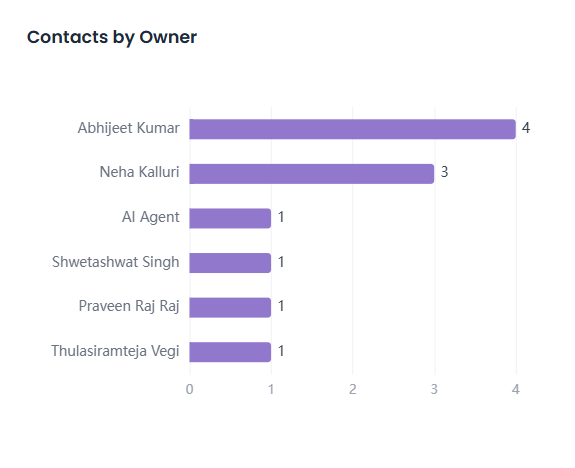 The Contacts by Owner chart.
A breakdown of contacts by the team member who owns them.
Use this to see how contact ownership is distributed across your team.
Contacts by Country Chart
 The Contacts by Country chart.
A breakdown of contacts by country.
Use this to understand the geographic concentration of your contact base.
Created by Channel Chart
 The Created by Channel chart.
A breakdown of which channel each contact was created through.
Use this to see which channel is driving the most new contacts.
Contacts Daily Trend Chart
 The Contacts Daily Trend chart, showing the fixed last-14-days window.
A fixed daily trend of contact activity over the last 14 days, independent of the report's date range.
Use this for a quick, always-current view of recent contact activity regardless of the selected date range.
Created By vs Updated By Chart
 The Created By vs Updated By chart.
A comparison of which team members created the most contacts versus who updated the most.
Use this to see who's actively working existing contacts versus adding new ones.
Contact Data Quality Panel
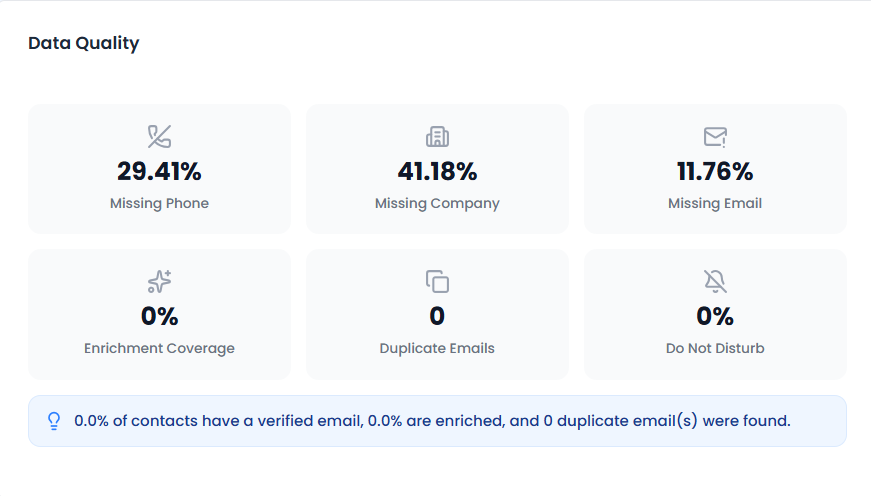 The Contact Data Quality panel.
A set of data-hygiene metrics: invalid email %, duplicate email count, missing phone %, and Do-Not-Disturb (DND) %.
Use this to spot and prioritize contact data cleanup.
Contact Tag Distribution Chart
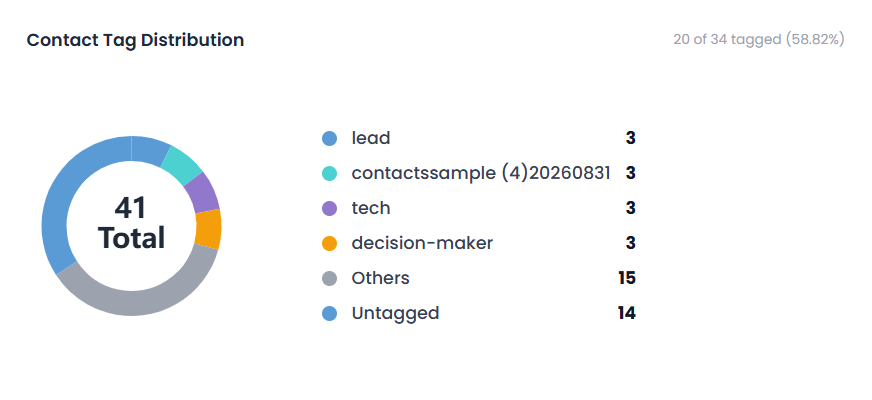 The Contact Tag Distribution chart.
A breakdown of how often each tag is applied across your contacts.
Use this to see which tags are most commonly used.
Recent Contacts Table
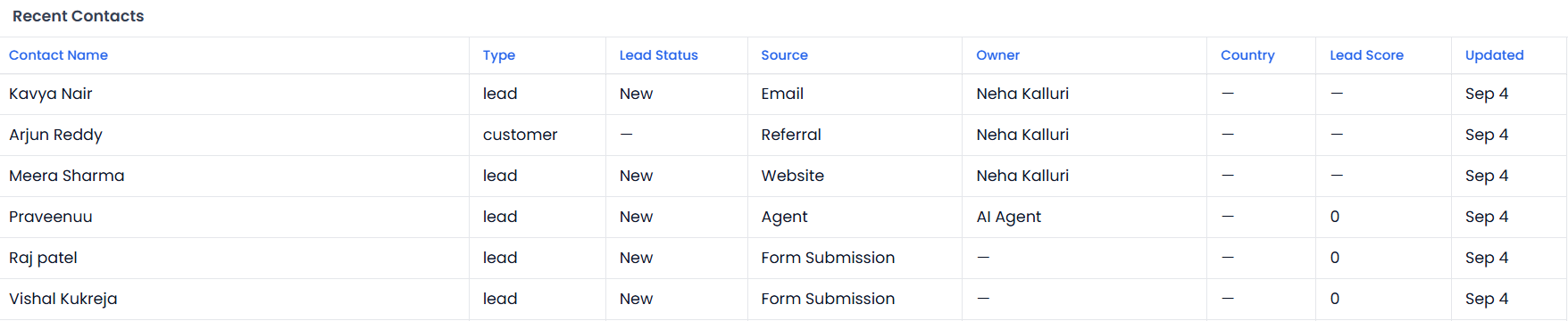 The Recent Contacts table, paginated 20 rows per page.
| Column | Description |
|---|---|
| Contact Name | Contact's name |
| Type | Contact type |
| Lead Status | Current lead/lifecycle status |
| Source | Acquisition source |
| Owner | Assigned team member |
| Country | Contact's country |
| Lead Score | Sortable |
| Updated | Last updated date, sortable |
Server-paginated, 20 rows per page.
Video Walkthrough
Watch the complete walkthrough below.