Conversations Report
The Conversations report covers your messaging health — volume across channels, delivery performance, and where your busiest contacts are.
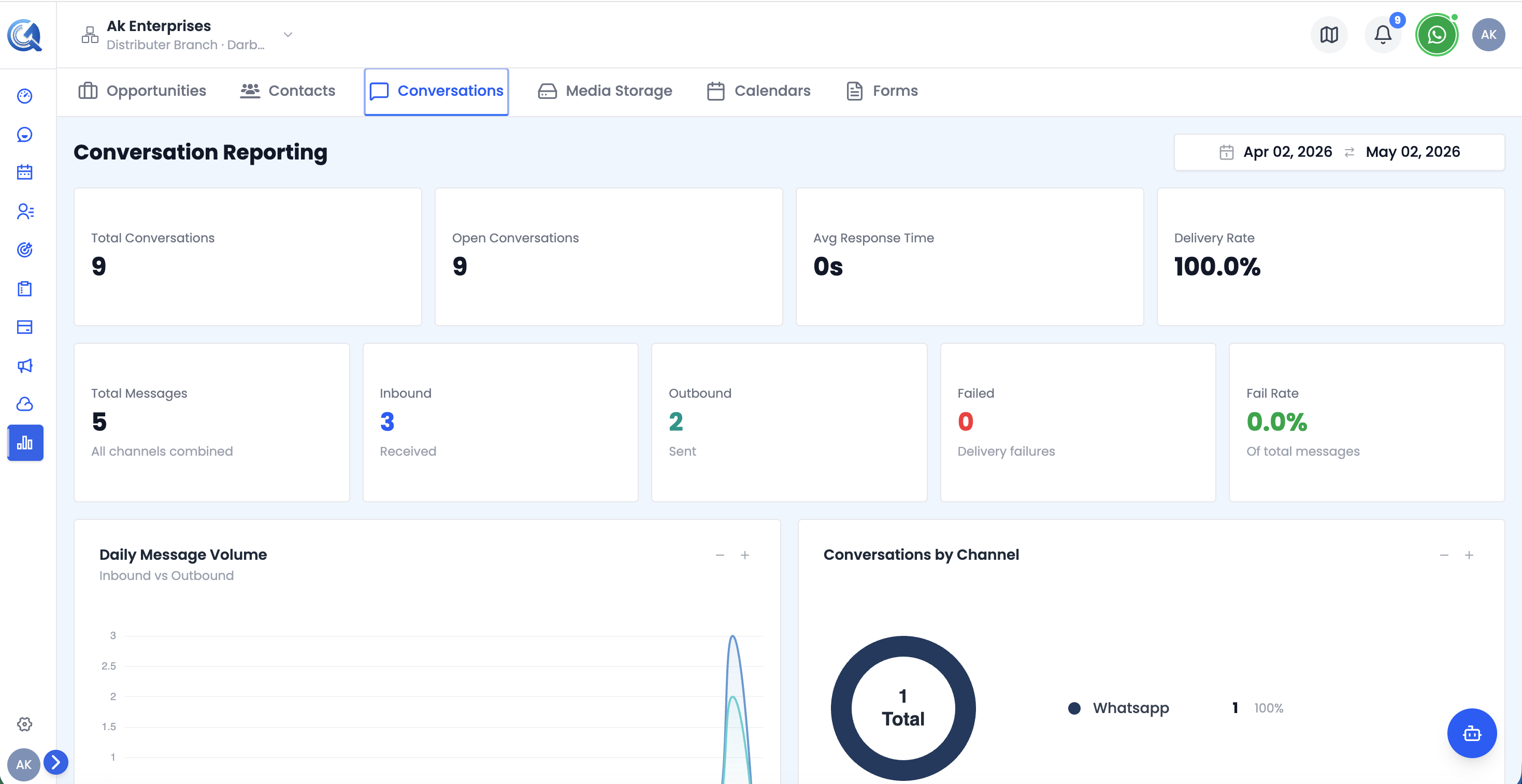 Top of the Conversations report — KPI cards and the Conversations by Channel chart.
Filters
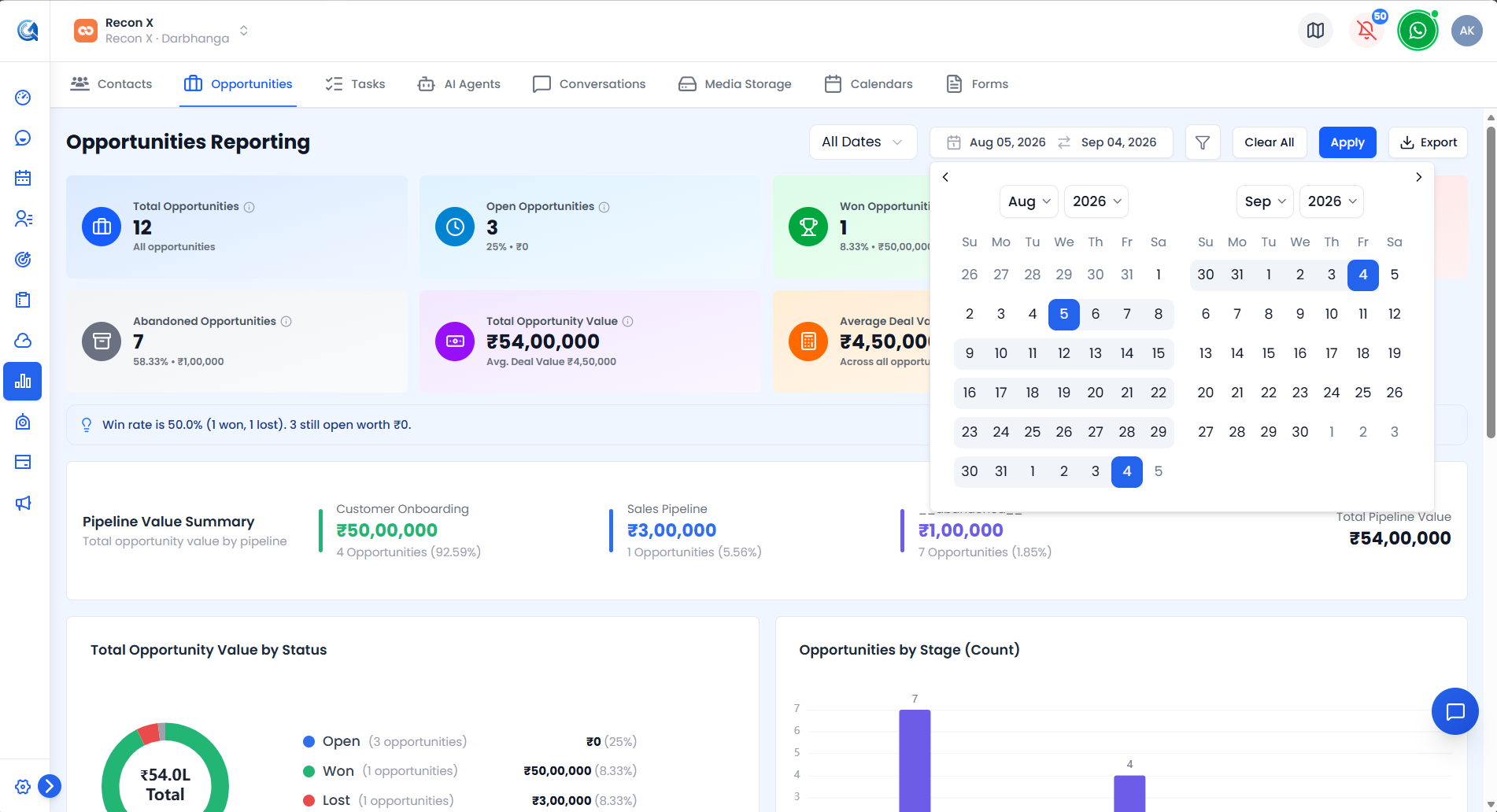 The Conversations report's Date Range Picker.
A Date Range Picker (default: last 30 days) is the only report-wide filter. Use Apply to run it or Clear Filters to reset. An Export CSV button downloads the currently filtered view.
Conversation KPI Cards
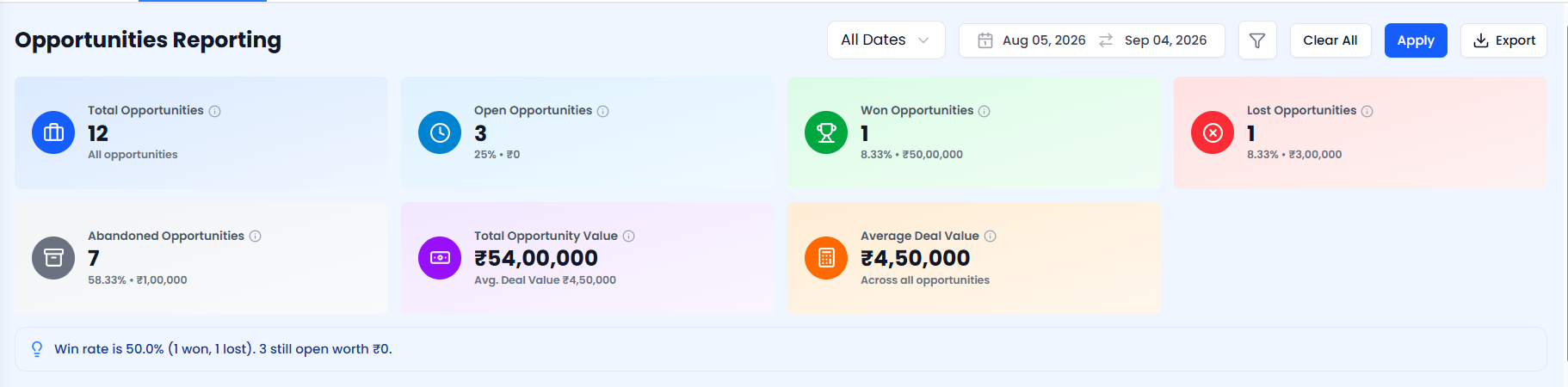 The Conversation KPI cards.
| Card | What it shows |
|---|---|
| Total Conversations | All conversations opened in the period |
| WhatsApp Conversations | Conversations on WhatsApp — count and % of total |
| Email Conversations | Conversations on Email — count and % of total |
| Avg. Response Time | Average first-reply time |
| Total Messages | All messages sent and received in the period |
| WhatsApp Messages | Messages estimated to be on WhatsApp, based on WhatsApp's share of conversations |
Conversations by Channel Chart
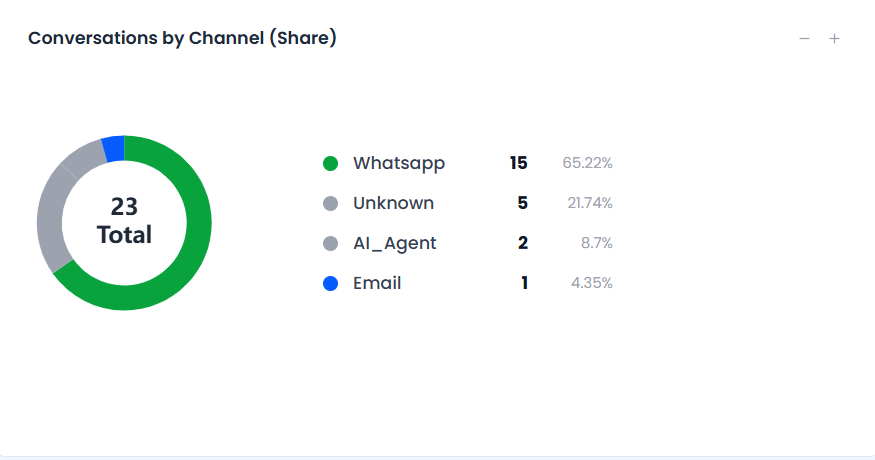 The Conversations by Channel chart, with its legend.
A donut chart showing message distribution across channels — WhatsApp, Email, SMS, App, and others. The legend shows each channel's count and percentage share.
Use this to understand which channels your contacts prefer and where your team spends most of its messaging effort.
Monthly Conversations Chart
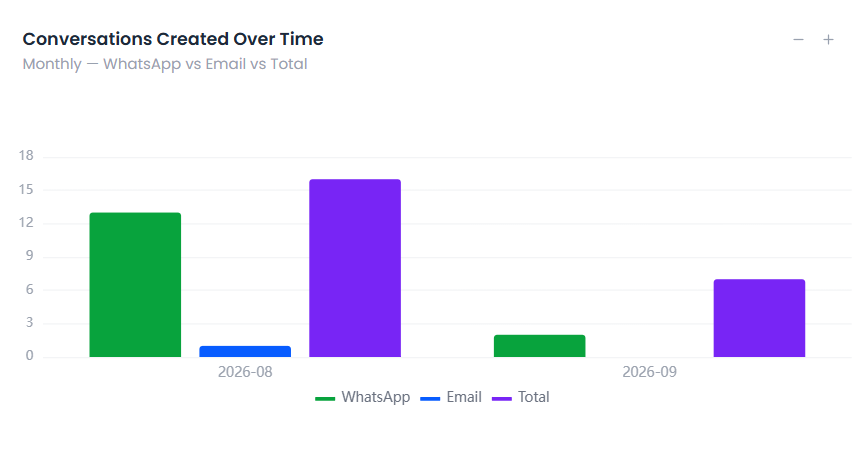 The Monthly Conversations chart.
A line chart trending conversation volume by month.
Use this to spot longer-term shifts in messaging activity.
Daily Conversations Chart
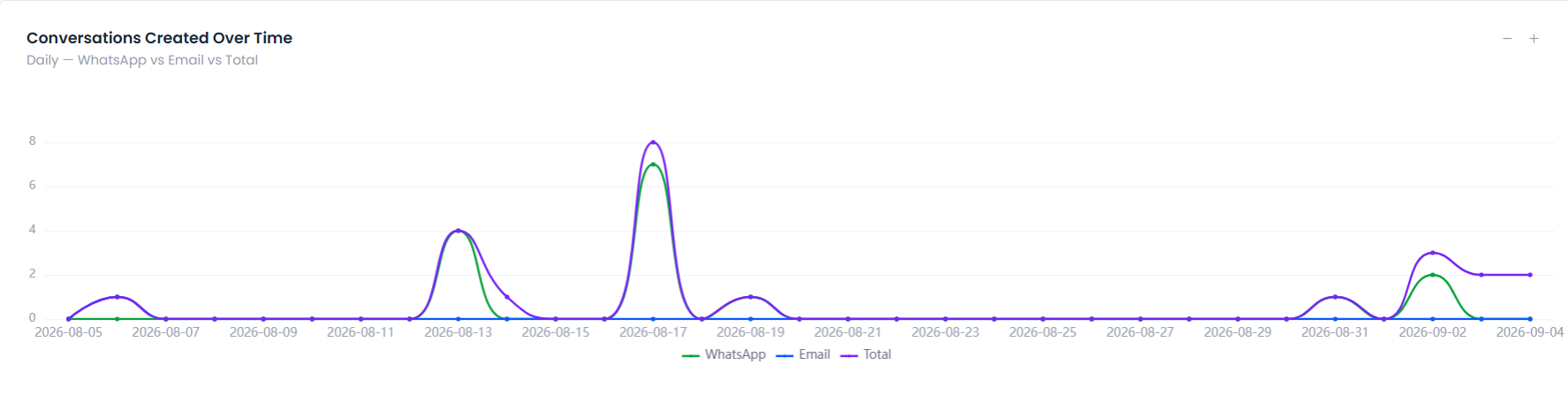 The full-width Daily Conversations chart.
A full-width line chart trending conversation volume by day.
Use this to spot short-term spikes or dips in messaging activity.
Status Summary Table
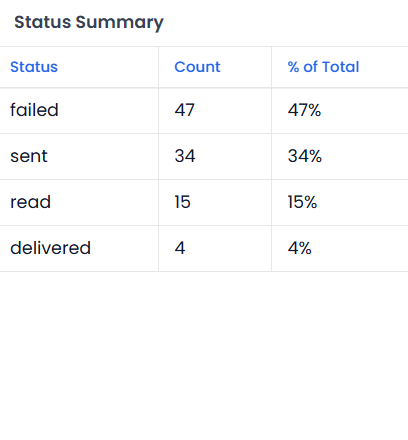 The Status Summary table.
| Column | Description |
|---|---|
| Status | Conversation status |
| Count | Number of conversations |
| % of Total | Share of all conversations |
Category Summary Table
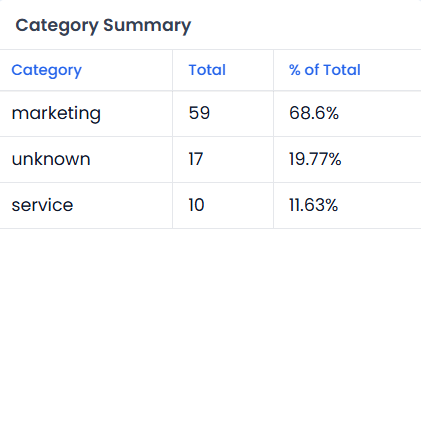 The Category Summary table.
The same breakdown as the Status Summary table, grouped by conversation category across all channels.
Type Chat Table (WhatsApp Only)
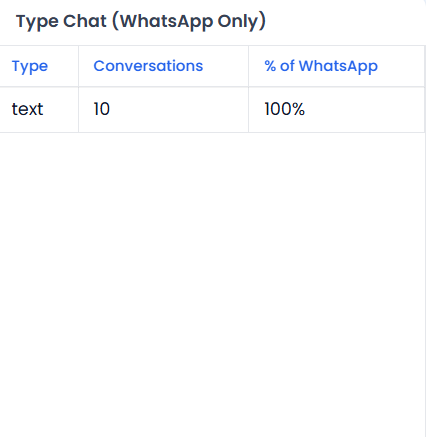 The Type Chat table, WhatsApp only.
| Column | Description |
|---|---|
| Type | WhatsApp conversation type |
| Conversations | Number of conversations |
| % of WhatsApp | Share of WhatsApp conversations |
Top Contacts Table
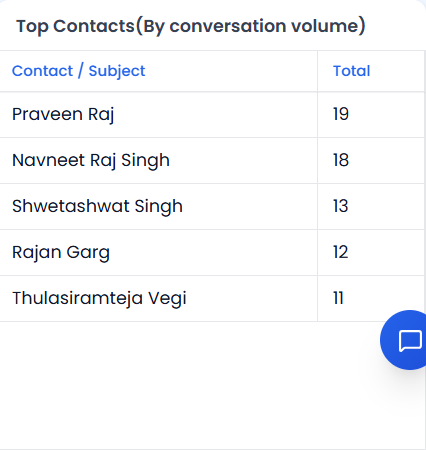 The Top Contacts table.
The top 5 contacts by conversation volume, showing the contact and their total message count.
Use this to identify your most engaged contacts.
Video Walkthrough
Watch the complete walkthrough below.