Forms Report
The Forms report shows how your forms are performing — publishing status, submission volume over time, and which forms are driving the most responses.
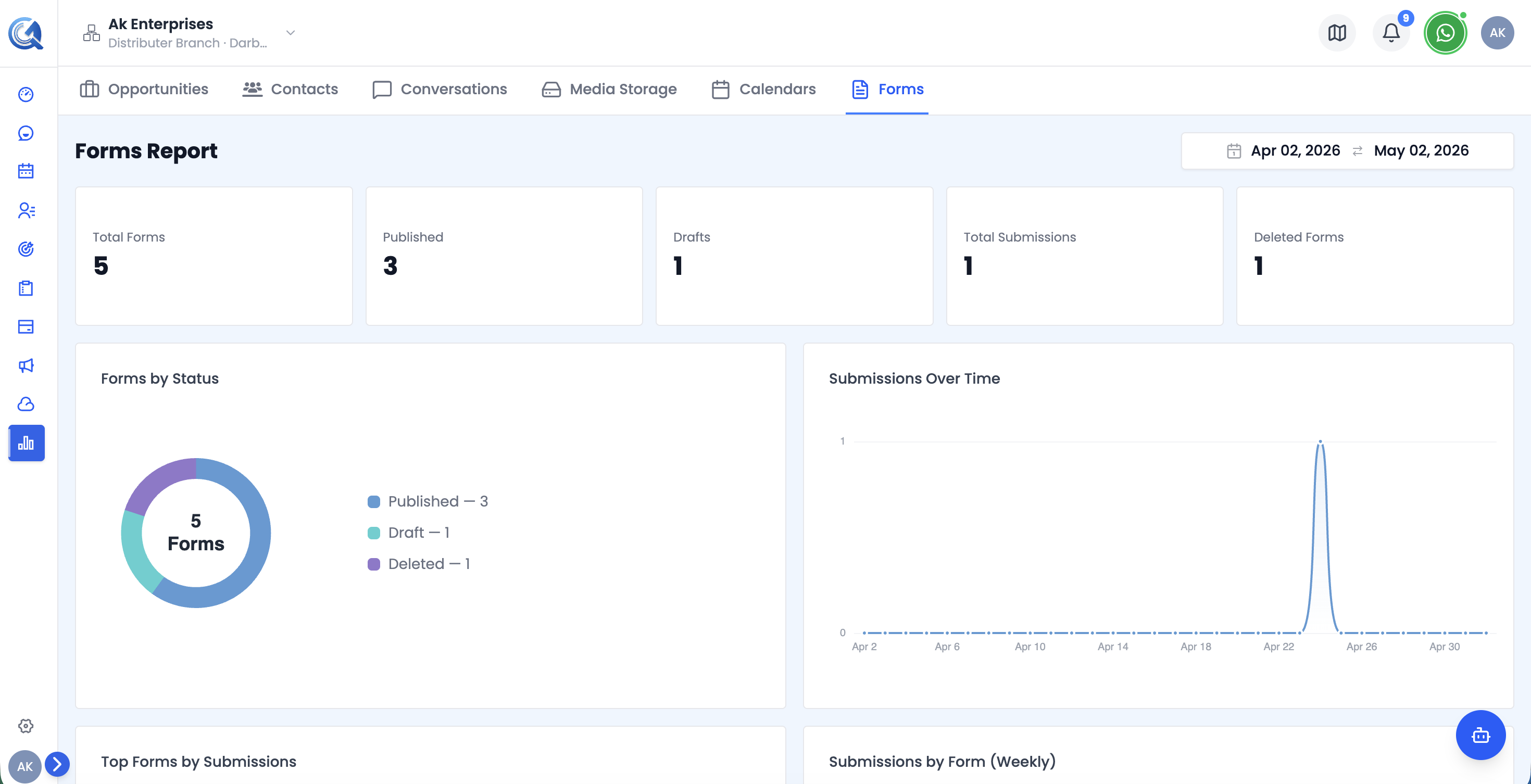 Top of the Forms report — KPI cards and the Forms Status donut chart.
Filters
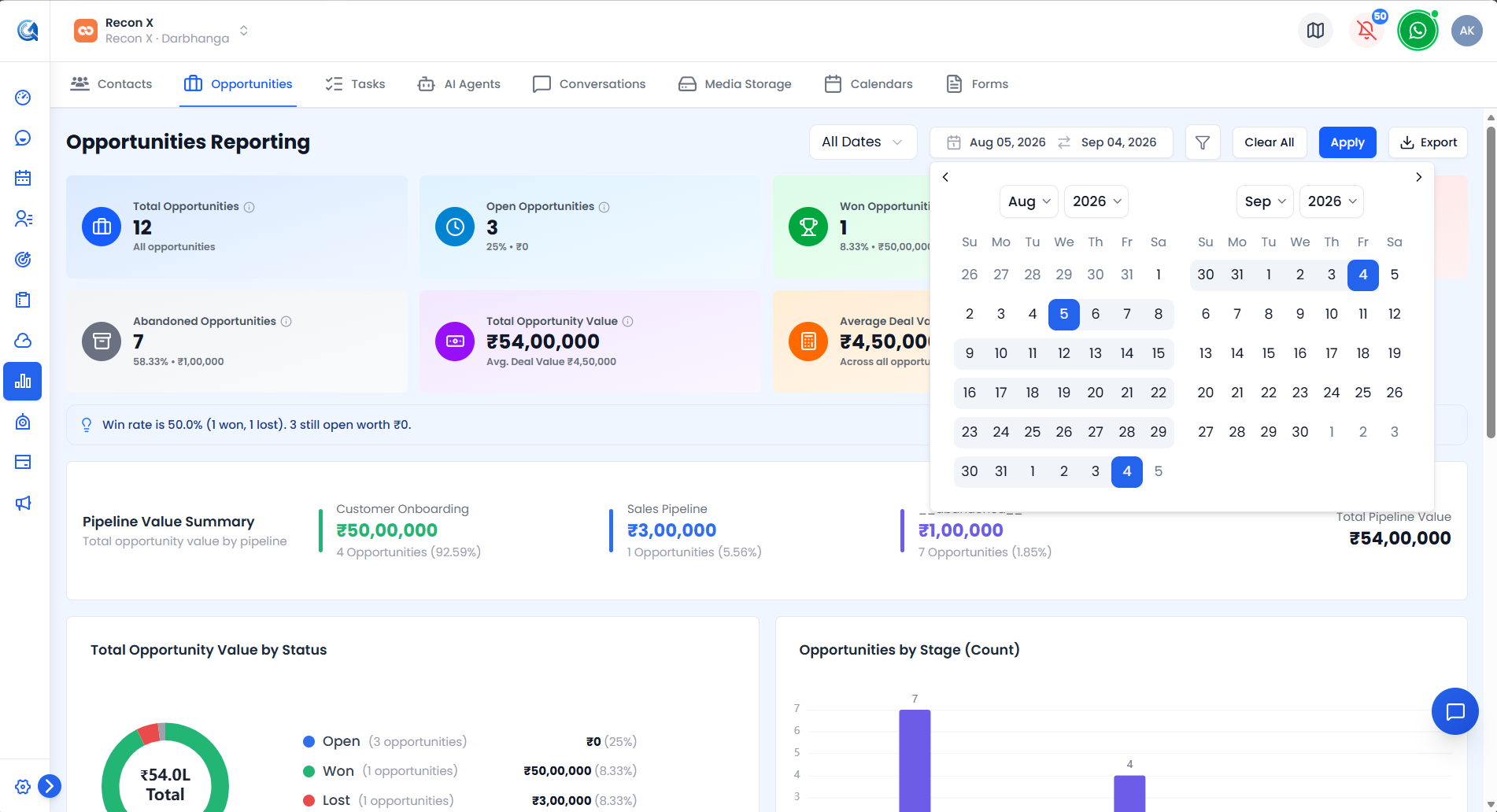 The Forms report's filters — Date Type, Status, and name search.
- Date Range Picker — defaults to the last 30 days.
- Date Type select — Created Date / Updated Date (default: Created Date).
- Status select — All / Published / Draft.
- Search — filter by form name.
Use Apply to run your filters or Reset Filters to clear them. An Export CSV button downloads the currently filtered view.
Forms KPI Cards
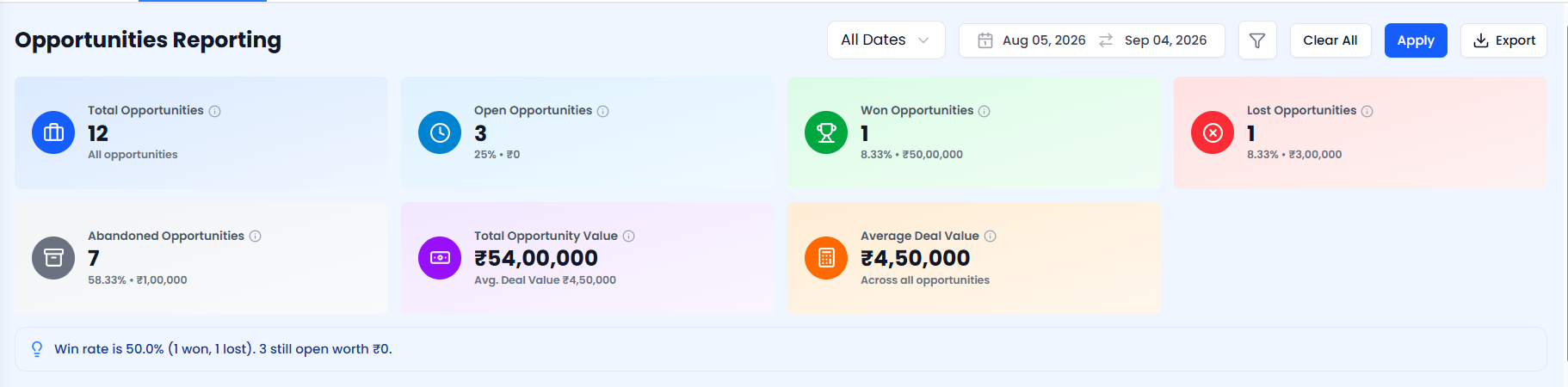 The Forms KPI cards.
| Card | What it shows |
|---|---|
| Total Forms | All forms matching the current filters |
| Published Forms | Forms currently live, plus publish rate (%) |
| Draft Forms | Forms saved but not published |
| Deleted Forms | Forms moved to trash |
| Forms with Submissions | Forms that have received at least one submission, plus active rate (%) |
| Total Submissions | All submissions received, plus average submissions per active form |
Forms Status Donut Chart
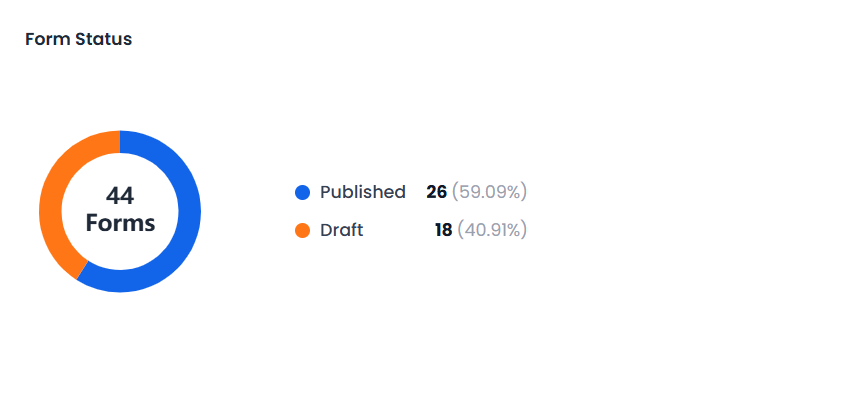 The Forms Status donut chart.
A donut chart showing the breakdown of forms by status.
Use this to see the balance of published, draft, and other forms at a glance.
Top Forms by Submissions Chart
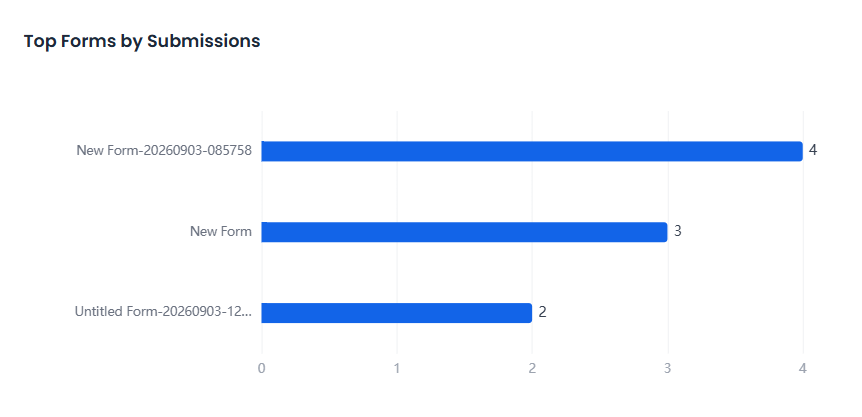 The Top Forms by Submissions chart.
A horizontal bar chart showing the top 5 forms ranked by submission count, sorted descending, with counts labeled on each bar.
Use this to identify your best-performing forms and understand what makes them successful.
Submissions Over Time Chart
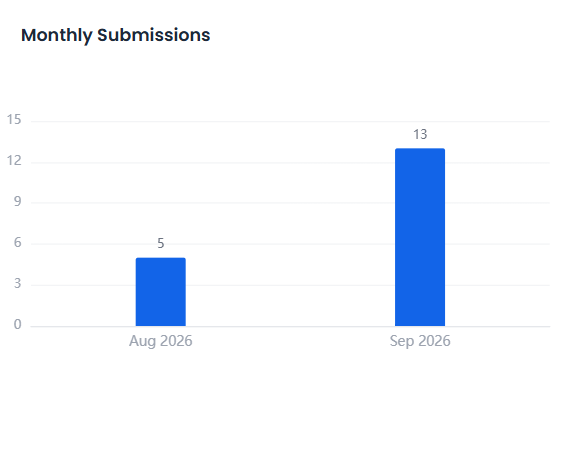 The Submissions Over Time chart.
A line chart showing daily submission counts across the selected date range.
Use this to spot submission spikes after campaigns or promotions and identify periods of low form engagement.
Submissions by Form Chart
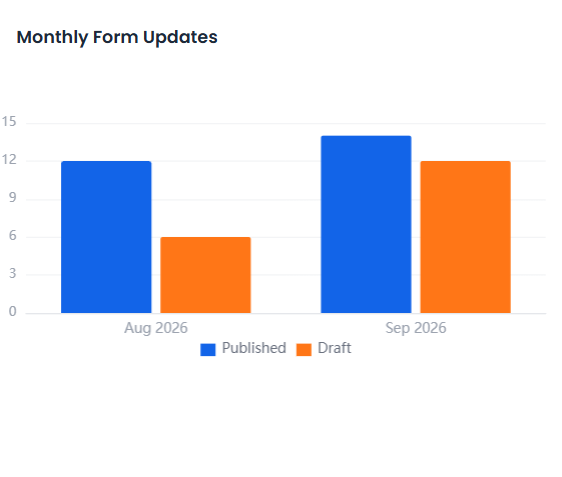 The Submissions by Form chart.
A trend of form updates over time, grouped by month.
Use this to see how actively forms are being maintained versus left untouched.
Submissions by Day Chart
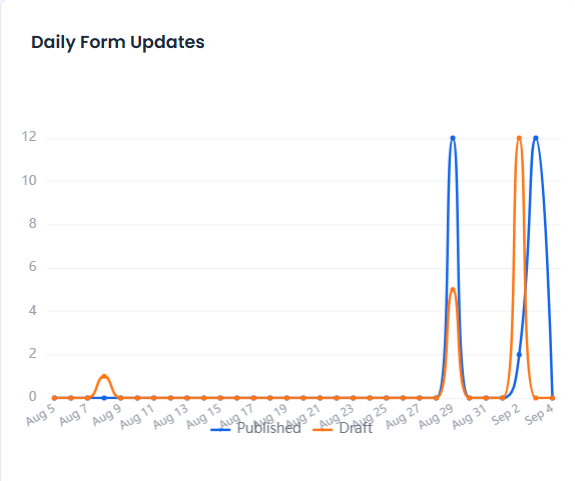 The Submissions by Day chart.
A monthly view of submission volume.
Use this to compare submission activity across recent months.
Submissions by Status Chart
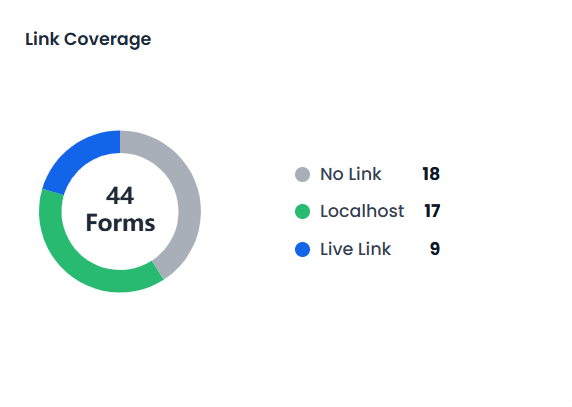 The Submissions by Status chart.
A breakdown related to link coverage across your forms.
Use this to see how well your forms are covered by shareable links.
Deleted Forms Trend Chart
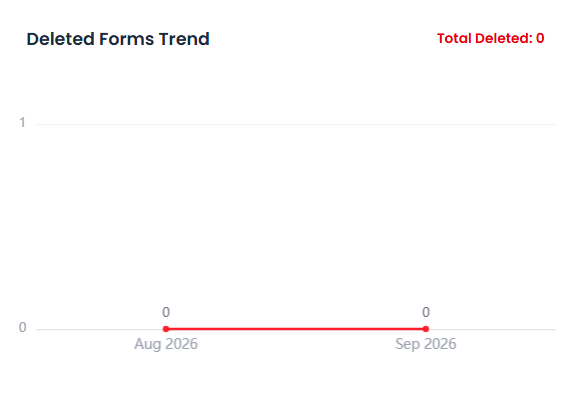 The Deleted Forms Trend chart.
A monthly trend of forms moved to trash.
Use this to keep an eye on how much of your form library is being deleted over time.
Submissions by Date Chart
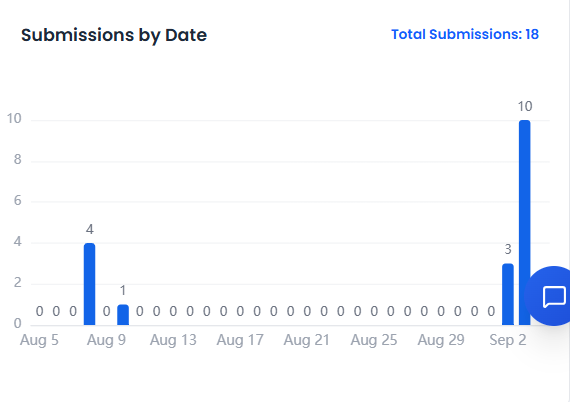 The Submissions by Date chart.
A daily view of submissions across the selected date range.
Use this alongside Submissions Over Time for a closer look at day-by-day activity.
Video Walkthrough
Watch the complete walkthrough below.