Media Storage Report
The Media Storage report shows how much storage you're using, what's driving usage, and where your largest and most recent files are.
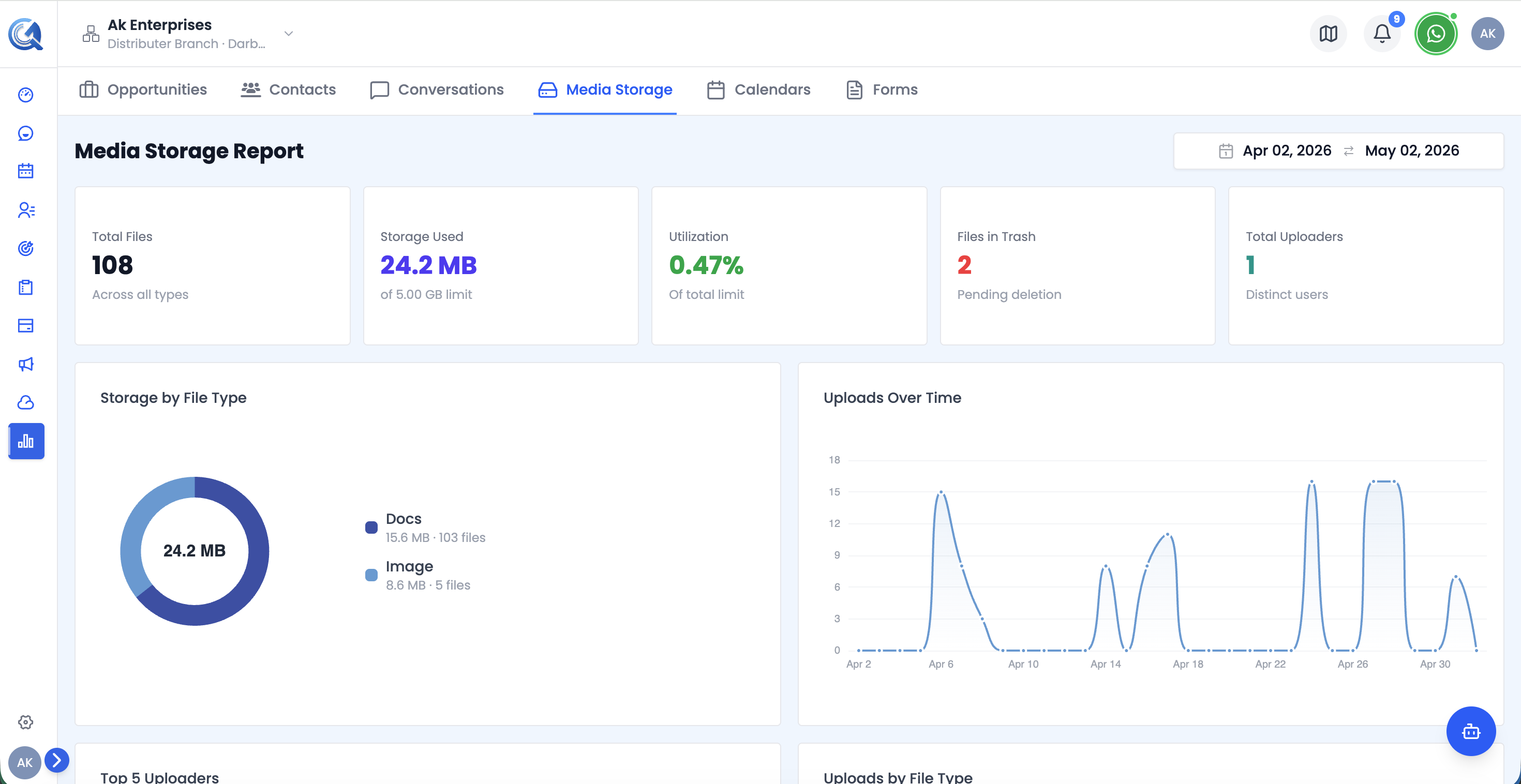 Top of the Media Storage report — KPI cards and the Storage by Type chart.
Filters
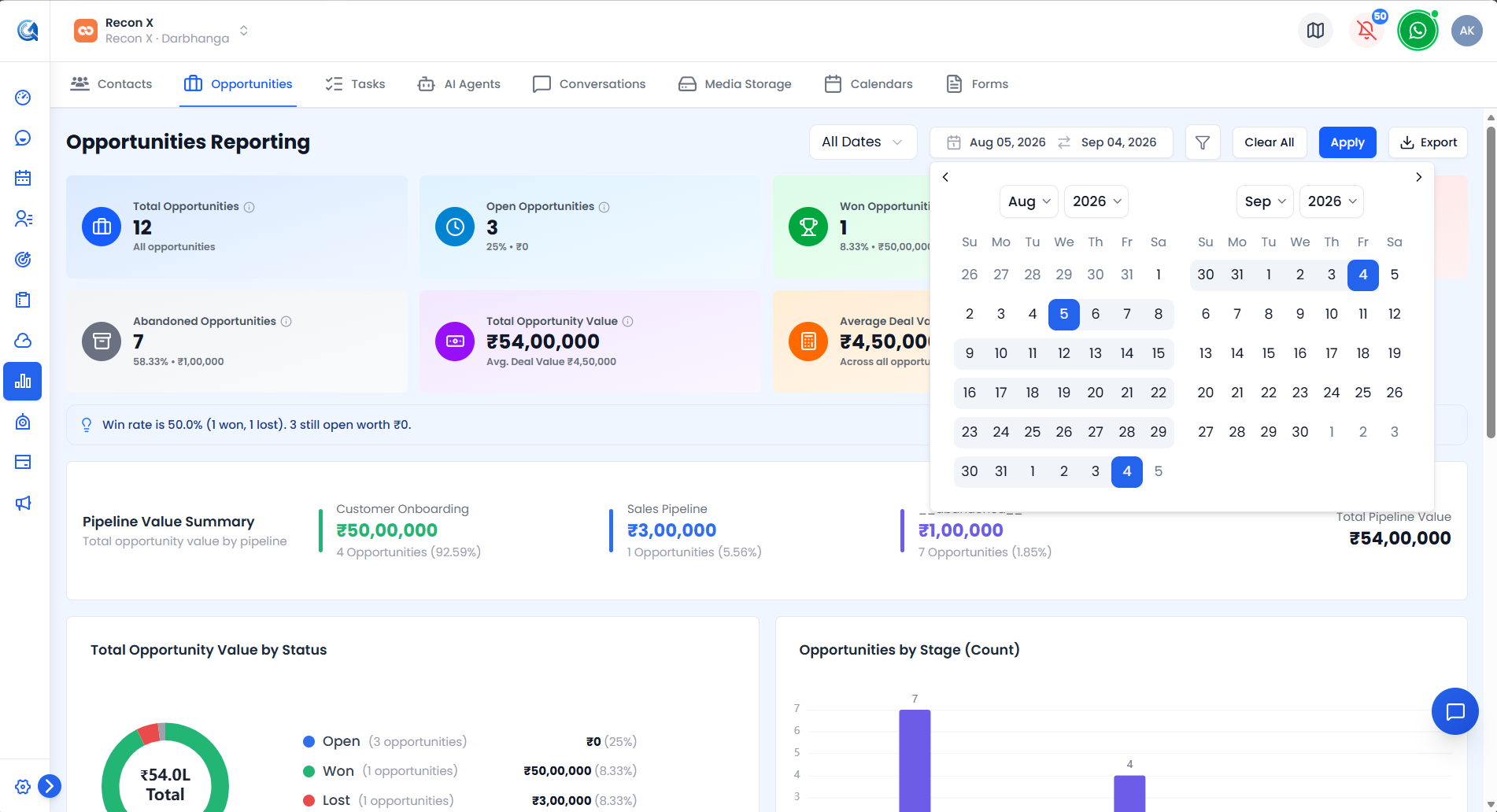 The Media Storage report's filters — File Type and Size Range.
- Date Range Picker — defaults to the last 30 days.
- File Type select — Document / Image / Video / Other / all.
- Size Range select — Under 50 KB / 50–500 KB / 500 KB–5 MB / Over 5 MB / all.
Use Apply to run your filters or Reset to clear them. An Export CSV button downloads the currently filtered view.
Media Storage KPI Cards
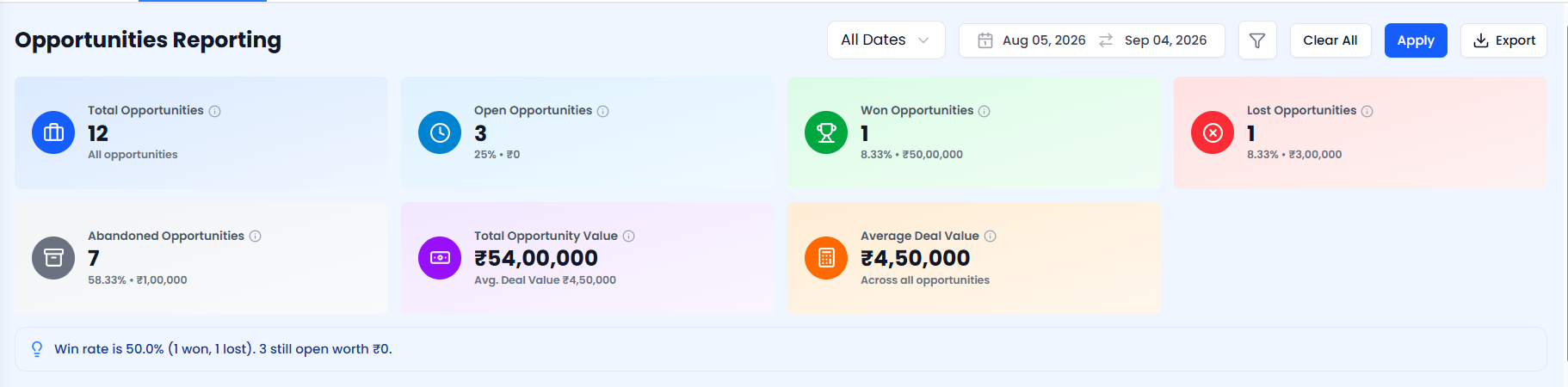 The Media Storage KPI cards.
| Card | What it shows |
|---|---|
| Total Files | All files matching the current filters |
| Estimated Storage | Estimated total storage used, in MB |
| Documents | Document files — count and % of total |
| Images | Image files — count and % of total |
| Folders Listed | Number of folders in view |
| Largest Visible File | Size and filename of the largest matching file, or "N/A" if none |
Uploads by Type Chart
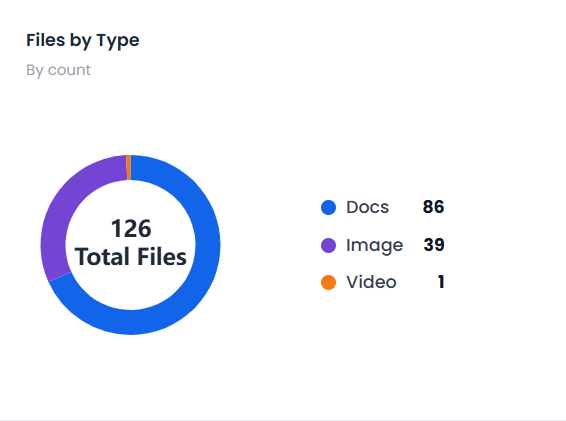 The Uploads by Type chart.
A donut chart showing the breakdown of uploads by file type.
Use this to see which file types your team uploads most often.
Uploads Over Time Chart
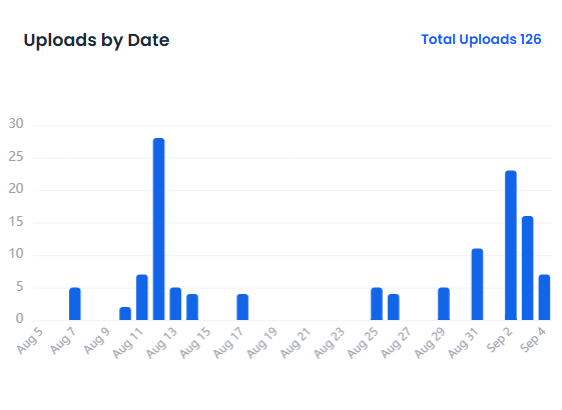 The Uploads Over Time chart.
A line chart trending daily upload volume across the selected date range.
Use this to spot upload spikes tied to campaigns or busy periods.
Storage by Type Chart
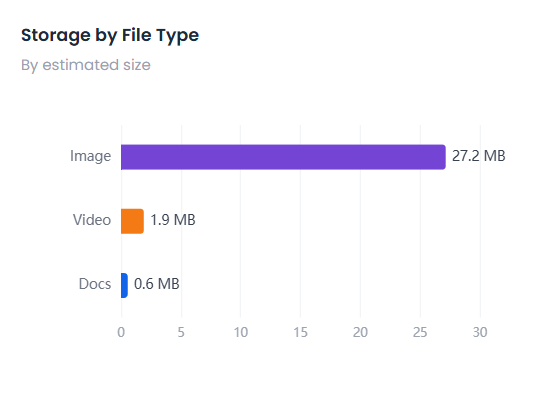 The Storage by Type chart, with its legend.
A donut chart showing how storage is divided across file types — Image, Video, Audio, Docs, Other. The centre shows total storage used; the legend shows each type's storage size and file count.
Use this to identify which file categories are consuming the most storage and whether a cleanup is needed.
Uploads by Type Over Time Chart
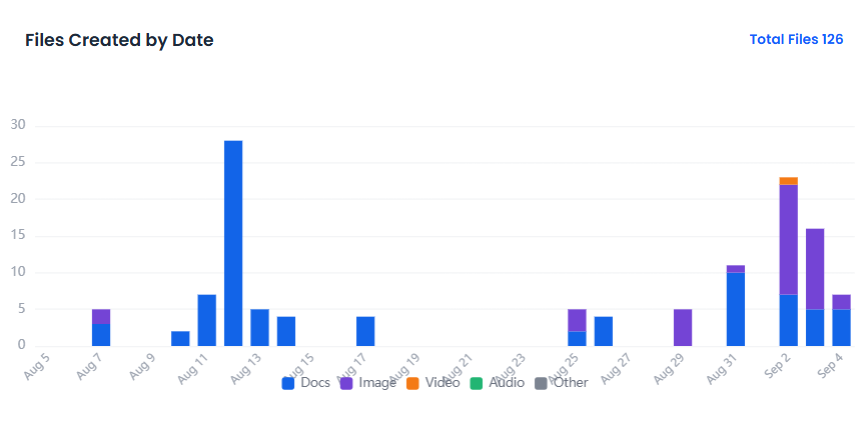 The Uploads by Type Over Time chart.
A trend of uploads over time, broken down by file type.
Use this to see whether upload patterns are shifting toward a particular file type.
Top Uploaders Chart
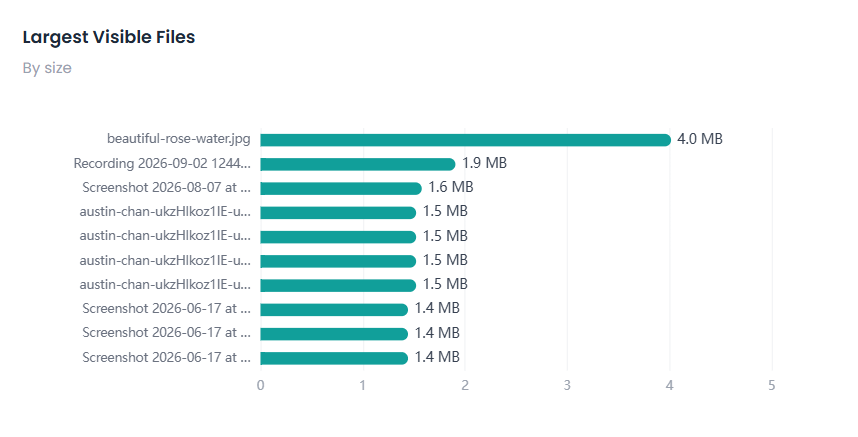 The Top Uploaders chart.
A ranking highlighting the largest files currently in view.
Use this to spot the files taking up the most space.
Storage by Folder Chart
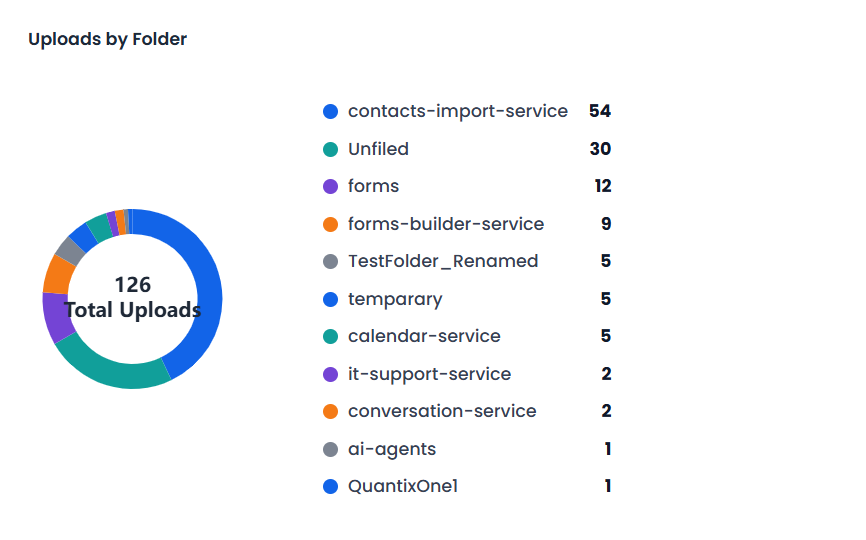 The Storage by Folder chart.
A donut chart breaking down files and storage by folder.
Use this to see where storage usage is concentrated across your folder structure.
Files by Month Chart
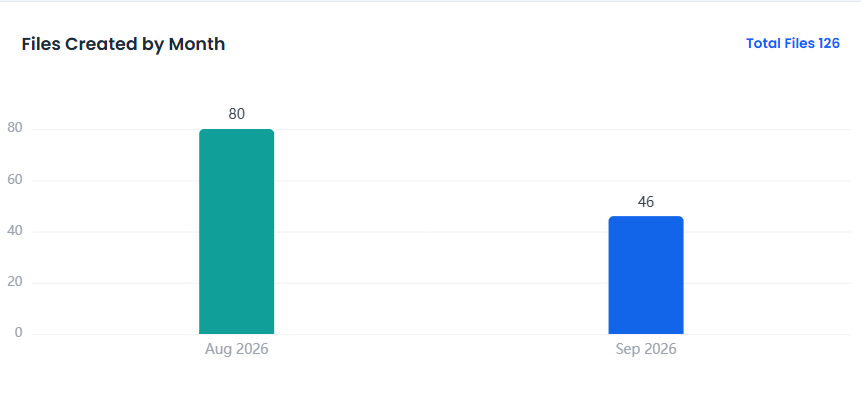 The Files by Month chart.
A trend of file counts by month.
Use this to see longer-term growth in your media library.
Recent & Largest Visible Files Table
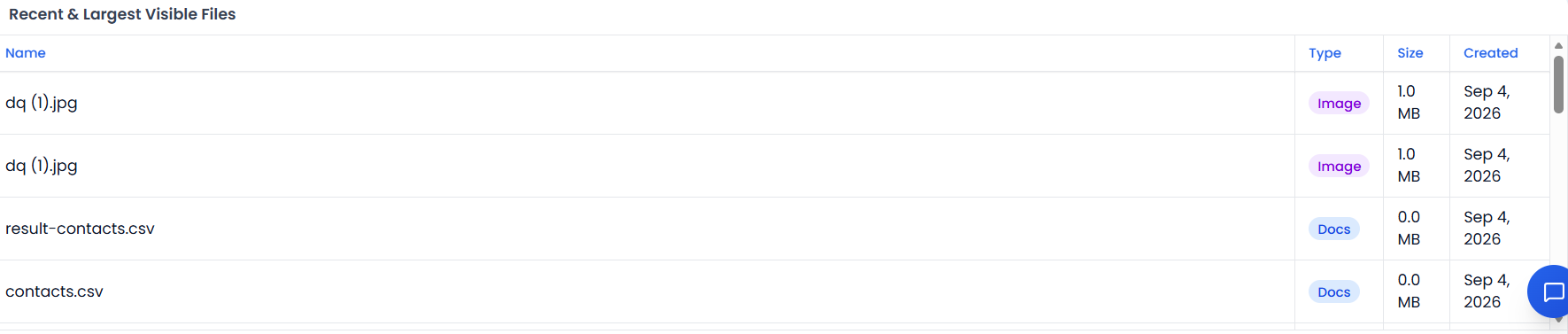 The Recent & Largest Visible Files table, paginated 20 rows per page.
| Column | Description |
|---|---|
| Name | File name |
| Type | File type |
| Size (MB) | File size |
| Created | Creation date |
Server-paginated, 20 rows per page.
Video Walkthrough
Watch the complete walkthrough below.