Opportunities Report
The Opportunities report shows the health of your sales pipeline — deal counts, values by status, growth trends, and exactly where deals are dropping off at each stage.
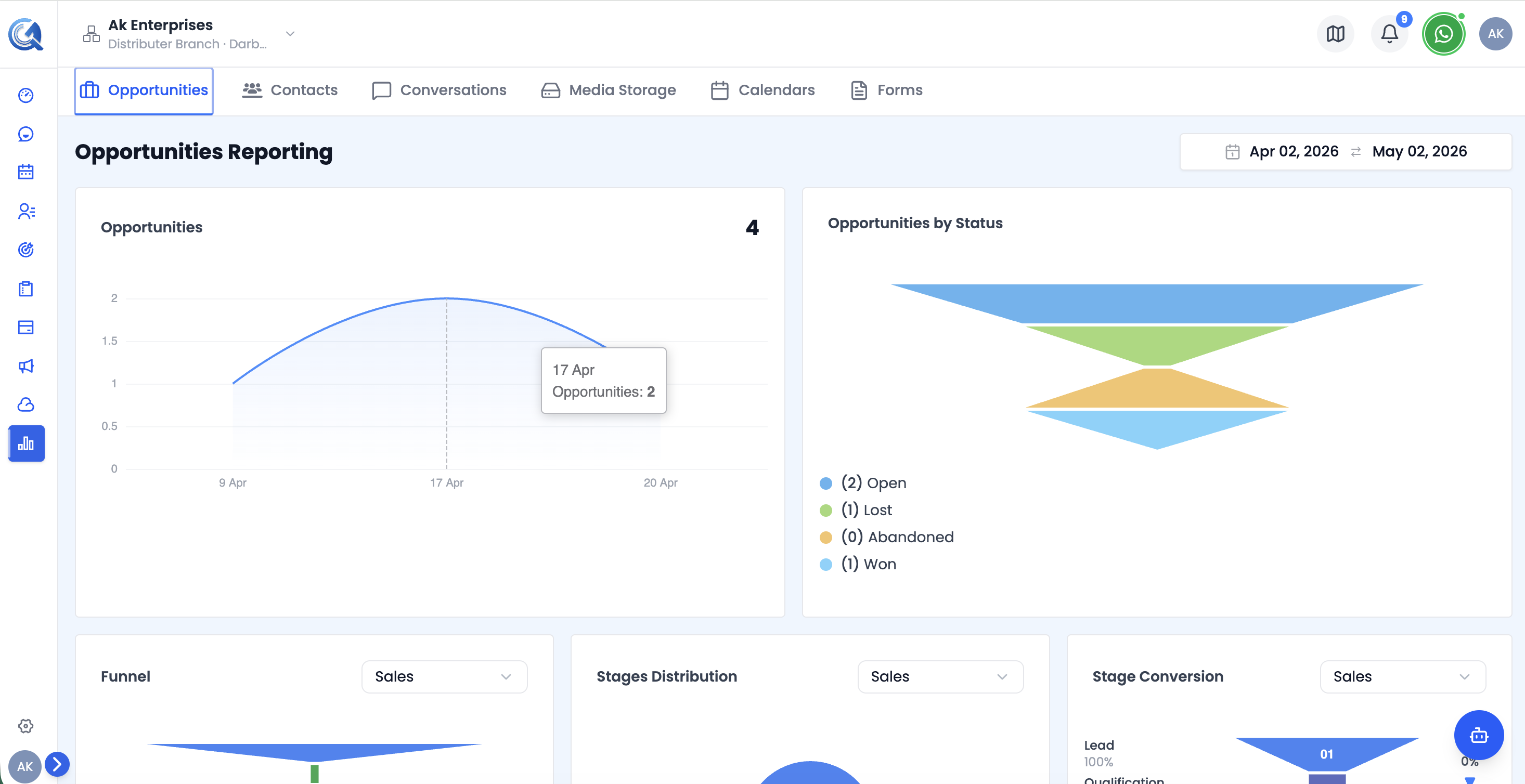 Top of the Opportunities report — KPI cards and the Pipeline Funnel chart.
Filters
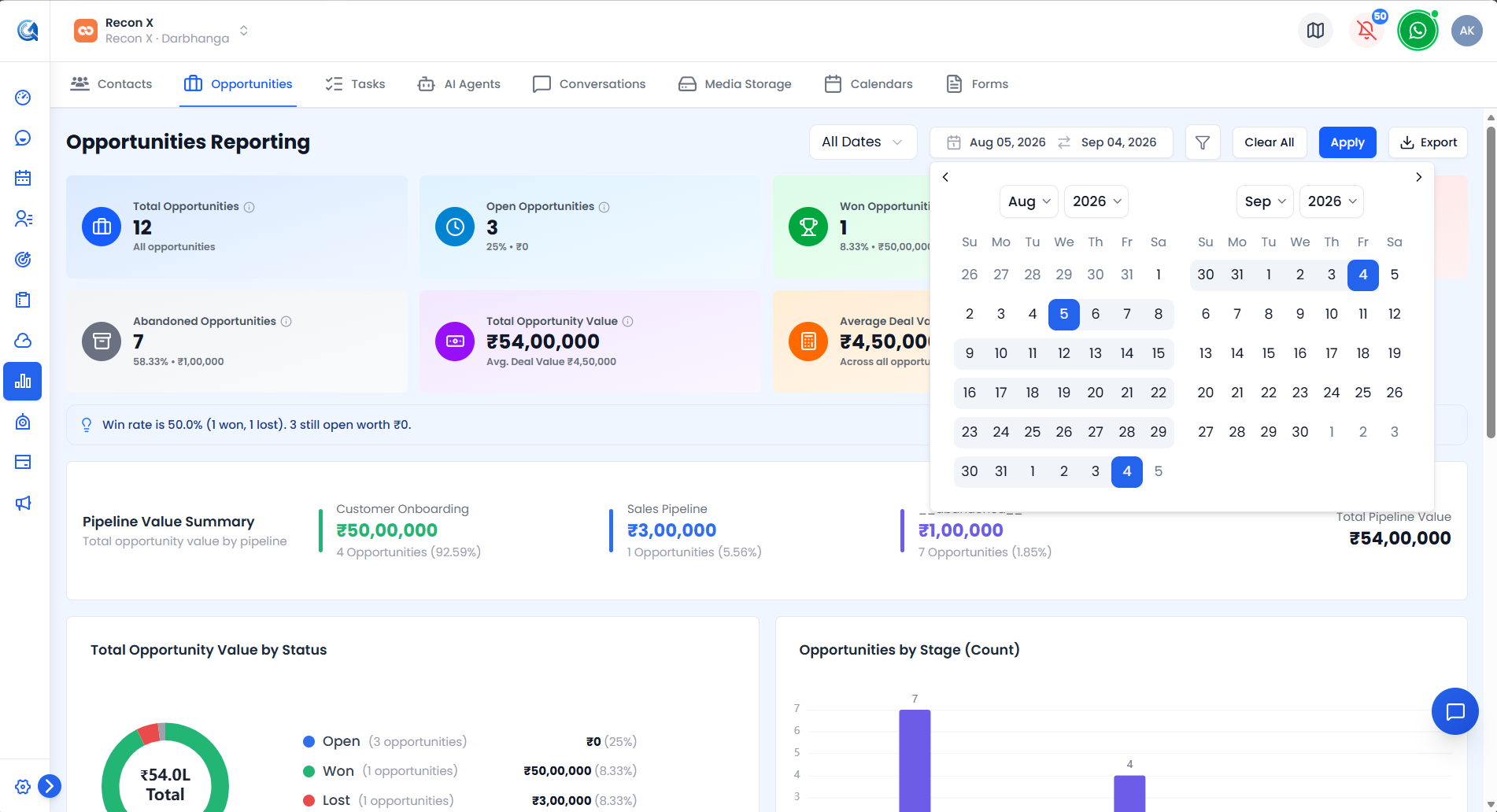 The Opportunities filter popover with Date Type, Pipeline/Stage, Status, and Owner.
- Date Type select — All Dates / Created Date / Updated Date (default: All Dates).
- Date Range Picker.
- Pipeline → Stage — choose a pipeline first, then filter by one of its stages.
- Status, Owner — searchable filters.
Use Apply to run your filters or Clear All to reset. An Export CSV button downloads the currently filtered view.
Opportunities KPI Cards
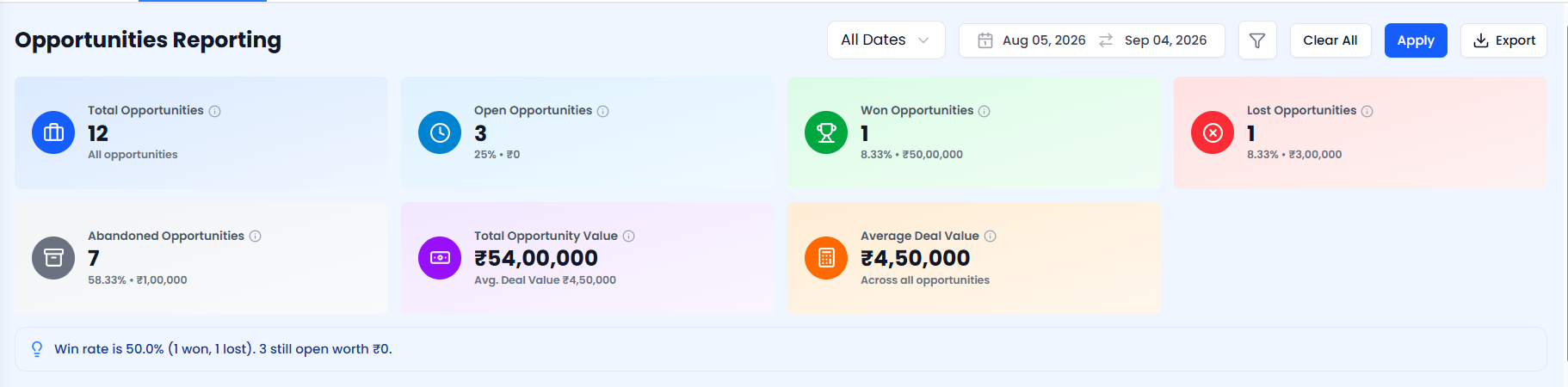 The Opportunities KPI cards, each with a growth badge.
| Card | What it shows |
|---|---|
| Total Opportunities | All opportunities matching the current filters |
| Open | Open deals — count, value, and % of total |
| Won | Deals closed successfully |
| Lost | Deals lost |
| Abandoned | Deals dropped without a decision |
| Total Opportunity Value | Combined value of all matching deals, plus average deal value |
| Average Deal Value | Average value per opportunity |
Each card shows a growth badge comparing the metric to the previous month (an up or down arrow with the % change, or "No change vs last month"). Below the cards, an insight banner highlights a notable trend when one is available. Card values are shown in your workspace's configured currency.
Pipeline Funnel Chart
 The full-width Pipeline Funnel chart, with the Pipeline dropdown.
A full-width stage-level funnel for a selected pipeline. Use the Pipeline dropdown to switch between pipelines. For each stage the chart shows the opportunity count, total value, and conversion rate from the previous stage.
Use this to understand how many deals are in each stage and the total value at risk.
Value by Status Chart
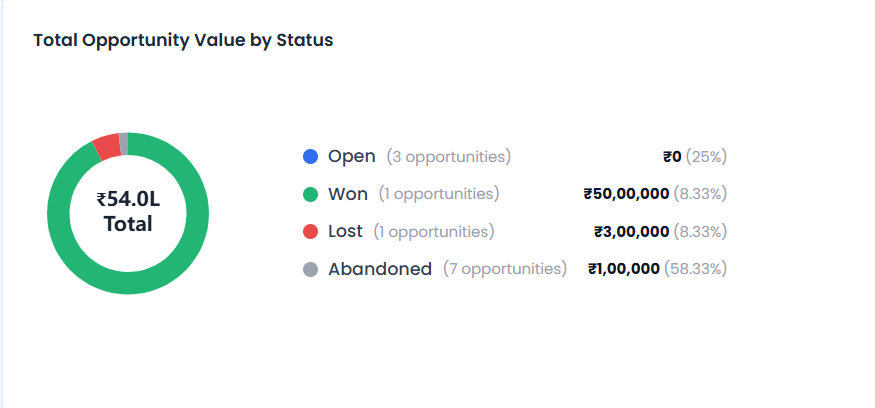 The Value by Status chart.
A chart showing how total deal value is split across Won, Open, Lost, and Abandoned.
Use this to see where your pipeline's value is concentrated.
Stage Distribution Chart
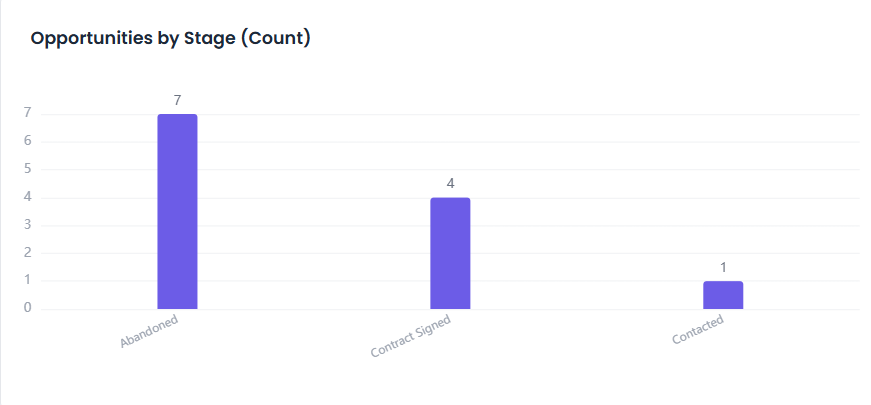 The Stage Distribution chart.
A breakdown of deal counts by pipeline stage.
Use this to see where most of your open deals currently sit.
Opportunities Created Chart
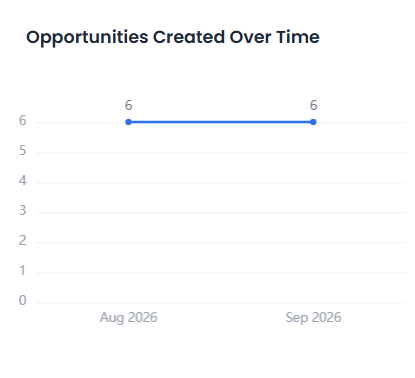 The Opportunities Created chart.
A line chart trending the number of opportunities created over time.
Use this to track how quickly new deals are entering your pipeline.
Opportunities Updated Chart
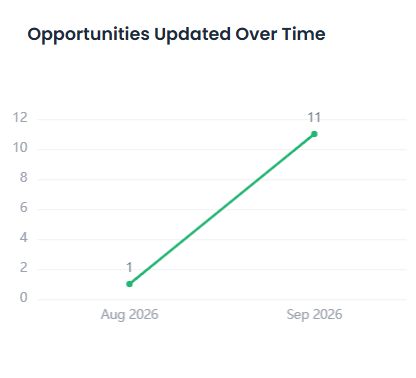 The Opportunities Updated chart.
A line chart trending the number of opportunities updated over time.
Use this to gauge how actively your team is working existing deals.
Top Opportunities Chart
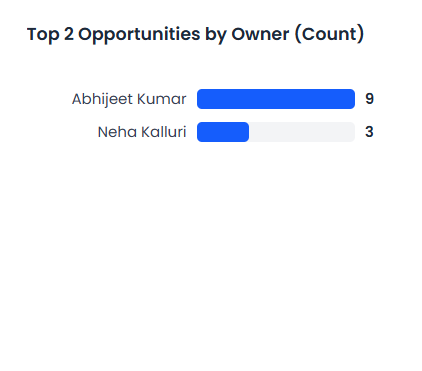 The Top Opportunities chart, ranked by owner.
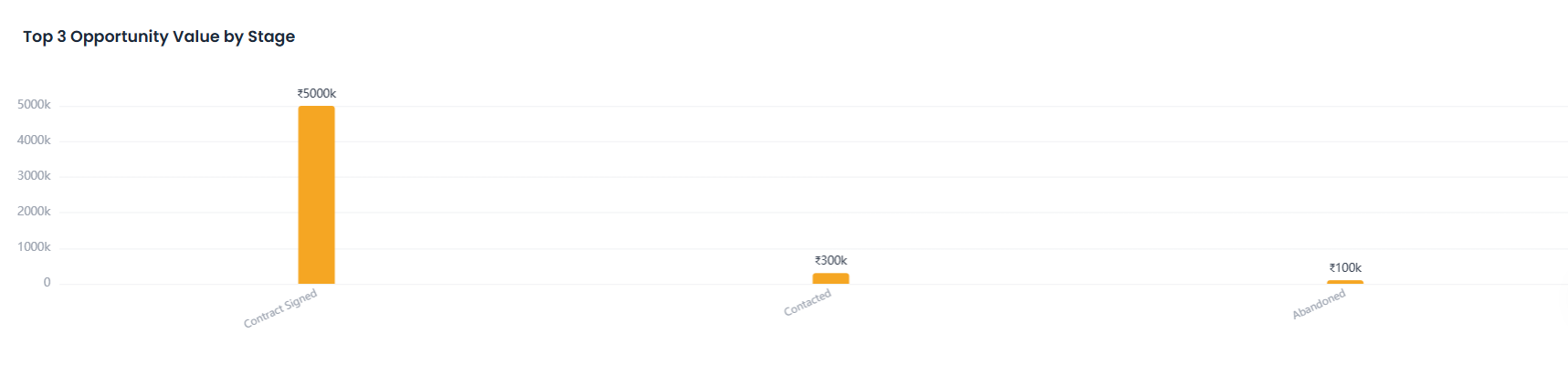
A ranking of opportunities by owner.
Use this to see which team members are driving the most pipeline value.
Opportunities Table
 The Opportunities table, grouped by business.
A summary table of opportunities grouped by business.
Use this to compare pipeline performance across businesses.
Stage Conversion Chart
 The Stage Conversion chart's three panels — stage names, funnel bars, and step-by-step conversion %.
A three-panel funnel (with a pipeline selector) showing conversion rates between consecutive stages:
- Left panel — stage names and cumulative conversion %
- Centre — funnel bars narrowing as conversion drops
- Right panel — step-by-step conversion % between each stage pair
Use this to pinpoint exactly where deals are falling out of your pipeline so you can focus coaching and follow-up efforts at those stages.
Video Walkthrough
Watch the complete walkthrough below.