Upgrading a Plan
Your Subscription Plan determines the features, usage limits, and number of users available in your QuantixOne account. You can change your plan at any time from the Upgrade page — upgrades take effect immediately and are charged on a prorated basis, while downgrades take effect at the end of your current billing cycle.
Navigating to the Upgrade Page
Click your account name or the Settings icon in the bottom-left corner of the sidebar, then select Billing from the settings menu. On the Billing page, open Upgrade your plan.
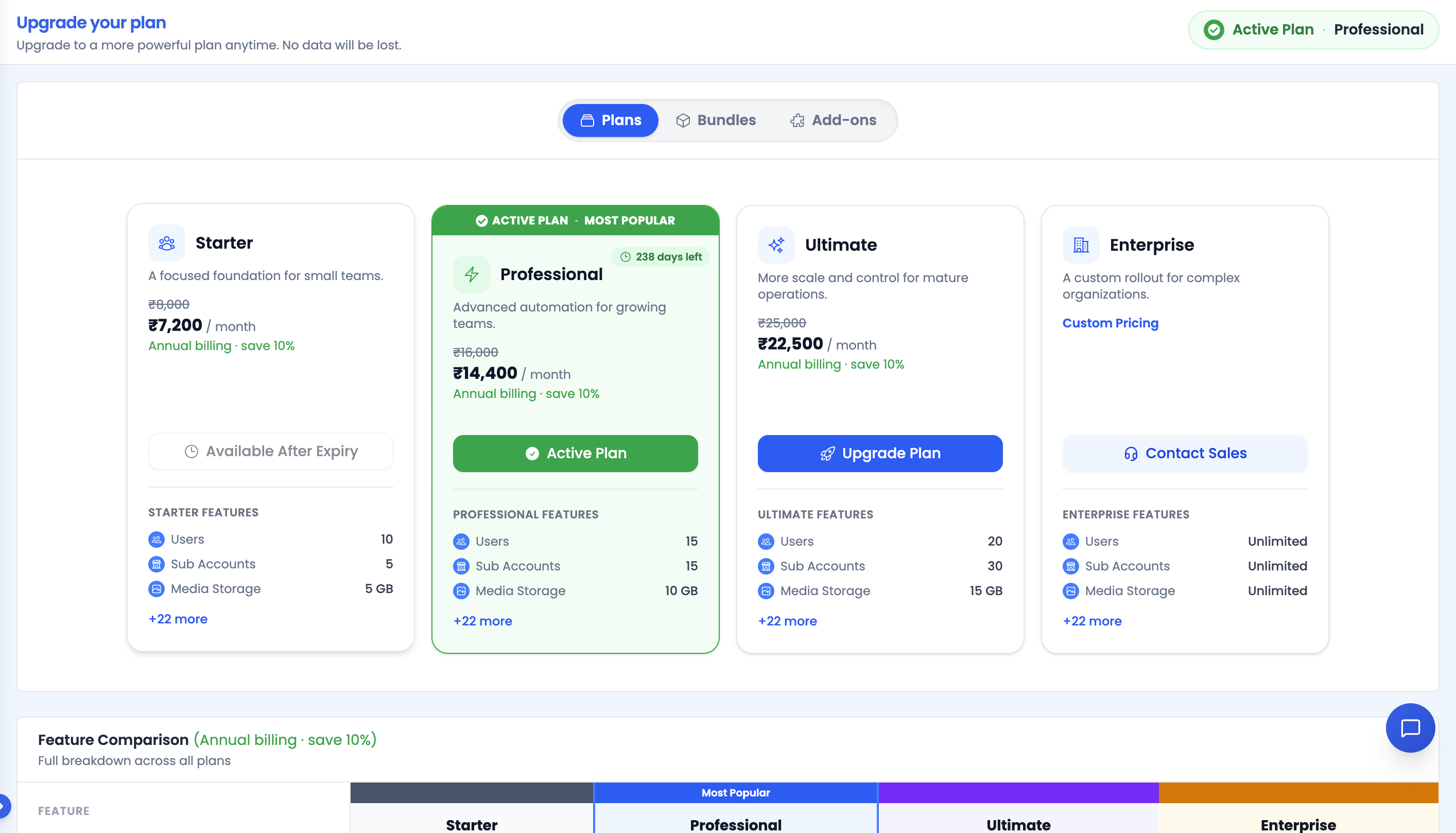 If you already have an active subscription, a pill next to the page title reads "Active Plan · {Plan name}".
Choosing a Billing Cycle
Use the Annually / Monthly toggle above the plan list to switch how plans are priced. Annual billing shows a Save 10% badge.
Note: If your current subscription is already billed annually, the toggle is hidden and a banner explains that you can't switch to monthly while an annual subscription is active — you would need to cancel it first.
Browsing Plans, Bundles, and Add-ons
Three tabs sit above the plan list:
- Plans — the standard CRM tiers (Starter, Professional, Ultimate, Enterprise).
- Bundles — specialized standalone plans such as the WhatsApp Plan and AI Agents Plan. See Bundle Plans for details.
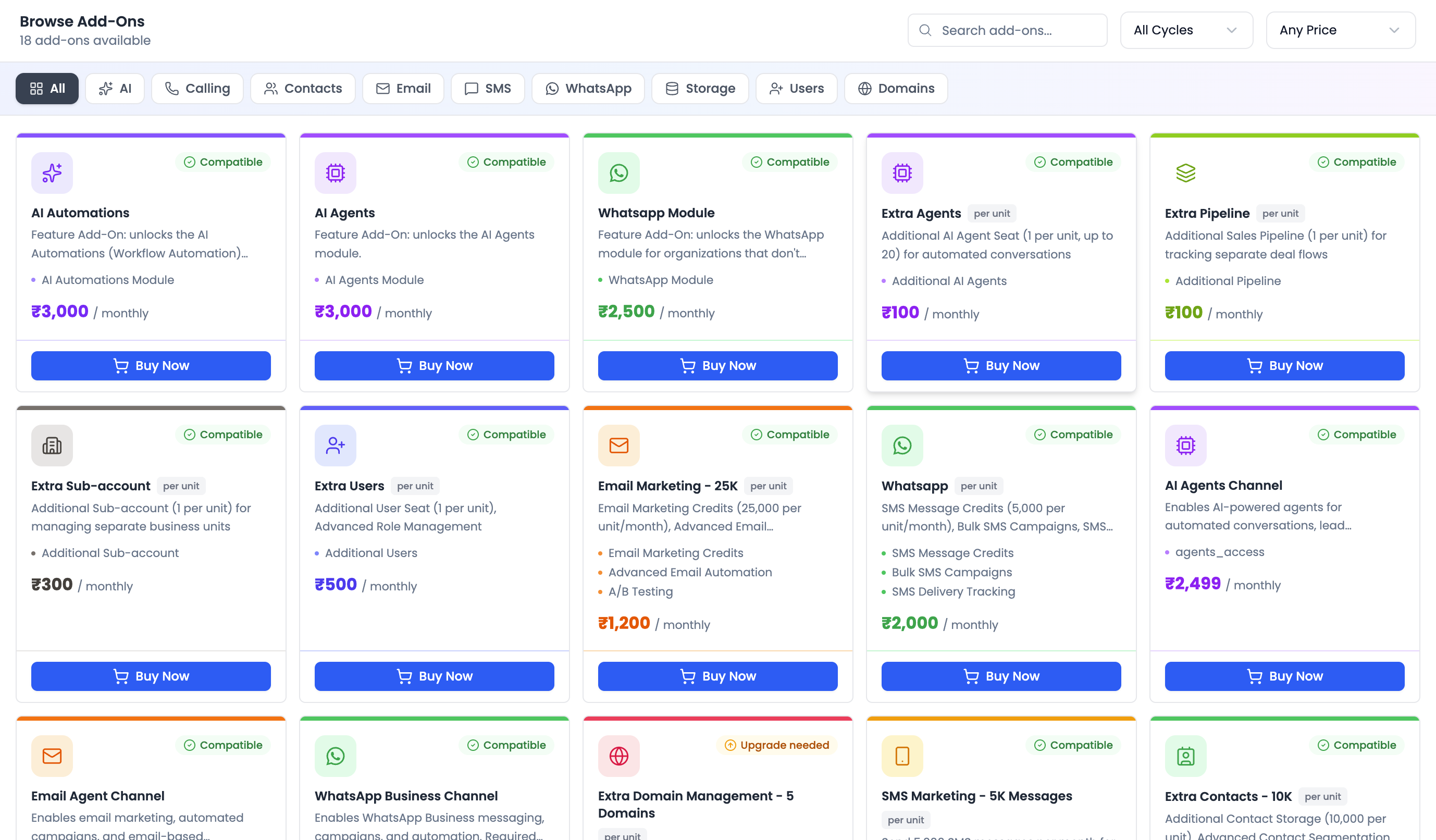
- Add-ons — the same add-on catalog described in Purchasing Add-ons, shown inline for convenience.
 Each plan card lists its price, included features, and a call-to-action button.
The button on each plan card reflects your current state:
| Button label | Meaning |
|---|---|
| Purchase Plan | You have no active subscription yet. |
| Upgrade Plan | This is a higher tier than your current plan. |
| Active Plan (disabled) | This is your current plan. |
| Cancel Subscription | Shown on your active plan as a shortcut to cancellation. |
| Contact Sales | Enterprise-tier plans require talking to sales. |
| Available After Expiry / Unavailable at Monthly / Not Available | The plan can't be selected right now — hover the button for the specific reason. |
Comparing Features
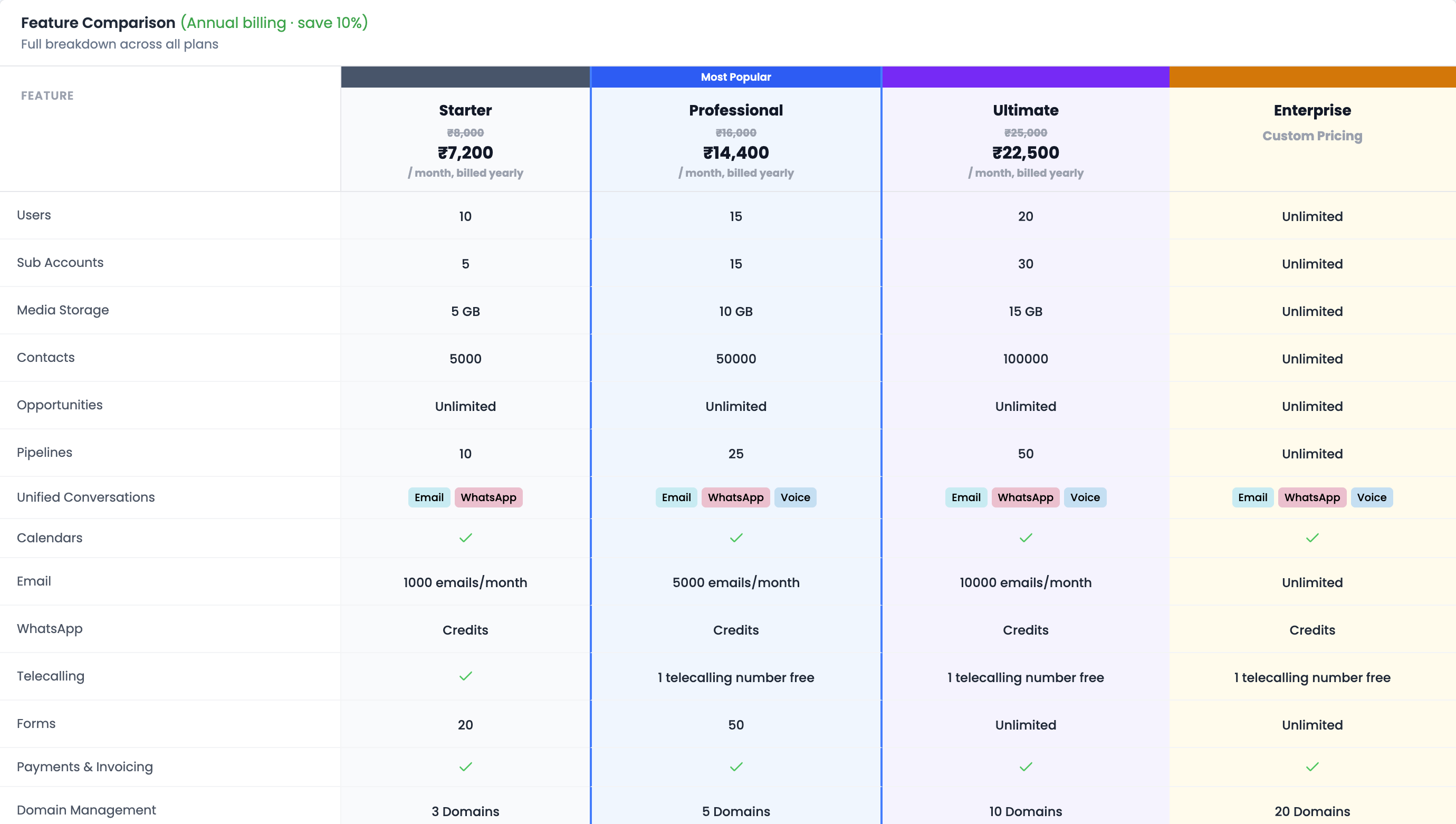
Below the plan cards, the Feature Comparison table lists every feature side by side across tiers, including which add-ons come bundled with each plan. A Recommendations section at the bottom of the table highlights suggested upgrades based on your usage.
Building Your Own Plan
If none of the standard tiers or bundles fit, click Build Your Own Plan below the Bundles list to open the "Or build your own plan" dialog.
- Basic CRM is always included (marked ALWAYS INCLUDED).
- Toggle on the capability you want to add (e.g., WhatsApp, AI Agents) and watch the Estimated total update live.
- Click Get Started to continue to checkout.
Note: Only one additional capability can be combined with Basic CRM today. Selecting two or more shows a warning to contact support instead.
Confirming Your Plan Change
Clicking a plan's CTA opens one of two dialogs:
- Downgrading to a lower tier opens Confirm Plan Downgrade, showing the new plan, the date it takes effect (end of your current billing cycle), and any refund/savings impact. Click Confirm Downgrade — no payment is charged now.
- Purchasing or upgrading opens Confirm Plan Change (or Confirm Plan Purchase if you have no active subscription):
- Billing Information — your name, email, and phone, pre-filled from your account.
- Add Credits (Wallet Top-up) — optionally top up your wallet at the same time (₹500–₹100,000).
- Add-ons — search and add extra capacity to the same order.
- A coupon code field and a Pay with wallet balance toggle, which applies your existing credit balance to the charge.
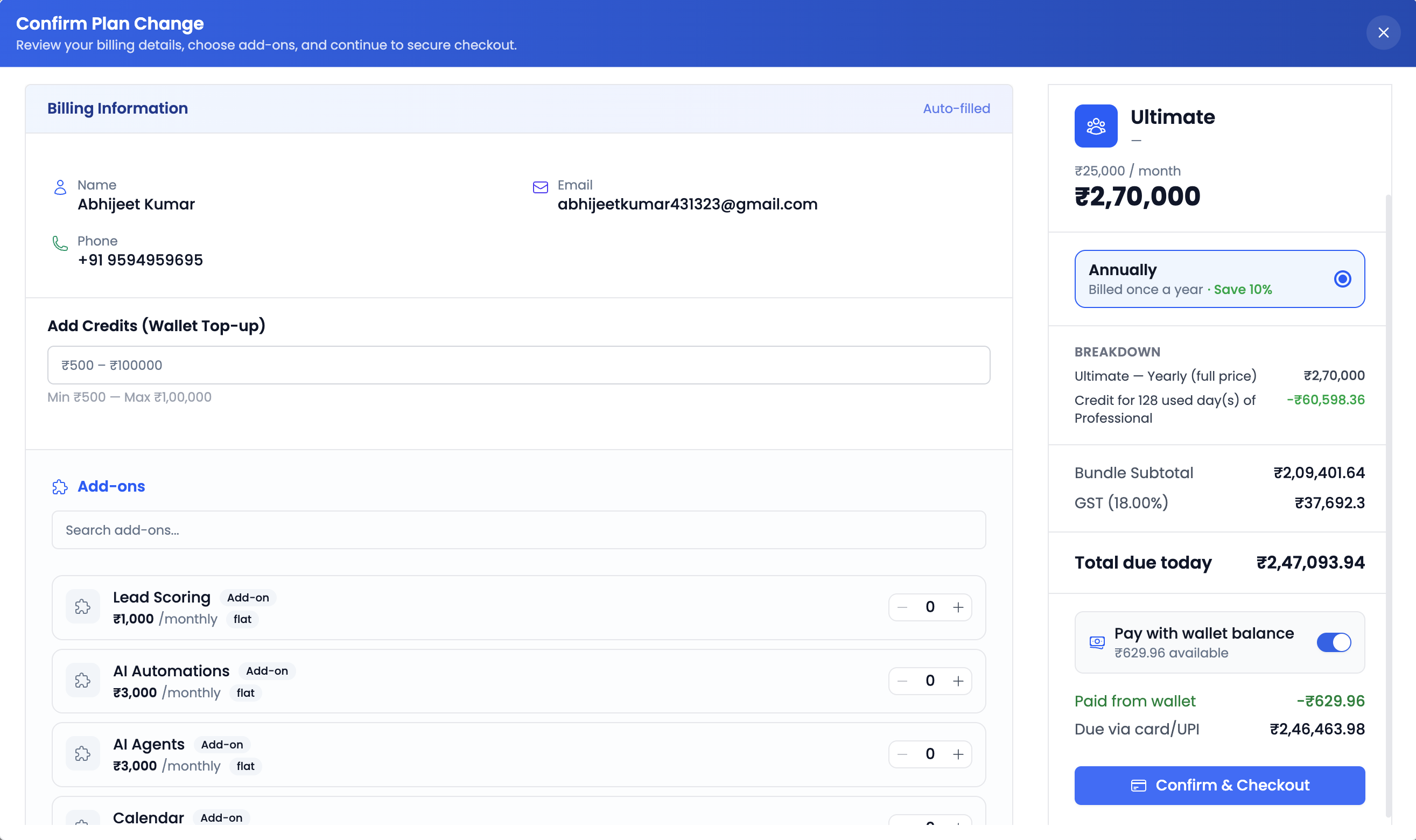
Click the payment button at the bottom of the order summary to continue.
Completing Payment
- If the order total (after coupon and wallet balance) is ₹0, the plan activates instantly.
- Otherwise, you're redirected to Razorpay checkout, then back to a verification screen that shows "Verifying your payment…", followed by "Payment successful!" or, if something goes wrong, "Payment failed" with a Retry option.

FAQs
The Upgrade page ends with a Frequently Asked Questions section covering pricing, free trials, upgrade/downgrade timing, billing cycles, and the cancellation/refund policy.
Video Walkthrough
Watch the walkthrough below to see how to upgrade your plan in QuantixOne.