Template Library
The Template Library is a curated collection of pre-built WhatsApp templates organized by industry and use case. Browse it to find a starting design, then customize it and submit for approval.
Accessing the Template Library
- Go to Conversations → Templates → WhatsApp.
- Click the Explore tab.
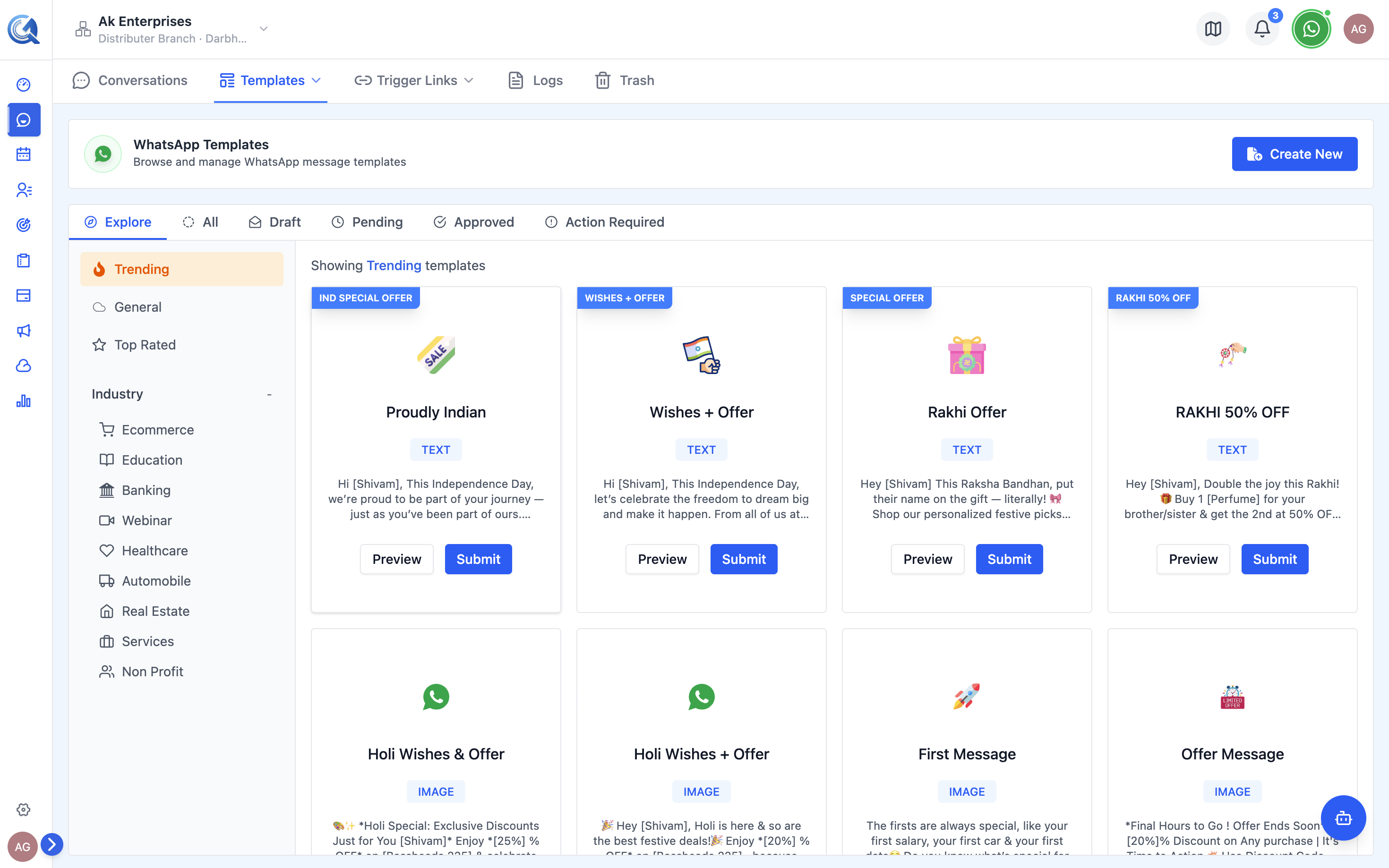 The Explore tab opens the template library.
Browsing by Category
The library is organized into sections at the top of the Explore page:
Featured:
- Trending
- General
- Top Rated
By Industry:
- Ecommerce
- Education
- Banking
- Webinar
- Healthcare
- Automobile
- Real Estate
- Services
- Non-Profit
Click any category chip to filter the grid to that category.
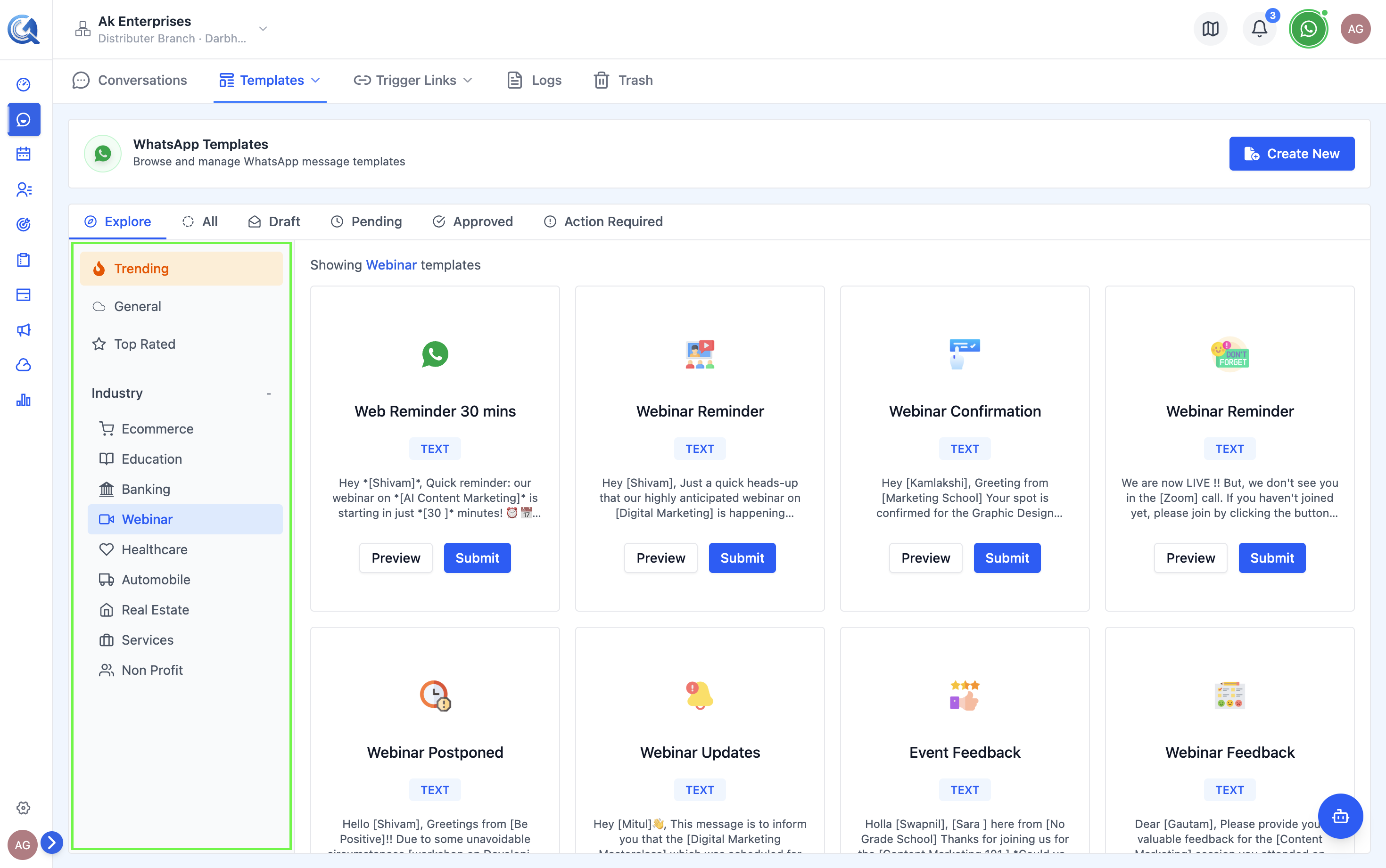 Filter by category to find industry-specific templates.
Template Cards
Each card in the grid shows:
- A banner/preview of the template message
- The template name
- The template category (Utility, Marketing, Authentication)
- A Use Template button
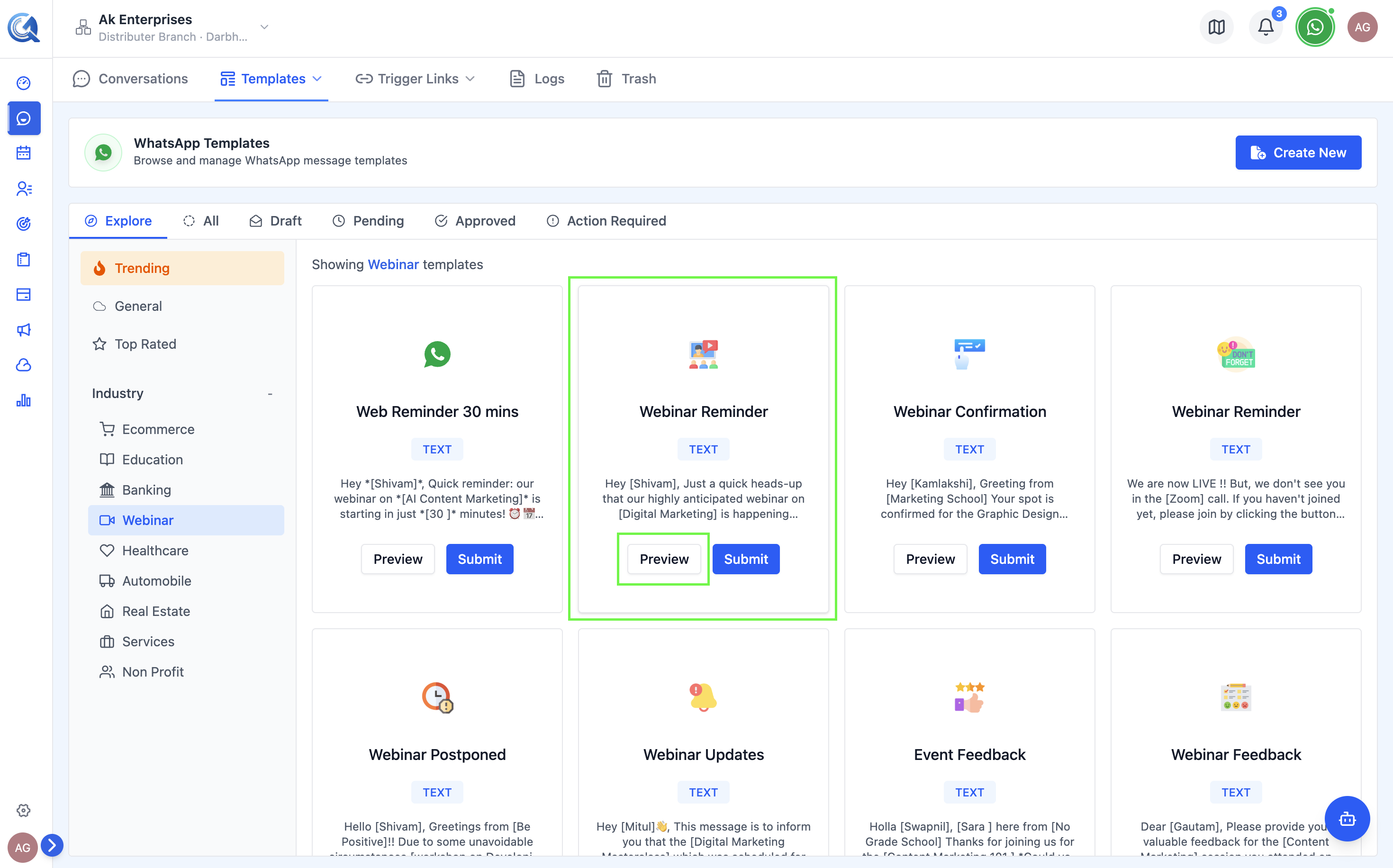 Each card shows a preview and the template category.
Previewing a Template
Click on a card to open a full WhatsApp-style preview showing the exact message rendering including header, body, footer, and buttons.
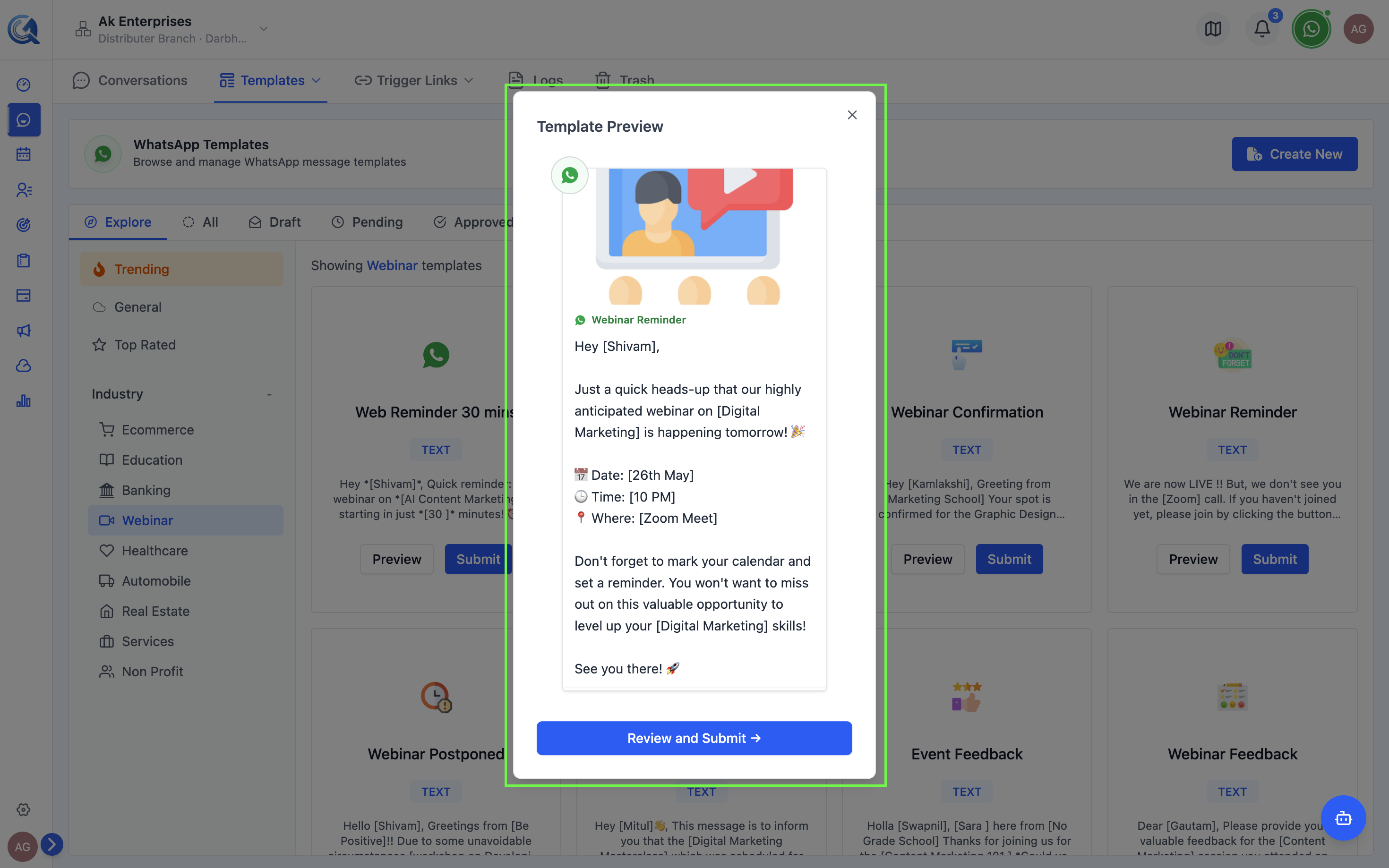 Preview the template as it will appear on a contact's device.
Using a Library Template
- Click Use This Template in the preview or on the card.
- The template form opens with all fields pre-filled.
- Customize the content for your brand.
- Add or update variable example values.
- Click Submit for Approval.
Library templates use generic copy designed to work for any business. Replace the placeholder wording, add your brand tone, and update any URLs or phone numbers before submitting — Meta's reviewers see these templates frequently and generic submissions are scrutinized more closely.
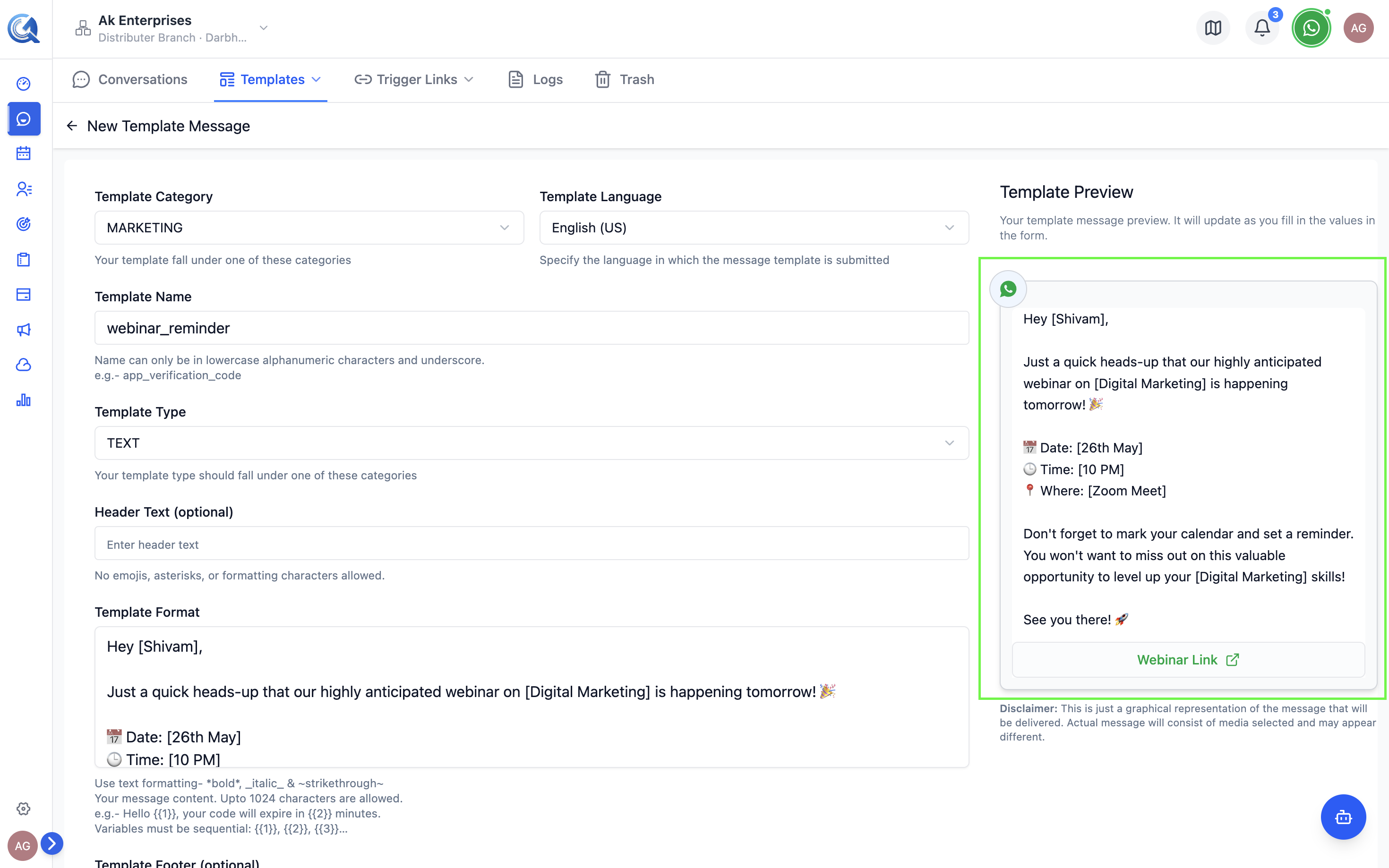 Customize the pre-filled template before submitting.